
Can a Bad Battery Cause Vacuum Suction Loss?

Quick Answer
Yes, a bad battery can cause suction loss in a cordless vacuum. A weak, aging, or insufficiently charged battery may prevent the motor from maintaining normal performance, reduce available runtime, or cause unexpected shutdowns. However, weak suction is often caused by clogged filters, blocked airways, or a full dustbin. Fully charge the battery and check for airflow restrictions before replacing anything.
A cordless vacuum that suddenly struggles to collect crumbs, pet hair, or dust can make you suspect the battery. That is reasonable, especially if the machine also runs for less time than it used to.
But poor pickup does not automatically mean the battery is failing. The motor may have adequate power while a blockage prevents air from moving through the vacuum.
The useful question is whether the vacuum has an electrical power problem, an airflow problem, or both. A few simple checks can help separate them.
How Can a Bad Battery Affect Vacuum Suction?
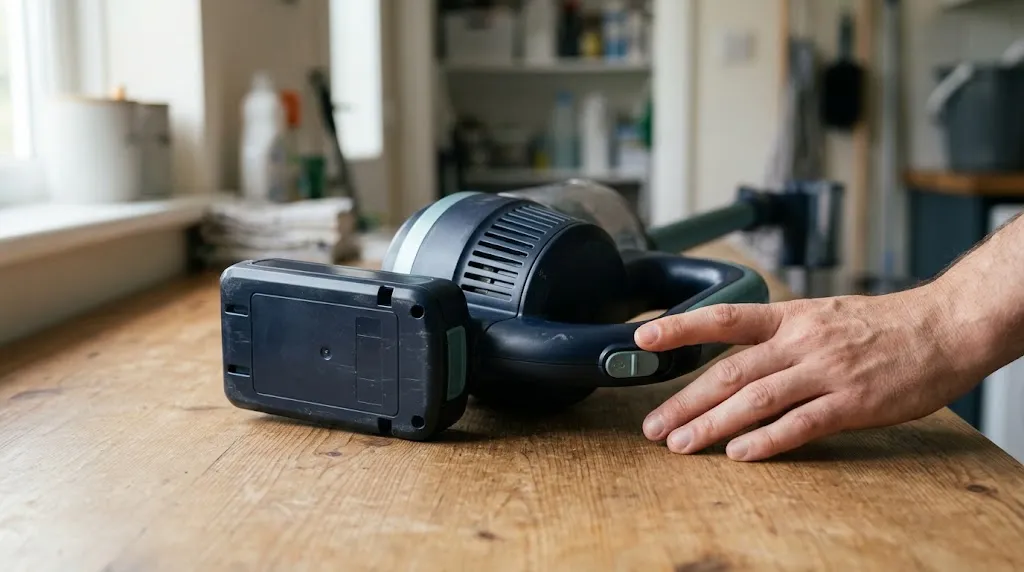
A faulty battery can affect vacuum performance by limiting the electrical power available to the motor or causing the vacuum’s control system to reduce power or shut down.
In a cordless vacuum, the rechargeable battery supplies energy to an electric motor. That motor drives a fan that creates the airflow needed to collect dirt.
If the battery cannot deliver the power the vacuum requires, performance may change. The exact result depends on how the vacuum’s electronics manage low battery voltage, temperature, and motor demand.
1. A low battery may reduce available power
Some cordless vacuums reduce motor output as battery charge falls. Others maintain their selected suction setting until they reach a low-charge limit and then switch off.
For example, Xiaomi’s official handheld vacuum support guidance identifies low battery charge as one possible reason for reduced suction power.
That means declining suction near the end of a cleaning session can be battery-related, but it is not normal behavior for every vacuum model.
2. An aging battery may struggle under heavy demand
Rechargeable batteries lose usable capacity as they age. Some also develop greater internal resistance, making it harder to deliver high current under demanding conditions.
A vacuum operating in maximum suction mode may expose this weakness sooner than one running in a lower-power setting.
Possible results include shorter runtime, unexpected shutdowns, or difficulty sustaining high-power operation. A gradual reduction in suction is possible, but it is not a universal symptom.
3. Battery protection can interrupt operation
Modern cordless vacuums commonly use electronic protection systems. Depending on the model, these may interrupt operation when battery voltage or temperature moves outside acceptable limits.
The vacuum might briefly start, stop during demanding cleaning, or refuse to operate until the battery has cooled or been charged.
This can feel like suction loss even though the machine is actually experiencing interrupted motor power.
Signs Your Vacuum Battery May Be Failing
Battery trouble becomes more likely when weak cleaning performance appears alongside unusual charging, runtime, or shutdown behavior.
- Much shorter runtime: The vacuum runs for noticeably less time than it did when the battery was healthy, under similar conditions.
- Unexpected shutdowns: The machine stops before the expected end of a cleaning session.
- High-power mode problems: Maximum suction causes shutdowns that do not occur in lower settings.
- Charging difficulties: The battery will not fully charge, does not hold its charge, or displays a charging fault.
- Low-battery warnings: Battery indicators show unusually rapid discharge or repeated power warnings.
- Improvement after charging: Performance returns after a full charge but deteriorates as the battery discharges.
None of these signs proves that the battery needs replacement by itself. Charging contacts, the charger, motor protection, and internal electrical faults can produce overlapping symptoms.
For additional background, HomeHygia’s guide to why cordless vacuum batteries die quickly examines runtime changes and operating conditions in greater detail.
How to Tell Battery Trouble From a Suction Blockage
The most useful distinction is whether the vacuum loses electrical power or simply struggles to move air and pick up debris.
Use this comparison to decide which area deserves attention first.
| Symptom | Possible explanation | First check |
|---|---|---|
| Weakness appears near empty battery | Low charge or power management | Fully recharge |
| Runtime becomes unusually short | Battery aging or extra power demand | Compare the same cleaning mode |
| Motor runs normally but pickup is poor | Airflow restriction or floorhead problem | Inspect bin, filter, wand, and nozzle |
| Vacuum repeatedly pulses | Possible blockage, filter issue, or model-specific warning | Check warning indicators and airflow path |
| Vacuum stops in high-power mode | Battery, overheating, or overload protection | Check charge, cooling, and obstructions |
The table provides troubleshooting clues, not a definitive diagnosis. Multiple faults can exist together, particularly in an older vacuum.
For example, a clogged filter can cause poor pickup while an aging battery independently causes short runtime.
How to Check Whether the Battery Is Causing Suction Loss
Start with simple checks that do not require opening the battery pack or working on electrical components.
- Charge the battery fully. Use the approved charger and follow the charging instructions for your model. Check for warning indicators or incomplete charging.
- Test a familiar cleaning mode. Use the same suction setting and a similar surface to what you normally clean. Notice whether performance improves immediately after charging.
- Empty the dustbin. A packed collection chamber can restrict the airflow path and make the motor seem less effective.
- Inspect the filter. Remove accumulated dust according to your manual. Wash the filter only when the manufacturer explicitly allows it, and let it dry completely before reinstalling.
- Check for obstructions. With the machine switched off and its battery removed where applicable, inspect the wand, hose, nozzle, and accessible openings.
- Inspect the brush roll. Remove wrapped hair or thread using the manufacturer’s recommended method. A jammed roller can reduce pickup without meaning the battery is bad.
- Retest and observe runtime. Reassemble the vacuum correctly, restart it, and note whether the problem persists with a full charge and a clear airflow path.
If cleaning restores normal pickup, the battery probably was not responsible for that particular suction problem.
If runtime remains unusually short or the vacuum repeatedly stops under normal operation, battery condition becomes a more credible possibility.
Troubleshooting Tip
If your vacuum has a manufacturer-approved removable battery and you already own a compatible working spare, comparing performance with that spare can help isolate a battery problem. Never substitute an incompatible battery just to perform a test.
What Else Can Cause Weak Suction With a Healthy Battery?
A fully functioning battery cannot overcome a blocked airflow path. Several mechanical problems can produce dramatic suction loss even when motor power is normal.
Dirty filters and blocked airways
A filter covered with fine dust can restrict the volume of air passing through the vacuum. Hair, paper, lint, and debris may also lodge inside the wand or cleaning head.
Manufacturer troubleshooting instructions from Dyson and Shark repeatedly identify these restrictions as causes of weak pickup or pulsing.
Check HomeHygia’s instructions for cleaning a blocked vacuum filter before replacing an electrical component.
A full dustbin or damaged seal
An overfilled dust container can obstruct airflow. Loose connections, cracked hoses, or damaged seals can also allow air to enter at the wrong point, reducing useful suction at the cleaning head.
Empty the container, confirm that attachments fit securely, and inspect accessible seals for visible damage.
A tangled brush roll
A powered brush helps lift debris from carpets. If hair or string prevents it from rotating properly, cleaning results may become poor even when airflow is adequate.
This distinction matters because weak dirt pickup and weak suction are not always the same problem.
For a broader diagnosis, the HomeHygia article on common causes of vacuum suction loss covers the complete airflow system.
When Should You Replace the Vacuum Battery?
Consider replacement when there is convincing evidence of battery deterioration and routine maintenance has not resolved the problem.
A particularly strong indication is substantial runtime loss compared with the same vacuum’s earlier performance in the same mode, after full charging and airflow checks.
The battery may also need attention if the vacuum repeatedly fails to charge, shows a battery fault, or shuts down without an obvious blockage.
Samsung’s official vacuum troubleshooting guidance identifies failure to hold a charge, significant runtime loss, and unexpected shutdowns as reasons to evaluate battery replacement.
Before ordering a new pack, confirm your exact vacuum model and battery part number. Some designs have removable packs; others require manufacturer-approved servicing.
HomeHygia’s guide to cordless vacuum battery replacement explains why replacement options differ between models.
Battery Safety
Stop using or charging a battery that is swollen, leaking, cracked, smoking, producing an unusual odor, or becoming dangerously hot. Do not open, puncture, or attempt to rebuild a lithium-ion battery pack. Follow manufacturer safety instructions and arrange appropriate service or disposal.
How to Keep Your Battery and Suction Performance Healthy
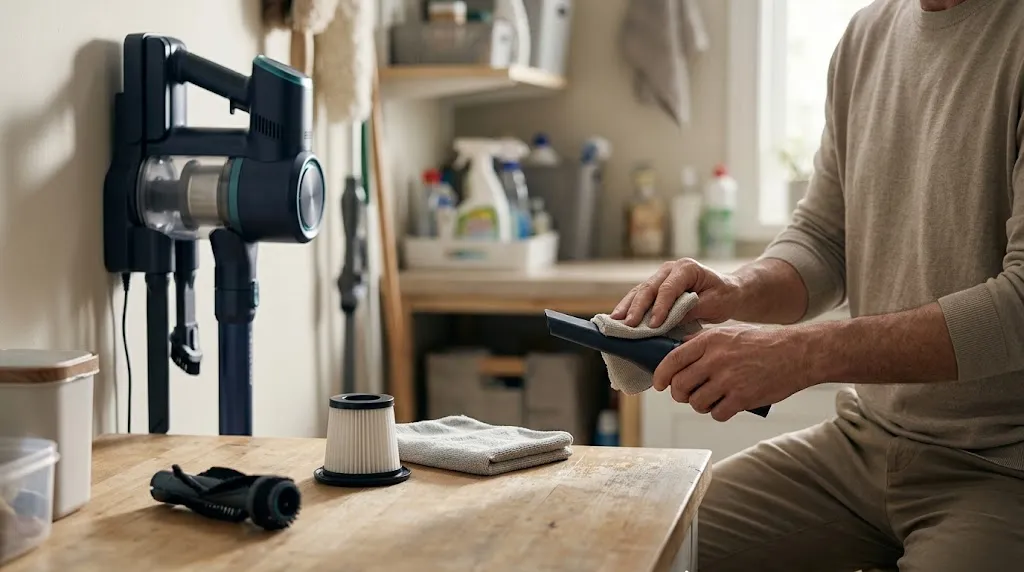
Good maintenance helps reduce avoidable problems, although it cannot prevent normal battery aging.
- Keep filters clean: Follow your manufacturer’s maintenance schedule rather than waiting until airflow is severely restricted.
- Empty the dustbin regularly: Avoid packing debris beyond the marked fill line.
- Use appropriate power modes: Reserve maximum suction for tasks that actually need it, particularly when runtime matters.
- Store the vacuum sensibly: Avoid extreme temperatures and follow the manufacturer’s charging and storage recommendations.
- Keep the brush roll clear: Remove tangled fibers before they interfere with normal cleaning.
- Use approved charging equipment: An unsuitable charger can create charging problems and safety risks.
For more detail, see HomeHygia’s practical guide to caring for a cordless vacuum battery.
Frequently Asked Questions
Can a vacuum lose suction when the battery is low?
Yes, on some cordless models. Certain vacuums reduce available motor power when the battery is low, while others maintain suction until they stop. Consult your model’s operating instructions.
Does a new battery automatically restore vacuum suction?
No. A new battery may resolve performance problems caused by inadequate battery power, but it will not clear clogged filters, blocked hoses, damaged seals, or tangled brushes.
Can a bad battery make a vacuum pulse?
Battery faults can cause interrupted operation on some machines. However, pulsing is also a common blockage warning on certain Dyson models, so check the manufacturer’s fault guidance before blaming the battery.
Why is my vacuum weak even after a full charge?
A full charge does not rule out an aging battery, but restricted airflow is another important possibility. Inspect the filter, dustbin, nozzle, wand, and brush roll before considering replacement.
Can a cordless vacuum motor be damaged by a failing battery?
A failing battery does not automatically damage the motor. Electronic protection systems may prevent operation when electrical conditions are unsuitable. Repeated faults should be assessed according to the manufacturer’s instructions rather than ignored.
Can I use a higher-voltage battery to increase suction?
No. Do not install a higher-voltage or otherwise incompatible battery to increase power. It can exceed the vacuum’s electrical design limits and create overheating, equipment damage, or fire risks.
Final Thoughts
A bad battery can cause suction-related performance problems in a cordless vacuum, particularly when it struggles to provide adequate power or triggers unexpected shutdowns.
However, poor pickup alone is not enough to diagnose battery failure. Fully charge the vacuum, clear the airflow path, clean approved filters, and compare runtime under familiar conditions.
If the vacuum still suffers from unusually short runtime, charging failures, or repeated power interruptions, investigate the battery and charging system before investing in replacement parts.
