How to Change a Coway Air Purifier Filter (and Reset the Light)
Quick answer
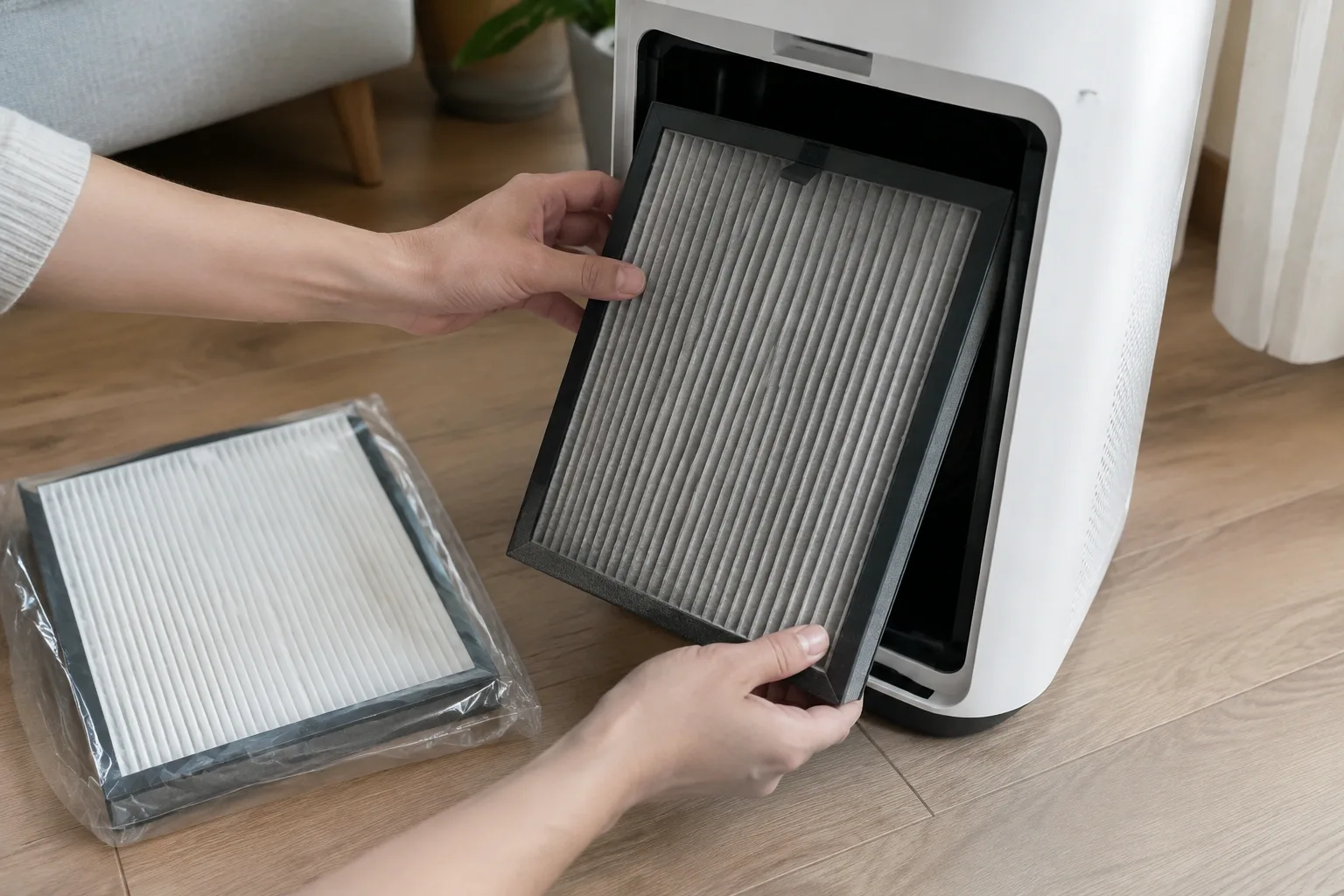
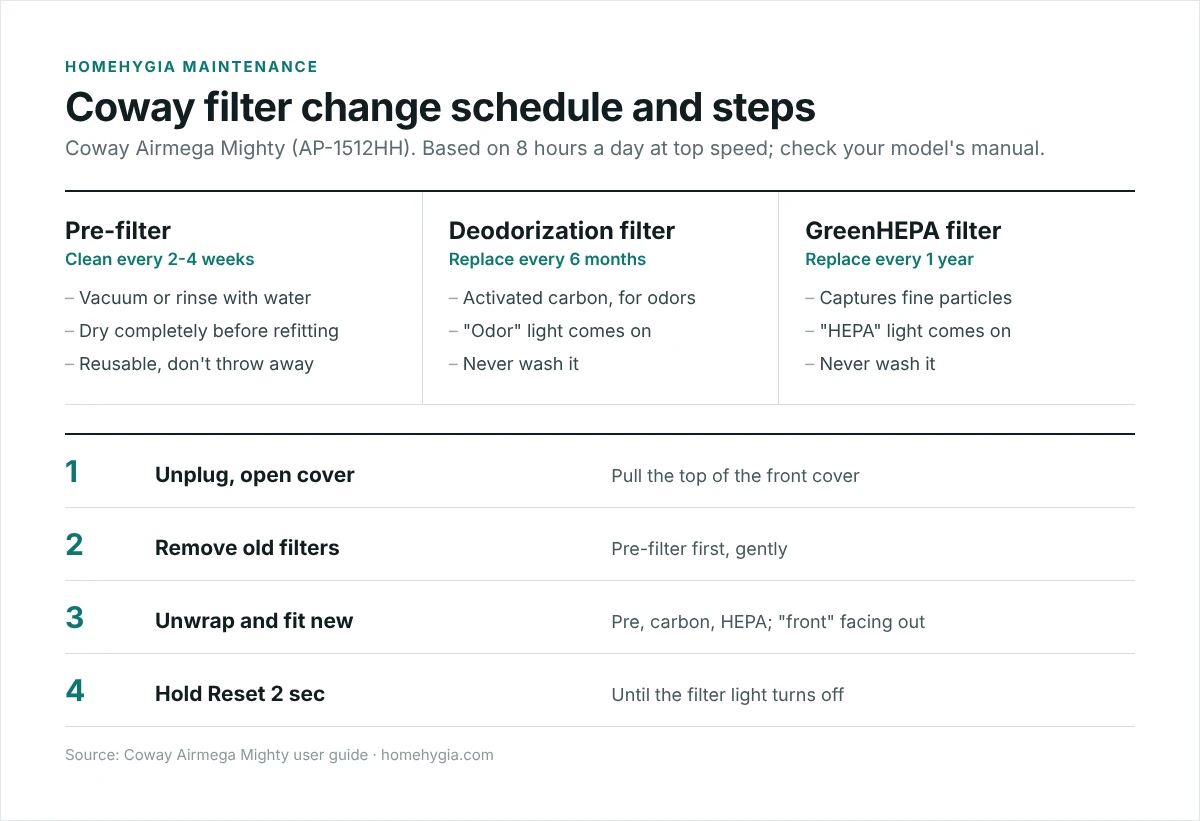
To change a Coway air purifier filter, unplug it, pull open the front cover, remove the pre-filter, then take out the old deodorization (carbon) and HEPA filters. Unwrap the new filters, fit them back in order (pre-filter, deodorization filter, HEPA filter) with the “front” side facing out, close the cover, then hold the Reset button for 2 seconds until the filter light goes off. On the Airmega Mighty (AP-1512HH), Coway says to clean the pre-filter every 2-4 weeks, replace the deodorization filter every 6 months and the HEPA filter every year.
A clogged filter means less clean air for the same noise and electricity. Changing Coway filters takes about five minutes, and the steps are almost the same across most Airmega models. Below are the steps, the schedule, and what each light on the panel means.
Coway filter replacement schedule
| Filter (Airmega Mighty AP-1512HH) | What it does | Clean or replace |
|---|---|---|
| Pre-filter | Catches hair, lint and large dust | Clean every 2-4 weeks (reusable) |
| Deodorization filter (activated carbon) | Reduces odors and some gases | Replace every 6 months |
| GreenHEPA filter | Captures fine particles such as pollen, dust and dander | Replace every 1 year |
Coway bases these intervals on 8 hours a day at maximum fan speed and notes that real life may differ with your environment (Coway Airmega Mighty user guide, PDF). Smokers, pet owners and homes near busy roads may need to change filters sooner. Coway’s replacement filter sets for the Mighty include two carbon filters and one HEPA filter, so you fit one carbon filter every 6 months alongside the yearly HEPA (Coway: Airmega Mighty).
How to change the filter, step by step
- Turn off and unplug the purifier.
- Open the front cover by pulling the top part toward you.
- Remove the pre-filter. Press down on its top clip and pull it out gently so dust doesn’t fall into the unit.
- Remove the old deodorization and HEPA filters. Bag them before carrying them through the house.
- Unwrap the new filters. Leaving the plastic on is the most common mistake; air can’t pass through it.
- Fit them in order: deodorization filter, then HEPA, with the side marked “front” facing out toward the cover. Then refit the pre-filter, pushing the grip so it locks in.
- Close the cover, plug in and hold Reset for 2 seconds until the filter light turns off.
Only the pre-filter can be washed. Coway says the deodorization and HEPA filters can’t be cleaned or reused, and must never be washed with water.
How to clean the Coway pre-filter
- Unplug the unit, open the cover and pull out the pre-filter.
- Vacuum it with a brush attachment, or rinse it with water if it’s very dirty.
- Let it dry completely before refitting. A damp pre-filter can smell musty and hold dust.
The manual also suggests cleaning the air quality sensor and the air vents about every 2 months with a soft brush and a lightly damp cotton swab, which keeps auto mode accurate.
What the Coway filter lights mean
- Odor light on: on the current Mighty, this is the deodorization (carbon) filter replacement indicator, not a smell warning. Replace the carbon filter, then reset.
- HEPA light on: replace the HEPA filter, then reset.
- Older units: some earlier AP-1512HH units show “Pre” and “Max2” lights instead. “Pre” is a reminder to clean the pre-filter; “Max2” refers to the combined carbon and HEPA filter.
- Colored ring (blue, purple, red): this is the air quality indicator, not a filter warning. Red means the sensor is detecting pollution right now. Coway notes that the air quality light won’t show while a filter replacement light is active.
How to reset the filter light
After replacing a filter, press and hold the Reset button for 2 seconds. If you changed a filter before the light came on, Coway’s manual describes a manual reset: hold Reset for 2 seconds, press Reset once to select the Odor (carbon) light or twice for the HEPA light, then hold Reset for 2 seconds again. If you press nothing for 5 seconds, it cancels.
Tips for better results
- Use genuine filters, which Coway recommends for rated performance. If you buy compatible ones, check they seal properly; see cheap vs expensive air purifier filters.
- Write the date on the new filter frame with a marker.
- Keep the purifier away from walls and curtains so it can draw air freely, and keep windows closed while it runs; see air purifiers with windows open.
- Comparing brands? See our Dyson air purifier comparison chart and which filter is best for an air purifier.
Frequently asked questions
How often should I change my Coway air purifier filter?
For the Airmega Mighty, Coway says clean the pre-filter every 2-4 weeks, replace the deodorization filter every 6 months and the HEPA filter every 12 months. Other Airmega models have their own intervals in the manual; the filter light tracks them for you.
Why is the odor light on my Coway air purifier?
On the Airmega Mighty, the Odor light is the replacement reminder for the deodorization (carbon) filter. Replace that filter and hold Reset for 2 seconds.
Can I wash a Coway HEPA filter?
No. Only the pre-filter is washable. Water damages the HEPA and carbon filters.
Why is my Coway filter light still on after replacing the filter?
The light doesn’t reset itself. Hold the Reset button for 2 seconds after the new filter is installed, or use the manual reset steps above.
What happens if I don’t change the filter?
Airflow drops and the purifier cleans less air, while still using power. A saturated carbon filter can also start to smell.
Sources
- Coway Airmega Mighty AP-1512HH user guide (PDF)
- Coway: Airmega Mighty product page and filter care
- EPA: Guide to Air Cleaners in the Home
Related guides
- Blue Air Purifier How to Change Filter: Essential Guide
- Air Purifier How Often to Change Filter: Essential Guide
- Best Air Purifier Coway: Essential Guide
- Air Purifier With Permanent Filter Review: Essential, Genius