
Why Does My Vacuum Cleaner Keep Shutting Off? Causes and Fixes

Quick Answer
If your vacuum cleaner keeps shutting off, restricted airflow, overheating, a tangled brush roll, or a power problem is usually worth checking first. Turn it off, disconnect the power, let it cool, and inspect the bin, filters, hose, wand, and floor head before restarting it. You can also review vacuum cleaner guidance from Consumer Reports when comparing maintenance and reliability issues.
Common reasons a vacuum turns itself off
- Restricted airflow: A clogged hose, dirty filter, or packed dirt container can interfere with normal airflow.
- Overheating: Some vacuums automatically shut down when internal temperatures rise too far.
- Brush-roll jam: Hair, thread, and carpet fibers can make a powered roller difficult to turn.
- Battery trouble: Cordless vacuums may stop because of battery, charging, or temperature problems.
- Electrical fault: A damaged cord, switch, motor, or internal connection can cause repeated shutdowns.
Before you restart it
- Do not keep restarting a vacuum that smells burnt, sparks, smokes, or becomes abnormally hot.
A vacuum that suddenly dies halfway across the room is frustrating, especially when it starts working again later. I approach this problem by checking airflow and mechanical resistance before assuming the motor has failed.
That order catches many simple household vacuum problems. It also helps you recognize when the shutdown has moved beyond routine cleaning and needs professional repair.
In This Guide
Why Does My Vacuum Cleaner Keep Shutting Off?
Your vacuum may keep shutting off because airflow is restricted or the machine is becoming too hot. Brush-roll resistance, battery trouble, and electrical faults can produce similar behavior.
Definition: An automatic vacuum shutdown is when the machine stops operating without you intentionally switching it off. Depending on the design, the shutdown may protect the motor, battery, or another component from abnormal operating conditions.
A full dust bin or bag can restrict airflow
Start with the dirt container. A tightly packed bin or bag can interfere with the air moving through the vacuum.
Do not judge a bag only by whether it looks completely full. Follow the replacement indicator or instructions provided for your specific model.
- Bagless vacuum: Empty the bin and inspect the inlet for packed dust.
- Bagged vacuum: Replace the bag when the manufacturer recommends it.
- Cyclonic vacuum: Look for debris packed around narrow internal openings that are meant to be user-accessible.
A dirty filter can reduce normal airflow
Vacuum filters collect fine particles before air exits or reaches sensitive parts of the machine. Heavy buildup can create extra airflow resistance.
Some machines use a pre-motor filter, an exhaust filter, or a HEPA filter. HEPA means high-efficiency particulate air, but not every HEPA-style vacuum uses the same maintenance procedure.
- Wash only filters labeled washable by the manufacturer.
- Replace disposable filters instead of soaking them.
- Let washable filters dry completely before reinstalling them.
- Check that every filter sits correctly in its housing.
A hidden hose or floor-head clog can trigger the problem
A vacuum can look clean while hiding a solid clog. Hose bends, wand joints, bin inlets, and floor-head necks are common places to inspect.
Weak suction occurring before the shutdown makes an airflow restriction more suspicious. Work through the airway instead of checking only the visible hose opening.
- Remove detachable hoses as the manual permits.
- Look through straight sections under good light.
- Inspect narrow elbows and connection points.
- Check the floor-head opening for lint and compacted hair.
A tangled brush roll can add mechanical resistance
Hair and thread can wrap tightly around a powered roller. The brush may slow down, sound different, stop spinning, or place extra load on its drive system.
Consumer Reports notes that tangled hair around roller brushes is a common vacuum problem. That makes the brush roll one of my early checks after airflow.
- Disconnect the vacuum from power.
- Cut away accessible hair and thread carefully.
- Inspect both ends of the roller.
- Avoid cutting belts, wiring, or brush material.
The vacuum may be protecting itself from heat
Some models use thermal protection that switches the vacuum off when temperatures become excessive. Cooling may allow the machine to run again, but the original cause still needs attention.
For example, Shark’s official upright vacuum support says certain models should cool for 60 minutes after an overheat shutdown. That is a model-specific example, not a universal cooling time.
Section Takeaway: A vacuum that keeps shutting off often deserves an airflow check first. Inspect the dirt container, filters, hose, floor head, and brush roll before assuming the motor has failed.
What Does the Shutdown Pattern Tell You?
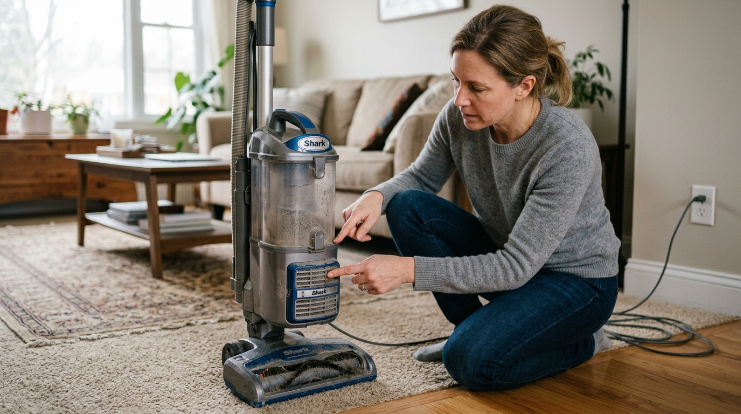
The timing and symptoms around a shutdown can help narrow the cause. Pay attention to heat, suction, brush behavior, charging, noises, and smells.
| What You Notice | Check First | Safe First Action |
|---|---|---|
| Vacuum gets hot, then stops | Airflow path and filters | Disconnect power, cool it, then inspect for restrictions |
| Suction becomes weak before shutdown | Bin, bag, hose, filter, or floor head | Empty debris and trace the complete airflow path |
| Brush stops or sounds strained | Brush roll and accessible drive area | Disconnect power and remove wrapped fibers |
| Cordless vacuum stops under higher power | Battery, airflow, and brush resistance | Cool the machine and inspect before recharging or testing |
| Smoke, sparks, melting, or sharp electrical smell | Electrical system | Stop using the vacuum and arrange qualified service |
A machine that works normally after cooling but soon shuts down again gives me a useful clue. I would revisit airflow and brush resistance before repeatedly resetting it.
A vacuum that stops instantly when the cord moves suggests a different problem. In that situation, stop testing and inspect the visible cord and plug for damage.
How Do You Fix a Vacuum That Keeps Turning Off?
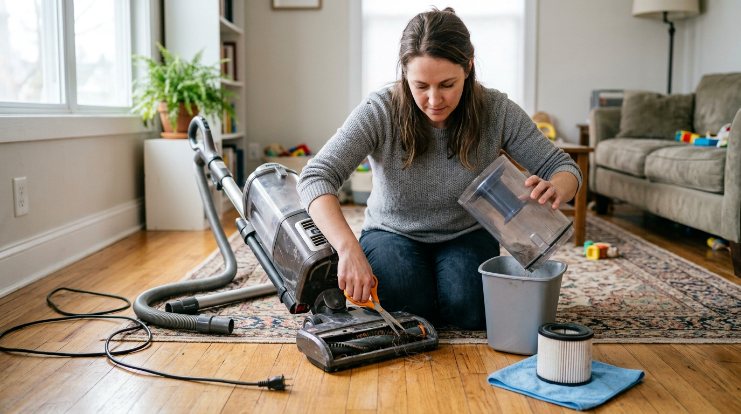
Start with routine maintenance that does not require opening electrical components. The goal is to restore normal airflow and remove unnecessary mechanical resistance.
- Switch it off. Stop vacuuming as soon as repeated shutdown begins.
- Disconnect the power. Unplug a corded machine or switch off a cordless model.
- Let it cool. Follow the cooling or reset instructions in your owner’s manual.
- Empty the bin or replace the bag. Remove packed debris from the dirt-storage system.
- Inspect the filters. Clean or replace them only as your manufacturer instructs.
- Trace the airflow path. Inspect the cleaner head, hose, wand, inlet, and exhaust openings.
- Clean the brush roll. Remove accessible hair, thread, and fibers while power is disconnected.
- Reassemble everything correctly. Loose connections can cause poor airflow or operation problems.
- Test cautiously. Stop again if unusual heat, odors, noise, or another shutdown appears.
Check the entire airflow route
Do not stop after finding one dirty part. A dusty filter and a partially clogged hose can exist at the same time.
- Floor-head intake
- Brush-roll area
- Hose and wand
- Dust-bin inlet or bag chamber
- Pre-motor filter
- Exhaust or HEPA filter
- Cooling and exhaust openings
Why filter care matters for household hygiene
A maintained vacuum does more than stay operational. It also needs to manage the household dust it collects without unnecessary leakage or restriction.
The EPA’s indoor particulate matter guidance recommends frequent cleaning and notes that HEPA-filter vacuums can help reduce dust buildup. Always maintain the filter according to the vacuum manufacturer’s instructions.
For households concerned about dust mites, the National Institute of Environmental Health Sciences also discusses vacuum filtration as part of broader dust-mite control practices.
Do not restart a damp-filter vacuum
A washable filter needs to dry completely before it goes back into the vacuum. Surface dryness does not guarantee the inside of thick filter material is dry.
Follow your manual rather than choosing an arbitrary drying time. Filter construction varies widely among upright, canister, stick, handheld, and robot vacuums.
Expert Alert: Stop DIY troubleshooting if the vacuum needs motor disassembly, rewiring, battery repair, control-board work, or bypassing a thermal device. Those jobs should be handled by a qualified appliance technician.
Section Takeaway: Fix simple shutdown problems by restoring airflow, freeing the brush roll, and following the manufacturer’s filter and cooling instructions. Do not dismantle powered electrical components to chase a repeated fault.
Why Does a Cordless Vacuum Keep Shutting Off?
A cordless vacuum adds a battery and charging system to the usual airflow and brush-roll variables. That means a shutdown is not automatically proof that the battery has failed.
Start with the same physical checks you would make on a corded vacuum. A clogged filter or jammed brush can still cause poor performance and excess heat.
Check these cordless vacuum problems
- Blocked airflow: Inspect the bin, filter, wand, floor head, and intake.
- Brush resistance: Remove hair and thread from user-serviceable roller areas.
- Low or aging battery: Compare runtime with the behavior described for your exact model.
- Charging problem: Inspect visible charging contacts and use the approved charging equipment.
- Temperature protection: Allow an unusually warm machine to cool before testing again.
Consumer Reports’ vacuum testing and reliability work includes battery performance because cordless batteries can lose capacity or develop problems over time. Age alone, however, does not prove that a battery caused a specific shutdown.
A vacuum that only shuts down in maximum-power mode may be experiencing heavier electrical or mechanical demand. Check for airflow restrictions before buying a replacement battery.
Expert Alert: Stop using a cordless vacuum if its battery swells, leaks, smokes, develops a strong chemical odor, or becomes abnormally hot. Do not open or rebuild a lithium-ion battery pack yourself.
When Does Repeated Shutdown Need Repair?
Routine cleaning should make a noticeable difference when clogs or maintenance are causing the shutdown. Continued failure after those checks deserves more caution.
Stop troubleshooting when you see serious warning signs
- Smoke or visible sparks
- Melting or scorched plastic
- A strong electrical-burning smell
- A visibly damaged power cord or plug
- A swollen or leaking cordless battery
- Repeated overheating with a clear airflow path
- A motor that makes grinding, screeching, or abnormal electrical noises
Do not defeat a thermostat, thermal fuse, sensor, or other protective component just to keep the vacuum running. A safety shutdown may be responding to a fault that still exists.
How can you prevent another shutdown?
Most prevention comes down to keeping the machine clean and noticing changes early. As of 2026, the owner’s manual remains the best source for model-specific intervals and procedures.
- Empty the dust bin before debris becomes tightly packed.
- Replace vacuum bags as directed.
- Inspect filters on the manufacturer’s schedule.
- Clean hair from the brush roll regularly.
- Check hoses when suction changes.
- Use the correct setting for carpets and hard floors.
- Avoid debris the vacuum was not designed to collect.
- Investigate unusual heat and smells instead of ignoring them.
I find that changes in sound, suction, and heat are more useful than waiting for a complete failure. A five-minute maintenance check is easier than repeatedly stopping midway through cleaning.
Vacuum Cleaner Keeps Shutting Off FAQ
Why does my vacuum shut off after a few minutes?
A vacuum that shuts off after a few minutes may be overheating because airflow is restricted. Let it cool, then inspect the bin or bag, filters, hose, floor head, and brush roll before restarting it.
Why does my vacuum turn back on after it cools down?
Some vacuums use thermal protection that interrupts operation when internal temperatures become excessive. Cooling may reset the protection, but you should still find and correct the reason the machine became too hot.
Can a clogged filter make my vacuum shut off?
Yes, a heavily clogged filter can restrict airflow and contribute to excess heat on some vacuum designs. Clean only washable filters and replace disposable filters according to the manufacturer’s instructions.
Can a full vacuum bag cause the vacuum to stop?
A packed bag can restrict airflow in a bagged vacuum. Replace the bag according to your model’s instructions, then check the remaining airflow path if the shutdown continues.
Why does my cordless vacuum keep cutting out?
A cordless vacuum may cut out because of blocked airflow, a tangled brush, battery temperature, charging trouble, or battery deterioration. Inspect the easy maintenance areas before assuming the battery needs replacement.
Why does my vacuum shut off when I use the brush?
A shutdown linked to the powered floor head can point toward a jammed brush roll, wrapped hair, restricted floor-head airflow, or another drive-related problem. Disconnect power before inspecting the roller and accessible nozzle area.
Should I keep using a vacuum that keeps shutting off?
Do not keep using it without finding the cause. Repeatedly restarting an overheating or electrically faulty vacuum can allow the underlying problem to continue, especially when burning odors, smoke, sparks, abnormal battery heat, or damaged wiring are present.
The takeaway: If your vacuum cleaner keeps shutting off, begin with the simple things: airflow, filters, the dirt container, hose, and brush roll. Those checks often separate a routine maintenance problem from a fault that needs professional attention.
Once the machine is clean, cool, and correctly assembled, test it cautiously. If it still shuts itself down, stop repeating the reset cycle and have the vacuum properly inspected.