
Can Air Purifier Damage PC? Essential Guide

No, a properly used air purifier generally will not damage your PC. However, incorrect placement or certain types of purifiers could pose minor risks, such as dust buildup or static discharge, which this guide will help you avoid.
Can Air Purifier Damage PC? Your Essential Guide to Safe Use
It’s a common concern for tech enthusiasts and home office workers: could that new air purifier, designed to improve your air quality, actually harm your precious computer? The thought of sensitive electronics being exposed to anything unusual can be unsettling. I understand this worry perfectly, as I’ve dealt with similar questions about optimizing home environments for both health and technology. Rest assured, with a little knowledge and careful placement, your air purifier and PC can coexist harmoniously. This guide will demystify the potential risks and provide clear, actionable steps to ensure your computer remains safe and sound while you breathe easier. Let’s explore how to achieve this balance.
Understanding Air Purifiers and Your PC
Air purifiers work by drawing in air, filtering out pollutants, and releasing cleaner air back into the room. Your PC, on the other hand, relies on airflow for cooling and operates with sensitive electronic components. The primary concern often revolves around how the air purifier’s operation might interact with the PC’s internal environment, particularly regarding dust, humidity, or electrical interference. While direct damage is rare, understanding the mechanisms helps prevent potential issues.
The Myth of Air Purifier Damage to PCs
The idea that air purifiers inherently damage PCs is largely a misconception. Modern air purifiers are designed with safety and user-friendliness in mind, typically using HEPA filters and activated carbon to trap particles without emitting harmful substances. The actual risks are usually indirect and preventable, stemming more from improper placement or maintenance rather than the core function of the device itself.
Potential Risks: Dust and Airflow Dynamics
One common concern is that an air purifier might circulate dust more aggressively, potentially increasing the amount of dust that enters your PC. If an air purifier is placed too close to your PC, its airflow could inadvertently push airborne dust particles directly towards your computer’s intake vents. This can lead to a faster accumulation of dust inside your PC, potentially impacting its cooling efficiency and performance over time.
Optimizing Air Purifier Placement for PC Safety
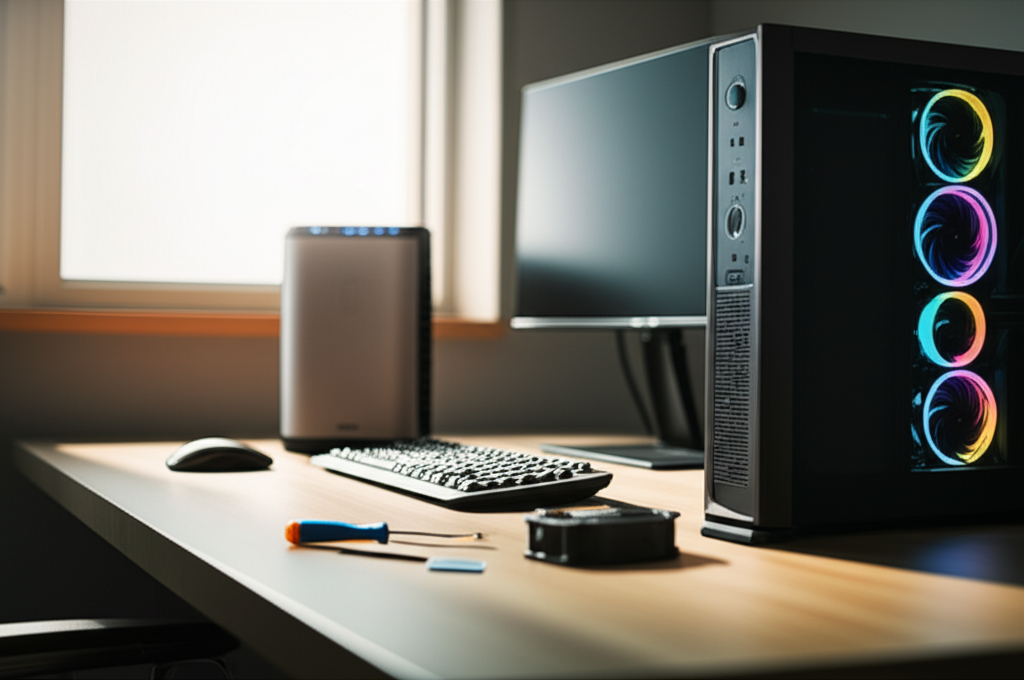
Strategic placement is key to preventing any potential negative interactions between your air purifier and PC. The goal is to create a clean air zone without directing the purifier’s output directly at your computer. This ensures that dust and other particles are captured effectively without being forced into your PC’s delicate components.
Ideal Distances and Airflow Patterns
I recommend keeping your air purifier at least 3-5 feet away from your PC. This distance allows the purifier to effectively circulate air throughout the room without creating a concentrated stream of air towards your computer. Observe the general airflow direction of your purifier and ensure it’s not pointed towards your PC’s case or ventilation points.
Avoiding Direct Airflow
Never position your air purifier so its direct output stream is aimed at your computer. This is the most common scenario that could lead to increased dust intake by your PC. Instead, allow the purified air to circulate naturally around the room, creating an overall cleaner environment.
Humidity Concerns: A Lesser-Known Factor
While less common than dust issues, some people worry about humidity levels. High humidity can be detrimental to electronics, promoting corrosion. However, most standard air purifiers do not significantly alter room humidity.
Dehumidifying vs. Humidifying Air Purifiers
It’s important to distinguish between different types of air treatment devices. Standard air purifiers primarily filter particles and odors. Devices that also dehumidify will actively remove moisture from the air, which could potentially lower humidity too much in very dry climates if not managed correctly.
When Humidity Becomes a Risk
If you live in a very humid environment and are using an air purifier that also has a dehumidifying function, monitor humidity levels. Excessive humidity (above 60%) can cause condensation and potential damage to electronic components, but this is a function of the environment and the device’s dehumidifying capability, not the purification process itself. You can use a simple hygrometer to measure humidity.
Static Electricity and Your PC
Another theoretical concern is static electricity. In very dry conditions, friction can build up static charges, which can discharge and potentially harm sensitive electronics.
How Air Purifiers Might Influence Static
While air purifiers themselves don’t typically generate significant static electricity, the movement of air and particles within a very dry environment could contribute to static buildup. However, this is a general environmental factor rather than a direct output of the air purifier.
Mitigating Static Discharge Risks
To mitigate static risks, especially in dry climates, consider using a humidifier alongside your air purifier if needed. Regularly touching a grounded metal object before handling your PC can also help discharge any static buildup on your body. Many modern PCs also have better static protection built-in.
Types of Air Purifiers and Their Impact
Different air purifier technologies have varying potential impacts, though most are safe. Understanding these can help you choose the best option for your environment.
HEPA Filters: The Standard for Safety
High-Efficiency Particulate Air (HEPA) filters are the industry standard and are exceptionally good at trapping tiny particles like dust, pollen, and pet dander. They are a safe choice for any environment, including those with computers.
Activated Carbon Filters: Odor and Gas Absorption
Activated carbon filters are excellent for removing odors, VOCs (Volatile Organic Compounds), and gases. They do not introduce any harmful elements into the air and are perfectly safe for use around electronics.
Ionizers and Ozone: Potential Concerns
Some air purifiers use ionizers or UV-C light. Ionizers release negatively charged ions that attach to airborne particles, causing them to fall or stick to surfaces. While generally safe in low concentrations, some ionizers can produce small amounts of ozone as a byproduct.
Ozone’s Effect on Electronics
Ozone is a reactive gas that, in high concentrations, can degrade rubber and plastic components over extended periods. It can also potentially cause corrosion on electronic contacts. Therefore, if you are using an ionizer-equipped air purifier, it’s crucial to ensure it’s certified to produce minimal or no ozone. Look for certifications like CARB (California Air Resources Board) compliance.
Plasma and UV-C Light Purifiers
Plasma purifiers use an electrical discharge to create ions and can also produce ozone. UV-C light is used to kill germs and viruses. While UV-C itself is safe, some systems might have byproducts. Again, checking for ozone production is paramount.
Maintenance: The Key to Long-Term Safety
Regular maintenance of your air purifier is just as important as its proper placement. Neglected maintenance can turn a safe device into a potential problem.
Cleaning and Replacing Filters
Follow the manufacturer’s instructions for cleaning or replacing your air purifier’s filters. Clogged filters reduce efficiency and can cause the unit to work harder, potentially generating more heat or noise. Dirty filters may also shed particles back into the air.
Filter Lifespan and Indicators
Most HEPA filters need replacement every 6-12 months, depending on usage and air quality. Activated carbon filters may need replacing more frequently. Many modern units have filter change indicators to help you keep track.
Keeping the Purifier Unit Clean
Periodically wipe down the exterior and interior surfaces of your air purifier, especially around the fan and intake areas. This prevents dust buildup that could be dislodged and blown towards your PC.
When to Be Extra Cautious
Certain situations warrant extra attention to ensure your PC’s safety.
Very Dry Climates
As mentioned, in extremely dry environments, static electricity is a greater concern. Ensure your air purifier isn’t contributing to further dryness if it has dehumidifying capabilities, and take precautions against static.
High-Dust Environments
If you live in an area prone to high levels of dust (e.g., near construction or in a dusty rural setting), you’ll need to be more diligent with both air purifier and PC cleaning. Ensure your PC’s internal dust filters are clean and your air purifier’s filters are changed regularly.
Using Ionizing or Ozone-Producing Units
If your air purifier uses ionization or other technologies that might produce ozone, it’s essential to ensure it’s certified for low or no ozone emissions. Even low levels of ozone can be harmful to sensitive electronics over time.
Can Air Purifier Damage PC: A Summary of Best Practices
To reiterate, the most effective way to prevent any potential issues is through mindful usage and placement.
Distance is your friend: Keep purifiers at least 3-5 feet from your PC.
Avoid direct airflow: Never point the purifier’s output directly at your computer.
Choose wisely: Opt for HEPA and activated carbon filters; be cautious with ozone-producing technologies.
Maintain regularly: Clean and replace filters as recommended by the manufacturer.
* Monitor your environment: Be mindful of humidity and dust levels.
Frequently Asked Questions (FAQ)
Will my air purifier make my PC overheat?
Generally, no. An air purifier’s function is to clean the air, not generate significant heat that would impact your PC. Overheating in PCs is usually due to internal dust buildup or fan issues, unrelated to air purifiers.
Can the fan noise from an air purifier affect my PC’s fan?
No, the noise from an air purifier’s fan will not affect your PC’s internal fans. They operate independently.
Should I turn off my air purifier when my PC is on?
There’s no need to turn off your air purifier when your PC is on. They are designed to operate simultaneously and can improve the air quality around your workstation.
What if my air purifier has a strong smell? Could that harm my PC?
Some air purifiers, especially those with new activated carbon filters, might have a slight initial odor. However, this is typically harmless and dissipates quickly. Ensure your purifier isn’t malfunctioning or emitting unusual chemical smells.
Are there any air purifier brands that are safer for PCs?
Brands that focus on HEPA filtration and have CARB certifications for low/no ozone are generally the safest. Companies like HomeHygia offer a range of purifiers prioritizing clean air without harmful byproducts. Always check product specifications for filtration technology and certifications.
Can a dirty air purifier damage my PC?
A dirty air purifier, with clogged filters, can become less effective and potentially shed trapped particles. This could indirectly lead to more dust entering your PC if placed too closely. Regular maintenance is crucial.
Conclusion: Breathe Easy with Smart Air Purification
In conclusion, the question “can air purifier damage PC?” can be answered with a confident “generally no, with proper precautions.” By understanding how air purifiers work and taking simple steps like strategic placement, regular maintenance, and choosing ozone-free technologies, you can ensure your computer remains protected. Enjoy the benefits of cleaner air for your health and productivity without any worries about your valuable electronics. Your PC and your lungs will thank you for it.
