
Bissell Vacuum Mop Robot: Essential Smart Cleaning Guide

The Bissell Vacuum Mop Robot offers a smart, automated solution for keeping your floors clean, combining vacuuming and mopping in one efficient device. This guide helps you understand its features and benefits for a spotless home.
Keeping your home clean can feel like a never-ending chore. Floors, especially, gather dust, dirt, and spills quickly. Imagine a device that could vacuum and mop your floors automatically, saving you time and effort. This is where the Bissell vacuum mop robot shines. It’s designed to tackle everyday messes, leaving your floors looking fresh without you lifting a finger. Let’s explore how this smart cleaning companion can transform your home hygiene routine.
What is a Bissell Vacuum Mop Robot?
A Bissell vacuum mop robot is a smart home device that cleans your floors automatically. It combines the functions of a vacuum cleaner and a mop. This means it can suck up dirt and debris, and also wipe away spills and grime. These robots use sensors to navigate your home. They map out rooms, avoid obstacles, and clean systematically.
This technology makes floor cleaning much easier. You can schedule cleanings or start them with a simple app command. It’s a great way to maintain a clean home with minimal effort.
Why Choose a Bissell Vacuum Mop Robot?
Bissell is a trusted name in cleaning products. They bring their expertise to robotic cleaning with these devices. Choosing a Bissell vacuum mop robot means getting a reliable and effective cleaning tool. These robots are built to handle various floor types, from hardwood to tile and even carpets.
They offer convenience and efficiency. You get cleaner floors without the physical work. This is perfect for busy individuals or anyone who wants to simplify their cleaning routine.
Key Features of Bissell Vacuum Mop Robots
Bissell vacuum mop robots come with several smart features. These are designed to enhance their cleaning performance and ease of use. Let’s look at some of the most important ones.
Intelligent Navigation and Mapping
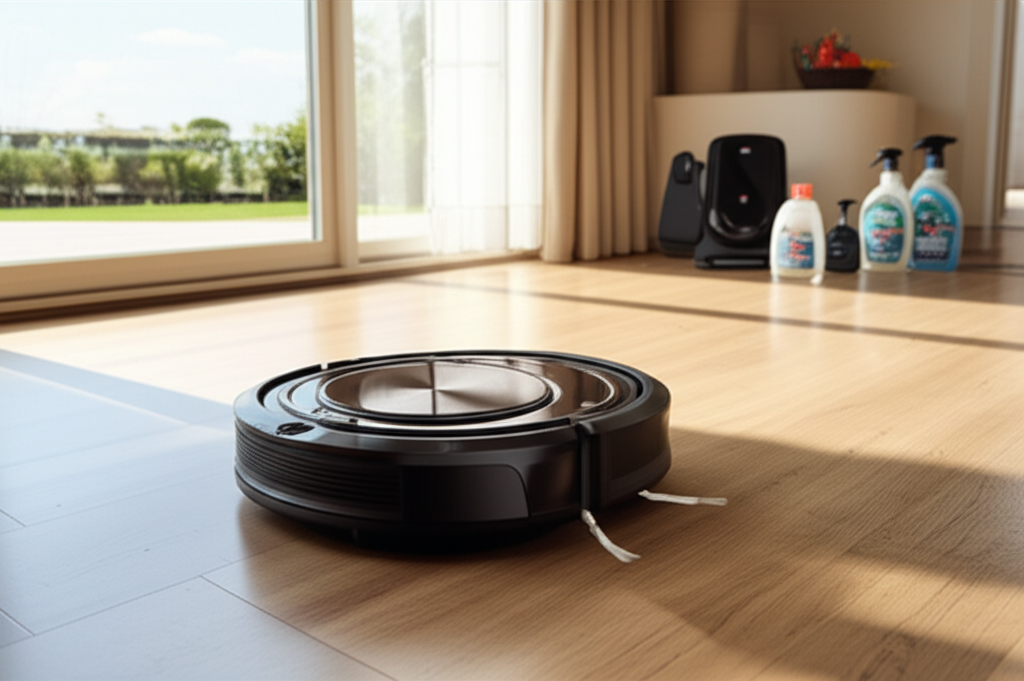
These robots use advanced sensors and cameras. They map your home’s layout. This allows them to clean efficiently without missing spots. They can also remember where they’ve been and where they need to go next.
Some models can even identify specific rooms for targeted cleaning. This smart navigation ensures thorough coverage and avoids repetitive cleaning. It also helps the robot avoid getting stuck.
Dual Vacuuming and Mopping Action
The primary benefit is the combination of vacuuming and mopping. The robot first vacuums up loose dirt and debris. Then, it follows up with a mopping function. This tackles stuck-on grime and spills.
The mopping system often involves a water tank and a microfiber pad. Some advanced models offer controlled water release for optimal dampness. This dual action leaves floors significantly cleaner than vacuuming alone.
App Control and Smart Connectivity
Most Bissell vacuum mop robots can be controlled via a smartphone app. You can start, stop, or pause cleaning cycles remotely. The app also allows you to schedule cleanings for specific times.
You can often set no-go zones or virtual walls within the app. This prevents the robot from entering certain areas. These smart features give you complete control over your cleaning.
Self-Emptying and Docking Capabilities
Many higher-end models offer self-emptying bases. After cleaning, the robot returns to its dock. The dock then automatically empties the robot’s dustbin. This significantly reduces the frequency of manual emptying.
The docking station also recharges the robot. This ensures it’s always ready for the next cleaning cycle. It’s a major convenience feature for busy households.
Understanding the Different Bissell Robot Models
Bissell offers a range of vacuum mop robots. Each model has different features and capabilities. Understanding these differences helps you choose the best one for your needs.
Bissell SpinWave Series
The SpinWave series is well-known for its innovative mopping technology. Many SpinWave robots use rotating mop pads. These pads mimic the scrubbing action of manual mopping. They are very effective on tough messes.
These models also include powerful vacuuming capabilities. They are designed for a deep clean on various hard floors. Some models also offer smart navigation and app control.
Bissell EV600 Series
The EV600 series often focuses on powerful suction and intelligent cleaning. These robots are designed to pick up a wide range of debris. They typically feature advanced navigation systems for efficient coverage.
They offer a good balance of vacuuming and mopping. These are solid choices for everyday cleaning needs. App control and scheduling are usually standard.
Bissell Auto-Reach Series
The Auto-Reach series emphasizes convenience and accessibility. These robots are designed to reach under furniture and into tight spaces. They aim to provide comprehensive cleaning coverage with minimal user intervention.
They combine vacuuming and mopping in a compact design. These models are often more budget-friendly. They are great for maintaining clean floors with ease.
How to Set Up Your Bissell Vacuum Mop Robot
Setting up your new Bissell vacuum mop robot is straightforward. Following these steps ensures you get the most out of your device from day one.
1. Unpack and Inspect: Carefully remove all components from the box. Check for any damage that may have occurred during shipping.
2. Charge the Robot: Place the robot on its charging dock. Ensure the dock is plugged into a power outlet. Allow the robot to charge fully before its first use. This usually takes a few hours.
3. Install the App: Download the Bissell Connect app on your smartphone. Follow the on-screen instructions to connect the robot to your Wi-Fi network.
4. Fill the Water Tank: For mopping, fill the water tank with clean water. Some models recommend using specific cleaning solutions. Check your manual for guidance.
5. Attach Cleaning Pads: Secure the microfiber cleaning pads or mop pads to the robot. Ensure they are properly aligned and attached.
6. Initial Run: Once fully charged, you can start the robot’s first cleaning cycle. You can initiate this from the robot itself or through the app.
The initial setup might involve the robot mapping your home. This process allows it to learn the layout. It’s important to let it complete this mapping without interruption.
Using Your Bissell Vacuum Mop Robot Effectively
To get the best results, use your robot smartly. Here are some tips for effective operation.
Prepare the Area: Before starting, clear the floor of small objects, cords, and loose rugs. This prevents the robot from getting tangled or stuck.
Schedule Regular Cleanings: Use the app to schedule daily or every-other-day cleanings. This maintains a consistent level of cleanliness. Regular cleaning prevents dirt buildup.
Choose the Right Cleaning Mode: Many robots offer different cleaning modes. Select the mode that best suits your floor type and the level of dirt. For instance, a spot cleaning mode is good for spills.
Maintain Cleaning Pads: Wash or replace the microfiber pads regularly. Dirty pads won’t clean effectively. This is crucial for good mopping results.
Empty the Dustbin: If your model doesn’t have a self-emptying base, empty the dustbin after each use. This ensures optimal suction power.
Check Water Levels: Ensure the water tank is filled before mopping cycles. Refill it as needed.
Following these practices will ensure your Bissell vacuum mop robot performs at its best. It will keep your floors consistently clean with minimal fuss.
Maintenance and Care for Your Robot
Proper maintenance extends the life of your Bissell vacuum mop robot. It also ensures it continues to clean effectively. Regular upkeep is simple and essential.
Cleaning the Brushes and Filters
Periodically remove the main brush and side brushes. Clean them of any tangled hair or debris. Most robots have a small cleaning tool for this purpose. Also, clean or replace the filters. Clogged filters reduce suction power.
Wiping Down the Robot
Use a soft, damp cloth to wipe down the exterior of the robot. Pay attention to the sensors and charging contacts. Keeping these clean ensures the robot functions correctly. Avoid using harsh chemicals.
Maintaining the Water Tank and Mop Pads
Rinse the water tank after each use. This prevents mineral buildup and odors. Wash the mop pads frequently. Ensure they are completely dry before reattaching or storing. This prevents mold and mildew.
Storing the Robot
If you won’t be using the robot for an extended period, store it properly. Charge the battery fully before storage. Keep the robot in a cool, dry place. Avoid extreme temperatures.
Regular maintenance ensures your robot remains a reliable cleaning partner. It helps maintain peak performance for years to come.
Bissell Vacuum Mop Robot vs. Traditional Cleaning
Comparing a Bissell vacuum mop robot to traditional cleaning methods highlights its advantages. Traditional cleaning involves manual vacuuming and mopping. This requires significant time and physical effort.
A robot vacuum mop automates these tasks. You save time and energy. It can clean while you are busy with other activities or even when you are away from home.
| Feature | Bissell Vacuum Mop Robot | Traditional Cleaning |
| :—————— | :———————– | :————————- |
| Time Required | Minimal (setup/schedule) | Significant |
| Effort Required | Minimal | High (physical exertion) |
| Consistency | High (scheduled) | Varies with user effort |
| Reach | Excellent (under furniture)| Limited by user access |
| Cost (Initial) | Higher | Lower |
| Cost (Ongoing) | Low (electricity, pads) | Moderate (supplies, water) |
While the initial cost of a robot vacuum mop is higher, the long-term benefits in time savings and convenience are substantial. It offers a consistent clean that manual cleaning might not always achieve. For many, this trade-off is well worth it.
Common Issues and Troubleshooting
Even the best robots can encounter occasional problems. Here are some common issues and how to fix them.
Robot Not Charging
Ensure the charging dock is properly plugged in. Check that the robot’s charging contacts are clean. Sometimes, the robot might not be aligned correctly on the dock. Try repositioning it.
Robot Getting Stuck
Clear the floor of any obstacles like cords or small toys. Ensure the robot’s sensors are clean. If the robot frequently gets stuck in the same area, you may need to use virtual walls or no-go zones in the app.
Ineffective Mopping
Check that the water tank is filled and the mop pads are clean and properly attached. Ensure the correct cleaning mode is selected. Some stubborn stains may require pre-treatment.
Poor Suction Power
Empty the dustbin and clean the filters. Check the main brush and side brushes for blockages. Ensure the robot is not running on a very high-pile carpet if it’s set to mop.
Most issues can be resolved with simple maintenance and troubleshooting. Always refer to your robot’s user manual for specific guidance.
Who Should Buy a Bissell Vacuum Mop Robot?
A Bissell vacuum mop robot is ideal for several types of homeowners. If you have a busy schedule, it frees up your time. Pet owners will appreciate its ability to manage pet hair and messes. People with allergies can benefit from its consistent dust removal.
Anyone looking to simplify their cleaning routine will find it valuable. It’s also great for those with mobility issues. If you have mostly hard floors and want them consistently clean, this is a smart investment.
Frequently Asked Questions (FAQ)
Can a Bissell vacuum mop robot clean carpets?
Some Bissell robot vacuums can transition from hard floors to low-pile carpets. However, their mopping function is typically only for hard floors. Always check the specific model’s capabilities.
How often should I run my Bissell vacuum mop robot?
For best results, run it daily or every other day. This helps maintain a consistently clean floor and prevents dirt buildup.
What type of cleaning solution can I use?
Always use the cleaning solutions recommended by Bissell for your specific robot model. Using other cleaners could damage the robot or void the warranty.
Do these robots need Wi-Fi to work?
Most smart features, like app control and scheduling, require Wi-Fi. However, you can usually start a basic cleaning cycle directly from the robot itself without a Wi-Fi connection.
How long do the batteries last?
Battery life varies by model and cleaning mode. Most robots can clean for 60-120 minutes on a single charge, which is usually enough for an average-sized room.
Are Bissell vacuum mop robots noisy?
They are generally quieter than traditional upright vacuums. However, they do make noise. Most users find the sound acceptable, especially when running on a schedule.
Conclusion: Your Partner in Effortless Home Cleaning
The Bissell vacuum mop robot is more than just a gadget; it’s a smart solution for modern homes. It effectively tackles vacuuming and mopping, saving you precious time and effort. With features like intelligent navigation, app control, and powerful cleaning action, it brings a new level of convenience to floor care. Investing in a Bissell vacuum mop robot means choosing a cleaner home with less work. Explore the range and find the perfect partner to keep your floors spotless, day after day.
If you found this guide helpful, consider subscribing to HomeHygia for more expert tips on cleaning appliances and home hygiene.
