
How Long Does a Vacuum Battery Last?

Quick Answer
A cordless vacuum battery can run anywhere from under 20 minutes to around 50 minutes or more per charge, depending on the vacuum and power mode. Its useful lifespan is measured in years rather than minutes, and there is no universal replacement age. Battery performance usually declines gradually as the pack ages. Independent vacuum testing from Consumer Reports shows how much runtime can vary between models.
What determines battery life?
- Power mode: Maximum or boost settings drain a battery much faster than normal or eco settings.
- Battery age: Rechargeable batteries slowly lose usable capacity as they age.
- Cleaning load: Thick carpet, pet hair, and powered brush heads can increase energy use.
- Temperature: Excessive heat can speed battery aging.
- Maintenance: Clogged filters and tangled brush rolls can make the vacuum work harder.
Quick battery check
- If runtime has fallen sharply, clean the filter, brush roll, and airflow path before assuming the battery needs replacing.
If you’ve wondered, “How long does a vacuum battery last?”, there are two different answers. One is how long the vacuum runs between charges, while the other is how many years the battery remains useful.
I’ve found that separating those two questions makes troubleshooting much easier. This guide explains both, plus the warning signs I look for before replacing a cordless vacuum battery.
In This Guide
- How long does a vacuum battery last on one charge?
- How many years does a vacuum battery last?
- What affects cordless vacuum battery life?
- How do you know a vacuum battery is wearing out?
- How can you make a vacuum battery last longer?
- Should you replace the battery or the whole vacuum?
- Frequently asked questions
Definition: Vacuum battery life can mean either runtime per charge or the battery’s useful service life before its capacity drops enough to justify replacement.
How Long Does a Vacuum Battery Last on One Charge?
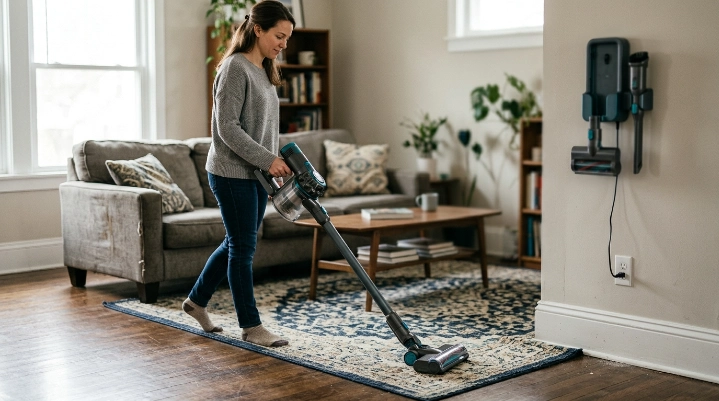
There is no single runtime for cordless vacuums. As of 2026, independent test results show that cordless stick vacuums can differ by tens of minutes even when they use similar lithium-ion battery technology.
The setting you choose matters just as much. High-power modes trade runtime for stronger short-term cleaning.
What is a normal cordless vacuum runtime?
For many full-size cordless stick vacuums, a practical cleaning session often falls somewhere in the range of roughly 20 to 50 minutes. Some models go beyond that, while others fall below it.
Don’t rely only on the largest runtime number printed on a box. Those claims may reflect a lower-power configuration or a specific attachment.
Here are several examples from Consumer Reports’ published cordless-vacuum test data to show how wide the range can be:
| Cordless Vacuum | Tested Runtime | Charge Time | Battery |
|---|---|---|---|
| Bissell Air Ram 1984 | 47 minutes | 5 hours | 22V Li-ion |
| Dyson V15 Detect | 40 minutes | 5 hours | 25.2V Li-ion |
| Samsung Bespoke AI Jet Ultra | 52 minutes | 5 hours | 25.2V Li-ion |
| Miele Triflex HX2 | 18 minutes | 4 hours | 25.2V Li-ion |
That table is useful because battery voltage alone does not predict runtime. Motor demand, electronics, floor head design, battery capacity, and power management all matter.
Why does max mode drain the battery so fast?
Maximum or boost mode asks the motor for much more power. That extra energy can help with stubborn debris, but the battery empties faster.
High-power cleaning may sometimes provide only around 10 to 15 minutes of useful runtime. I treat boost mode as a spot-cleaning tool rather than my default setting.
Section Takeaway: Compare vacuum batteries by real runtime in the mode you expect to use, not by voltage or headline runtime alone.
How Many Years Does a Vacuum Battery Last?
A rechargeable vacuum battery does not have one guaranteed lifespan. Battery chemistry, usage, storage temperature, charging system, and cleaning habits all influence how quickly capacity declines.
In everyday household use, I think of a cordless vacuum battery as a wear component. It may remain usable for several years, but its runtime usually will not stay identical forever.
Is two to five years normal?
You will often see estimates of a few years for cordless-vacuum batteries. That can be a useful planning range, but I would not treat it as an expiration date.
Consumer Reports has found battery problems become an important reliability issue as cordless vacuums age, including batteries that progressively lose capacity or stop working.
At the same time, manufacturers do not always define battery life by a fixed number of years. Dyson, for example, says battery longevity depends on factors including maintenance, storage, and use.
What happens as a lithium-ion vacuum battery ages?
A lithium-ion battery stores less usable energy as it ages. That means your vacuum may still turn on normally while running for less time than it did when new.
The decline can be gradual. This is why owners sometimes blame weak suction when the more obvious change is simply shorter cleaning time.
- Early life: Runtime stays close to the vacuum’s normal performance.
- Middle life: You may notice modest runtime loss during longer cleaning sessions.
- Later life: Charging becomes less useful because the battery empties much sooner.
- End of useful life: The vacuum may shut down quickly, refuse to charge, or require a replacement pack.
A battery can still technically work while no longer being practical. If I need two charges to finish a job that once needed one, I start considering replacement.
What Affects Cordless Vacuum Battery Life?
The biggest factors are power demand, heat, battery age, charging behavior, and the mechanical condition of the vacuum. Several of these are within your control.
1. Frequent boost or maximum-power use
High-power settings consume energy quickly and can increase battery stress. Dyson’s own battery-care guidance recommends using high-power mode less for routine cleaning.
I switch to stronger power only where the floor needs it. That gives me more useful cleaning time from each charge.
2. Heat and storage conditions
Heat is tough on rechargeable batteries. A vacuum stored beside a radiator, in strong sunlight, or inside a hot vehicle may experience harsher conditions than one kept indoors.
A cool, dry household storage area is usually a safer choice. Follow your manufacturer’s exact temperature guidance.
3. Clogged filters and restricted airflow
A dirty vacuum can make a healthy battery seem weak. Restricted airflow, packed debris, and tangled brush rolls can reduce cleaning performance.
When a vacuum’s runtime suddenly seems poor, I clean those areas before ordering a battery. This simple check has saved me from blaming the wrong component.
4. Floor type and powered attachments
Thick carpet places a different load on a vacuum than smooth hard flooring. Motorized brush heads and specialty tools also consume energy.
Your runtime can therefore change from room to room. That is normal and does not automatically mean the battery is failing.
5. How often you clean
A vacuum used for a small weekly cleanup experiences a different workload from one cleaning a pet-heavy home every day. More use means more charging and discharging over time.
Section Takeaway: Battery aging is unavoidable, but excessive heat, unnecessary high-power use, and poor vacuum maintenance can make usable runtime disappear faster.
How Do You Know a Vacuum Battery Is Wearing Out?
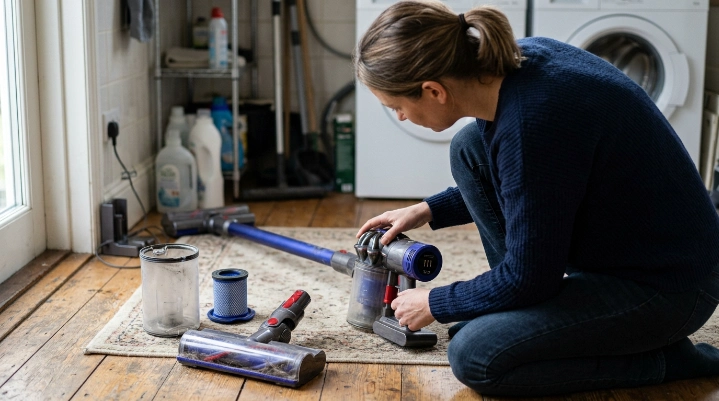
The clearest sign is a large drop in runtime under the same conditions. A battery that once handled several rooms may start dying after one.
I do not judge it from a single cleaning session. I test again after checking the filter, bin, brush roll, and charger.
Common signs of an aging battery
- Shorter runtime: The vacuum runs for much less time after a full charge.
- Sudden shutdowns: Power cuts out earlier than expected.
- Fast indicator drop: The battery display falls from full to low unusually quickly.
- Poor charge retention: A fully charged battery loses useful power quickly.
- Charging errors: The machine repeatedly reports battery or charging faults.
How I separate a weak battery from a dirty vacuum
I fully charge the machine, empty the bin, clean approved filters, clear the brush roll, and check the wand for blockages. Then I time a normal-mode cleaning session.
If runtime remains far below what I used to get under similar conditions, battery degradation becomes much more likely. It is a simple test, but it gives me better evidence than guessing from suction alone.
Expert Alert: Stop using a battery that is swollen, cracked, leaking, giving off an unusual smell, or becoming abnormally hot. Do not open or rebuild a lithium-ion battery pack yourself. Contact the manufacturer or a qualified service technician.
How Can You Make a Vacuum Battery Last Longer?
You cannot stop rechargeable batteries from aging. You can, however, avoid several habits that add unnecessary stress.
Use the correct power mode
Normal or automatic mode is usually enough for routine debris. Save maximum power for areas that need the extra suction.
Keep airflow clear
- Empty the dustbin before it becomes overpacked.
- Clean washable filters only as the manual allows.
- Let washed filters dry completely before reinstalling them.
- Remove hair and thread from the brush roll.
- Check the wand and intake path for blockages.
A clean airflow path helps the entire vacuum work as designed. It also prevents a maintenance problem from being mistaken for battery failure.
Protect the battery from extreme heat
Don’t leave the vacuum in a hot car or against a heat source. Follow the storage limits in your vacuum’s manual.
Use the approved charging equipment
The safest approach is to use the charger specified for your vacuum. Battery-management systems and charging requirements differ between models.
I also check charging contacts when a vacuum suddenly stops charging properly. Dust on the contacts can create a problem that looks more serious than it is.
Follow model-specific storage instructions
There is no universal storage percentage that I recommend for every cordless vacuum. Manufacturer instructions should take priority because battery and charging systems vary.
Section Takeaway: Use appropriate power settings, control heat, maintain airflow, and follow the manufacturer’s charging guidance instead of relying on universal battery tricks.
Should You Replace the Battery or the Whole Vacuum?
If the vacuum works well apart from short runtime, battery replacement is often worth considering. A replaceable battery can extend the useful life of the rest of the machine.
Before buying anything, confirm your exact model number. Batteries that look similar may have different voltage, connectors, electronics, or mounting systems.
Battery replacement makes more sense when:
- The motor and controls still work correctly.
- Suction returns to normal after routine maintenance.
- The manufacturer lists a compatible replacement battery.
- The battery is the vacuum’s only major problem.
- The replacement cost is reasonable compared with a new vacuum.
A new vacuum may make more sense when:
- The motor is also failing.
- The cleaner head, controls, and battery all need repairs.
- A safe compatible battery is unavailable.
- The vacuum repeatedly overheats or has electrical faults.
- Repair costs approach the price of a suitable replacement vacuum.
What should you do with an old lithium-ion vacuum battery?
Do not automatically throw it in household trash or curbside recycling. The U.S. EPA’s household battery guidance says lithium-ion batteries should go to appropriate battery recycling or household hazardous-waste collection channels.
The EPA also recommends protecting battery terminals during transport. Follow local rules because collection systems vary by location.
Frequently Asked Questions
How long should a cordless vacuum run before the battery dies?
It depends on the model and power setting. Current cordless stick vacuums can range from under 20 minutes to around 50 minutes or more in testing. Maximum-power modes usually reduce runtime significantly.
How long does a Dyson vacuum battery last?
There is no fixed number of years that applies to every Dyson battery. Dyson says battery lifespan depends on factors such as use, maintenance, temperature, and storage. Runtime will normally decline as a rechargeable battery ages.
Is it normal for a cordless vacuum battery to get weaker?
Yes. Rechargeable lithium-ion batteries gradually lose usable capacity with age and use. A modest decline is normal, while a dramatic drop in runtime may mean the battery is nearing replacement.
Can a dirty filter shorten vacuum runtime?
A dirty filter can restrict airflow and reduce cleaning performance, which may make the vacuum seem weaker. Always clean approved filters and check for blockages before diagnosing a battery problem.
Can I replace a cordless vacuum battery myself?
Some models have user-removable battery packs, while others require tools or professional service. Check the manual and exact model before attempting replacement, and never open the battery pack itself.
Should I leave my cordless vacuum charging all the time?
Charging systems differ by brand and model, so follow the manufacturer’s instructions. Avoid applying one universal charging rule to every vacuum, especially when storing the machine for long periods.
My takeaway: When someone asks how long a vacuum battery lasts, I first separate runtime from lifespan. A charge may provide roughly 20 to 50 minutes on many current cordless models, while the battery itself may remain useful for several years depending on use and care.
If your vacuum suddenly runs for much less time, don’t replace the battery immediately. Clean the airflow path, test it after a full charge, and compare the result with how the same vacuum performed before.
If the battery is clearly worn but the rest of the vacuum still works well, replacing the battery can be the simplest fix. Stop using any pack that shows swelling, leaking, unusual heat, or physical damage.