
Vacuum Overheating After Filter Cleaning: 7 Fixes

Quick Answer
If your vacuum cleaner overheats after filter cleaning, the filter may still be damp, incorrectly installed, or clogged with fine dust. A full dust container, blocked hose, restricted brush head, or internal fault can also cause overheating. Switch off and disconnect the vacuum, let it cool completely, and check the filter and airflow path before restarting it.
Why Does a Vacuum Overheat Even After You Clean the Filter?
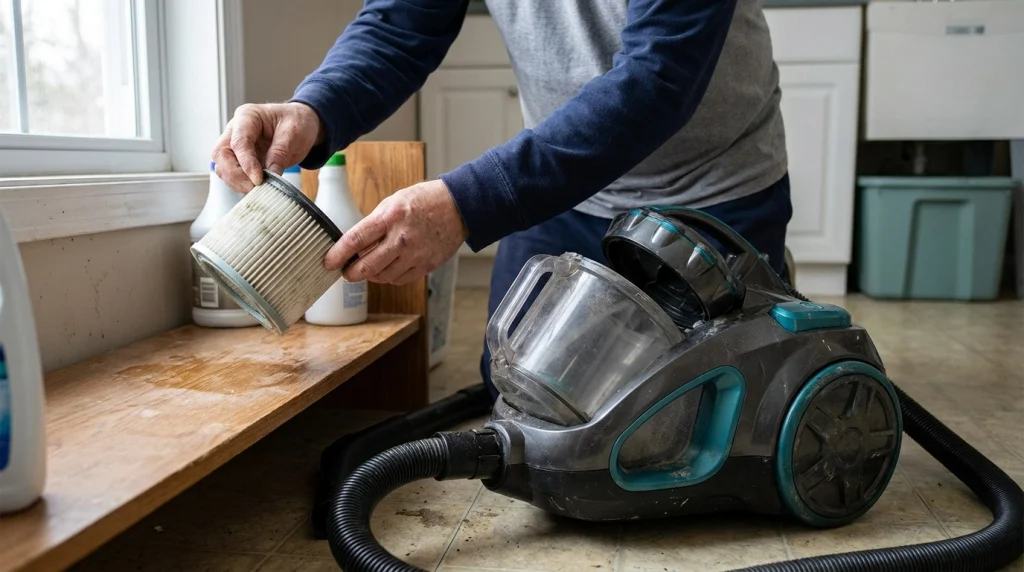
A vacuum can overheat after filter cleaning because cleaning does not automatically restore normal airflow. The filter may retain moisture, fine debris may remain trapped inside it, or another blockage may be restricting the air moving through the machine.
The timing matters, too. If the problem started immediately after washing the filter, check drying and reinstallation first. If you cleaned a dry filter without using water, investigate remaining debris, the dust container, hose, and floor head before assuming the motor has failed.
Many vacuums use moving air to carry dust through the machine and help manage heat. When that airflow becomes restricted, the motor may work under greater strain. Some models respond to excessive temperature by switching off automatically, although the exact protection system varies by design.
7 Reasons Your Vacuum Cleaner May Be Overheating
1. The filter is not completely dry
This is one of the first things to check if you rinsed the filter. A filter can feel dry on the outside while moisture remains inside its foam, pleats, or other filter material. Reinstalling a damp filter can interfere with airflow and may damage a motor, depending on the vacuum’s design.
For example, a washable filter that was rinsed in the morning and reinstalled a few hours later may still be wet internally. Running the vacuum in this condition is not a safe shortcut.
Follow the drying time in your owner’s manual. Dyson, for example, instructs users of its applicable cordless models to air-dry washed filters for at least 24 hours and ensure they are completely dry before reinstalling them. Other models may have different requirements.
Remove the filter again if it is damp. Let it air-dry in a well-ventilated area, away from direct heat. Do not use an oven, microwave, tumble dryer, or open flame to speed up drying.
2. Fine dust is still blocking the filter
A filter can look clean and still restrict airflow. Fine household dust, carpet fibers, pet debris, and powdery particles can become embedded in the filter material. A quick rinse or surface wipe may not remove all the buildup.
If the filter is washable, clean it using the manufacturer’s specified method and continue until the rinse water is clear when the instructions call for that result. Avoid detergent unless the manual explicitly permits it.
Some filters are designed to be tapped clean, while others must be replaced. Never rinse a filter simply because it looks dirty. If you are unsure which type you have, use this guide to clean a blocked vacuum filter safely.
3. The filter is installed incorrectly
A filter that is loose, misaligned, or not fully seated may prevent the vacuum from operating as intended. Some models also require multiple filters or a filter cover to be fitted in a particular order.
Switch off and disconnect the vacuum, then remove and inspect the filter assembly. Check for a twisted seal, damaged housing, missing cover, or debris around the seating area. Refit each component according to the manual until it sits securely.
Do not force a filter into place. If the replacement filter is the wrong size or model, it may not seal correctly even if it appears to fit.
4. The dust bin or bag is too full
Cleaning the filter does not empty the dust container. A full bin or bag can restrict the route air takes through the vacuum, contributing to weak suction and excess heat.
Empty the dust cup or replace the bag as directed by the manufacturer. Check the maximum-fill line, if present, and make sure the container is properly attached afterward. Also remove compacted debris around the bin inlet if the manual permits it.
If the vacuum overheats less often after emptying the container, restricted airflow may have contributed to the problem. Continue checking the remaining airflow path if the machine still becomes unusually hot.
5. The hose, wand, or floor head is blocked
A blockage elsewhere in the vacuum can cause overheating even when the filter is clean. Hair, lint, paper, and other debris may obstruct the hose, extension tube, intake opening, or cleaning head.
With the machine disconnected from power, detach the removable components according to the manual and inspect them for obstructions. Check the brush roll for tangled hair and fibers, but do not reach into moving parts or dismantle sealed components.
A sudden drop in suction, a change in motor pitch, or an unusual whistling sound can help indicate restricted airflow, although these signs do not identify the exact cause on their own.
For a broader maintenance routine, see this guide to maintaining a vacuum cleaner, including its filters and other airflow components.
6. The vacuum is working too hard
Long periods of operation, high-power settings, thick carpets, and heavy debris can increase the workload on some vacuum cleaners. A machine may become noticeably warm during normal use, but excessive heat or repeated shutdowns should not be dismissed as ordinary operation.
Allow the vacuum to cool fully and check the manufacturer’s guidance for suitable operating conditions. When it is safe to resume use, select a lower power setting if your model offers one and avoid running it continuously in a mode intended for short bursts of extra suction.
If overheating occurs after only a short period of ordinary cleaning, investigate other causes rather than assuming the power setting is responsible.
7. An internal component may be faulty
If the filter is dry and correctly fitted, the container is empty, and the airflow path is clear, a mechanical or electrical fault may be responsible. Possible issues include a failing motor, damaged wiring, a battery problem in a cordless model, or a malfunctioning temperature-protection component.
These problems cannot be reliably diagnosed from heat alone. If the vacuum repeatedly overheats despite the basic checks, stop using it and contact the manufacturer or an authorized repair service. Do not open the motor housing or attempt electrical repairs unless you are qualified to do so.
What Should You Check First? A Safe Troubleshooting Order
Work through these checks in order. This approach starts with simple maintenance issues before moving toward less common faults.
- Switch off and disconnect the vacuum. Unplug a corded model. For a cordless model, switch it off and remove the battery if the design allows safe removal.
- Let the machine cool. Follow the manufacturer’s cooling instructions. Do not repeatedly restart a hot vacuum to see whether it will keep running.
- Check filter moisture. If you washed the filter, confirm that it has dried for the required period and is completely dry.
- Inspect filter condition and fit. Look for remaining debris, damage, incorrect positioning, or a missing seal.
- Empty the bin or check the bag. Refit the container securely after emptying or replacing it.
- Inspect the airflow path. Check accessible hose sections, the wand, intake, floor head, and brush roll for blockages.
- Consult the model-specific instructions. Follow the manufacturer’s troubleshooting procedure before conducting a brief test, provided there are no warning signs of damage.
The Dyson vacuum filter-care instructions illustrate why correct drying and reinstallation matter. For a different brand, follow the instructions for your exact model rather than assuming its filter system works the same way.
Tip
Change one thing at a time when checking the vacuum. For example, dry and correctly refit the filter before testing other maintenance changes. This makes it easier to identify the likely cause without overlooking a second blockage.
When Should You Stop Using the Vacuum?
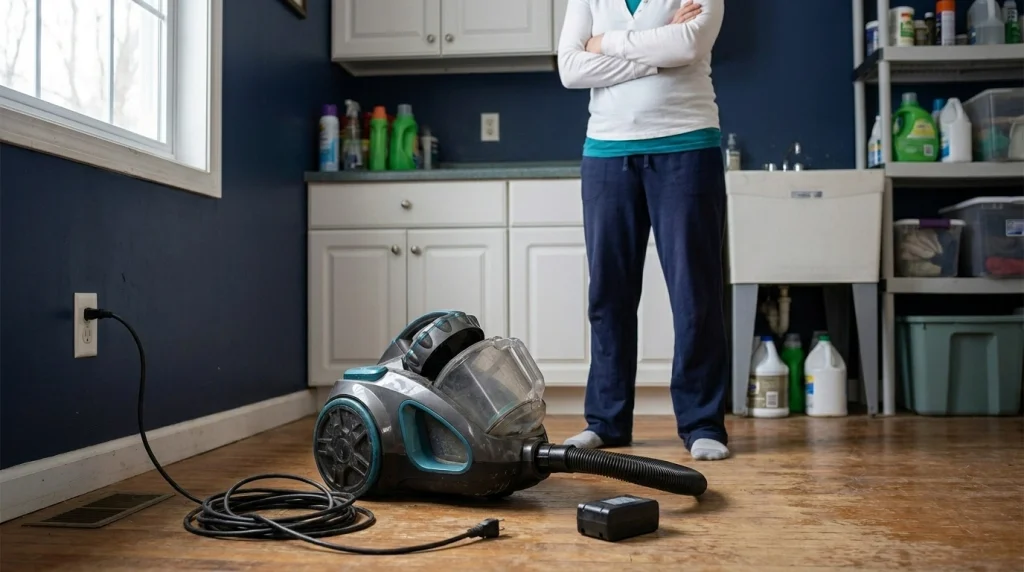
Stop using the vacuum immediately if you notice a burning smell, smoke, sparks, damaged power wiring, unusual electrical noises, or a battery that becomes abnormally hot or appears swollen. Disconnect the power only if you can do so safely. Do not continue testing a machine that shows signs of electrical or battery damage.
A vacuum that repeatedly switches itself off after cooling and basic maintenance also needs further investigation. Automatic shutdown can be a protective response, not proof that the problem has resolved.
Do not bypass a thermal cutoff, keep resetting the machine, or spray liquid into its motor housing. If there are signs of damage, or overheating continues despite clear airflow and correct filter installation, arrange an appropriate repair or replacement assessment.
How Can You Prevent Overheating After Future Filter Cleaning?
The best prevention is to clean the correct filter properly and restore the vacuum to its intended configuration before use.
- Check whether the filter is washable. Follow the manual for that exact filter rather than relying on its appearance.
- Allow complete drying. Use the specified drying time, and confirm that no moisture remains before reinstalling a washed filter.
- Inspect the whole airflow path. Empty the bin or bag and check accessible hoses and floor-head openings during routine maintenance.
- Replace damaged filters. Torn, warped, crumbling, or persistently clogged filter material may need replacement rather than more aggressive cleaning.
- Use suitable power settings. Avoid unnecessarily prolonged high-power operation when a lower setting is sufficient for the surface.
- Keep maintenance model-specific. Filter locations, cleaning methods, replacement intervals, and cooling procedures differ between vacuum designs.
For more detailed background, the vacuum cleaner filter guide explains filter types and the role they play in collecting dust. Proper maintenance helps, but it cannot correct a damaged motor or another internal fault.
Related Product
Replacement Vacuum Cleaner Filters
If your filter is damaged or remains clogged after approved cleaning, look for a replacement compatible with your exact vacuum model. A new filter will not fix a blocked hose or faulty motor.
As an Amazon Associate, we earn from qualifying purchases.
Frequently Asked Questions
Can a wet vacuum filter cause overheating?
Yes, a damp filter can interfere with airflow and may damage the motor, depending on the vacuum’s design. If the filter was washed, leave it to dry completely according to the manufacturer’s instructions before reinstalling it.
How long should I wait before using a vacuum after washing its filter?
Follow the instructions for your exact model. Some manufacturers, including Dyson for applicable cordless models, specify at least 24 hours of air-drying. The filter must be completely dry before use, even if the outside feels dry sooner.
Why does my vacuum shut off even though the filter is clean?
A clean filter does not rule out a full dust container, blocked hose, obstructed floor head, or internal fault. Disconnect the machine, let it cool, and inspect the accessible airflow path. Repeated shutdowns warrant further investigation.
Can I use a vacuum without its filter to test whether it overheats?
Do not run the vacuum without its required filter unless the manufacturer explicitly instructs you to do so as part of a specific test. Operating without filtration can allow dust into components and may damage the machine.
Is it normal for a vacuum cleaner to feel warm during use?
Some warmth during normal operation can be expected. Excessive heat, burning odors, smoke, abnormal noises, or repeated shutdowns are not signs to ignore. Stop using the machine if these occur and follow the manufacturer’s safety guidance.
Should I replace the filter if my vacuum still overheats?
Replace it if the manufacturer recommends replacement or if it is damaged, incompatible, or cannot be restored through approved cleaning. If the vacuum still overheats with a suitable, dry filter and clear airflow, a replacement filter alone may not solve the problem.
Conclusion
If your vacuum cleaner starts overheating after filter cleaning, check whether the filter is completely dry and correctly installed before investigating other causes. Then empty the dust container and inspect the accessible hose, wand, and floor head for blockages. These checks address common airflow problems without requiring you to dismantle the machine.
Always follow your model’s cleaning and cooling instructions. If the vacuum smells burnt, produces smoke, shows signs of electrical or battery damage, or repeatedly overheats after basic maintenance, stop using it and seek appropriate repair assistance. A filter replacement can help when the filter itself is damaged, but persistent overheating may point to a different fault.
