Can You Use Winix Air Purifier Without Wifi? Essential Guide

Yes, you absolutely can use your Winix air purifier without Wi-Fi. Most Winix models function perfectly well using their manual controls, offering essential air purification without needing an internet connection. This guide will walk you through how to operate your Winix purifier effectively, even without Wi-Fi connectivity, ensuring clean air in your home.
Can You Use Winix Air Purifier Without Wi-Fi? An Essential Guide
Are you wondering if your Winix air purifier is still effective if you don’t connect it to your home Wi-Fi network? Many users find themselves asking this very question, especially if they prefer not to add another connected device to their network or if they encounter setup issues. The good news is that your Winix air purifier is designed to provide excellent air purification capabilities even without Wi-Fi. This guide will demystify the process, showing you how to get the most out of your device using its onboard controls, ensuring you can breathe easier regardless of your connectivity status.
Understanding Your Winix Air Purifier’s Core Functionality
Your Winix air purifier’s primary purpose is to clean the air, a function it performs admirably with or without a Wi-Fi connection. The sophisticated filtration system, including HEPA and activated carbon filters, works diligently to capture pollutants. These essential components operate independently of any smart features.
Manual Controls: Your Gateway to Clean Air

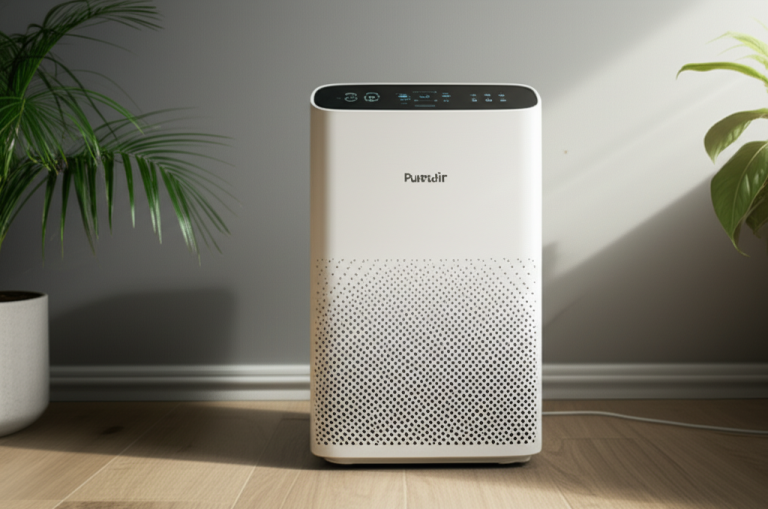
Every Winix air purifier comes equipped with intuitive manual controls directly on the unit. These buttons allow you to select fan speeds, activate special modes like Sleep Mode, and turn the unit on or off. You don’t need an app or internet access to manage these core functions.
Wi-Fi Connectivity: An Added Convenience, Not a Requirement
Wi-Fi connectivity on select Winix models offers enhanced convenience through remote control via the Winix SMART app. This allows for features like scheduling, remote monitoring of air quality, and receiving filter replacement alerts. However, these are supplementary benefits, not prerequisites for the device’s fundamental air purifying capabilities.
Operating Your Winix Air Purifier Manually: Step-by-Step
Using your Winix air purifier without Wi-Fi is straightforward. You’ll primarily interact with the control panel on the device itself. Follow these simple steps to get your purifier running and maintaining optimal air quality.
Powering On and Off
Locate the power button on your Winix unit. Typically, it’s clearly marked and easy to find. Press it once to turn the unit on, and press it again to turn it off.
Selecting Fan Speeds
Most Winix models offer multiple fan speed settings, usually labeled as Low, Medium, High, and sometimes Turbo. Use the fan speed buttons to cycle through these options. Choose a speed that suits your current needs, with higher speeds offering more rapid air purification.
Utilizing Special Modes
Your Winix purifier might feature special modes designed for specific scenarios. Sleep Mode, for instance, often dims the indicator lights and operates the fan at a quieter, lower speed. Auto Mode, if available, uses sensors to adjust fan speed automatically based on detected air quality.
Understanding Indicator Lights
Pay attention to the various indicator lights on your control panel. These lights provide crucial information about the unit’s status, such as the current fan speed, mode activation, and filter replacement needs. Consult your specific model’s manual for a detailed explanation of each light.
Key Features Accessible Without Wi-Fi
Even without connecting to Wi-Fi, you can still leverage many of the powerful features built into your Winix air purifier. These features are designed to enhance your experience and ensure effective air cleaning.
Air Quality Sensors and Indicators
Many Winix models feature an air quality sensor that detects airborne particles. This sensor is usually linked to an indicator light, often displaying different colors (e.g., blue for good, amber for fair, red for poor) to reflect the real-time air quality in your room. This visual cue helps you understand your environment’s condition.
Filter Replacement Indicators
Your Winix air purifier is equipped with indicators to let you know when it’s time to replace or clean the filters. These alerts are typically triggered by usage hours, not by connectivity. This ensures your purifier continues to operate at peak efficiency, providing clean air.
Sleep Mode and Auto Mode
Sleep Mode is a common feature that allows the unit to run quietly and with dimmed lights, ideal for nighttime use. Auto Mode, if present, uses the built-in air quality sensor to automatically adjust fan speed, offering a hands-off approach to air purification. Both modes are fully functional without Wi-Fi.
Troubleshooting Common Issues Without Wi-Fi
While operating without Wi-Fi simplifies things, you might still encounter minor issues. Fortunately, most problems are easily resolved with basic troubleshooting steps.
Unit Not Turning On
If your Winix purifier won’t turn on, first ensure it’s properly plugged into a working electrical outlet. Check the power cord for any damage. If the issue persists, try plugging another appliance into the same outlet to confirm it’s receiving power.
Unusual Noises
Strange noises can sometimes indicate an issue with the fan or filters. Ensure the unit is placed on a stable, flat surface. Check that the filters are correctly installed and that no foreign objects are obstructing the fan. A thorough filter cleaning or replacement might also resolve the problem.
Airflow Seems Reduced
A decrease in airflow often means the filters are clogged and need cleaning or replacement. Check your user manual for instructions on how to access and clean the pre-filter. If you have a True HEPA or activated carbon filter, they will eventually need to be replaced according to the manufacturer’s recommendations.
Filter Maintenance: Crucial for Performance
Regardless of Wi-Fi connectivity, proper filter maintenance is paramount for your Winix air purifier’s effectiveness. Clogged filters significantly reduce airflow and purification efficiency.
Cleaning the Pre-Filter
The washable pre-filter captures larger particles like dust and pet hair. It should be cleaned regularly, typically every 1-2 months, depending on your environment. Gently vacuum it or rinse it with water, ensuring it’s completely dry before reinserting.
Replacing HEPA and Carbon Filters
Your Winix unit will have a True HEPA filter and an activated carbon filter. These filters are not washable and need to be replaced periodically. The frequency of replacement varies by model and usage, but generally ranges from 6 to 12 months. Check your manual for specific replacement schedules and compatible filter models.
When Might Wi-Fi Be Beneficial?
While not essential for operation, Wi-Fi connectivity does offer distinct advantages for users who want advanced control and monitoring.
Remote Operation and Scheduling
The Winix SMART app allows you to control your air purifier from anywhere. You can turn it on or off, adjust settings, and set schedules remotely, which can be incredibly convenient. This is particularly useful if you forget to turn it off before leaving home or want it running when you arrive.
Air Quality Monitoring and Alerts
Connecting to Wi-Fi enables real-time air quality monitoring through the app. You can see detailed reports and receive notifications if air quality deteriorates. This proactive approach can help you manage your home’s air environment more effectively.
Filter Status and Ordering
The app provides precise tracking of filter life and can send timely alerts for replacement. Some apps even allow for direct ordering of new filters, streamlining the maintenance process and ensuring you always have clean air.
Model Variations and Manual Operation
Winix offers a range of air purifiers, from basic models to advanced smart devices. It’s important to note that all Winix air purifiers are designed to function effectively using their onboard controls.
Basic Models
Simpler Winix models typically rely solely on manual controls. These units provide excellent core air purification without any smart features, making them perfect for users who prefer simplicity and have no need for Wi-Fi connectivity.
Smart-Enabled Models
Even Winix models equipped with Wi-Fi capabilities can be fully operated manually. The smart features are add-ons that enhance convenience. If you choose not to connect them to Wi-Fi, they will function just like their non-smart counterparts, using the buttons on the unit.
Maximizing Your Winix Purifier’s Lifespan
Proper care and maintenance are key to ensuring your Winix air purifier serves you well for years to come. This involves regular cleaning and timely filter replacements.
Regular Cleaning Routine
Beyond filter maintenance, periodically wipe down the exterior of your unit with a soft, damp cloth. Ensure the air intake and outlet vents are free of dust and obstructions. This keeps the unit looking good and functioning efficiently.
Understanding Filter Lifespan
The lifespan of your HEPA and carbon filters is influenced by factors like air quality and usage hours. While the indicator lights are helpful, be aware that heavily polluted environments may necessitate earlier replacements than the standard recommendation.
Frequently Asked Questions (FAQ)
Can I use my Winix air purifier if I don’t have Wi-Fi at home?
Absolutely! Your Winix air purifier is designed to work perfectly fine using its manual controls. Wi-Fi is an optional feature for enhanced convenience, not a necessity for basic operation.
Do I need the Winix app to turn on my air purifier?
No, you do not need the Winix app or Wi-Fi to turn on your air purifier. All Winix models have physical buttons on the unit itself to power it on and off.
Will I still get air quality readings without Wi-Fi?
Yes, many Winix models have built-in air quality sensors and indicator lights that show real-time air quality levels. These readings are displayed directly on the unit and do not require an internet connection.
How do I know when to change the filters if I’m not using the app?
Your Winix air purifier has filter replacement indicator lights on the control panel. These lights will illuminate when it’s time to clean the pre-filter or replace the HEPA and carbon filters, regardless of Wi-Fi connection.
Can I manually control fan speed without Wi-Fi?
Certainly. You can manually select different fan speeds (Low, Medium, High, etc.) directly from the control panel on your Winix air purifier.
Are there any features I will miss out on if I don’t use Wi-Fi?
If you don’t connect to Wi-Fi, you won’t be able to use the Winix SMART app for remote control, scheduling, or advanced air quality monitoring. However, the core air purification functions will remain fully operational.
Conclusion: Clean Air is Always Within Reach
In conclusion, the answer to “can you use Winix air purifier without Wi-Fi?” is a resounding yes. Your Winix air purifier is a highly effective appliance that delivers clean, fresh air primarily through its robust filtration system and user-friendly manual controls. While Wi-Fi connectivity offers added conveniences like remote operation and advanced monitoring via the Winix SMART app, it is by no means a prerequisite for enjoying the fundamental benefits of purified air. By understanding and utilizing the onboard controls and maintaining your filters diligently, you can ensure your Winix air purifier continues to provide a healthier living environment for you and your family, even without ever connecting to your home network.