
Bissell Vacuum Cleaner Troubleshooting: Genius Fixes

Find quick fixes for common Bissell vacuum cleaner problems. This guide offers simple, step-by-step solutions to get your Bissell running smoothly again, saving you time and hassle.
Is your trusty Bissell vacuum cleaner acting up? Don’t worry! Most common issues have simple fixes you can do yourself. This guide will walk you through common problems and how to solve them. We’ll cover everything from loss of suction to unusual noises. Getting your Bissell back in top shape means a cleaner home with less stress. Let’s tackle these issues together and get your vacuum working like new.
Why Is My Bissell Vacuum Cleaner Losing Suction?
A Bissell vacuum cleaner losing suction is a frequent frustration. This often happens when the machine can’t pull in dirt effectively. It can be caused by several things that block the airflow. Understanding these causes helps you fix the problem quickly.
Check the Dust Bin or Bag
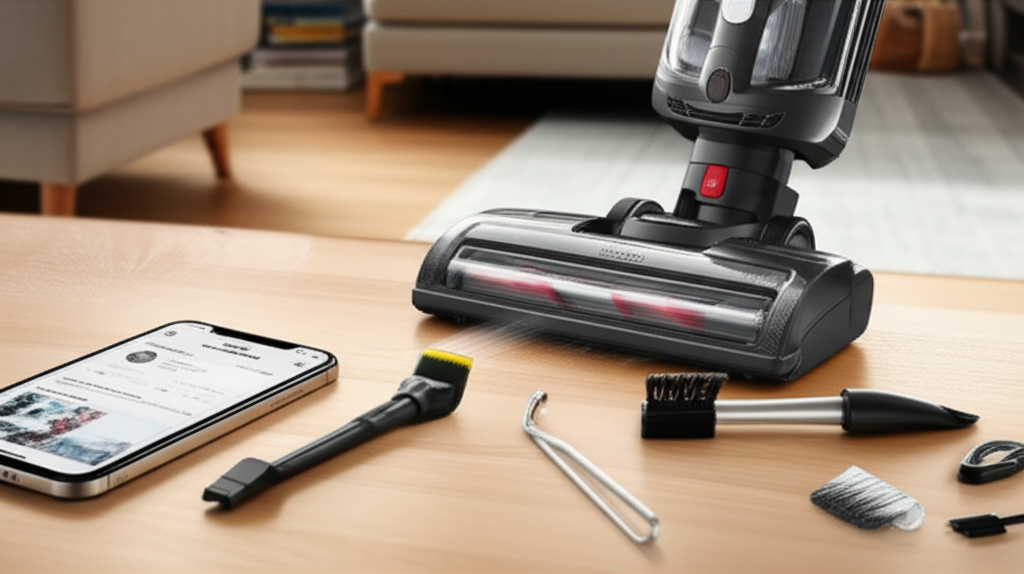
An overflowing dust bin is the most common culprit. When it’s full, dirt can’t go anywhere else. This blocks air and reduces the vacuum’s power. Emptying it is a simple fix.
Inspect the Brush Roll
The brush roll might be tangled with hair or debris. This stops it from spinning freely. A stuck brush roll can prevent suction. Carefully remove any blockages.
Examine the Hoses and Filters
Blockages can occur in hoses or clogged filters. If air can’t move freely, suction suffers. Cleaning or replacing filters is essential maintenance. Check hoses for any visible obstructions.
Solutions for Loss of Suction
To fix low suction, start by emptying the dust bin. Next, check the brush roll for tangled debris. Then, inspect the hoses for blockages. Finally, clean or replace the filters according to your manual. This multi-step approach often restores full power.
My Bissell Vacuum Cleaner Won’t Turn On
It’s disheartening when your Bissell vacuum refuses to power on. This usually points to a power supply issue or a safety mechanism. These problems are often straightforward to resolve. Let’s look at the common reasons and their solutions.
Verify the Power Outlet and Cord
Ensure the vacuum is plugged into a working outlet. Test the outlet with another device. Check the power cord for any damage. A frayed or damaged cord is a safety hazard and prevents power flow.
Check for Overheating Protection
Many Bissell vacuums have a thermal cutoff. This feature turns the machine off if it overheats. If it shut off unexpectedly, let it cool down for about 30 minutes. Then, try turning it on again.
Inspect the Power Switch
Sometimes, the power switch can become faulty. Ensure it is in the “on” position. If the switch feels loose or broken, it might need professional attention. However, check simpler things first.
Troubleshooting a Non-Starting Bissell
First, confirm the power outlet is functional and the cord is undamaged. If the vacuum shut off, allow it to cool. Check that the power switch is engaged correctly. These steps often resolve the issue of a vacuum that won’t turn on.
Bissell Vacuum Cleaner Brush Roll Not Spinning
The brush roll is vital for deep cleaning carpets. If it stops spinning, your vacuum can’t agitate dirt. This is a common issue with several potential causes. Addressing these will get your brush roll working again.
Clear Debris from the Brush Roll
Hair, threads, and larger debris can wrap around the brush. This prevents it from turning. Turn off and unplug the vacuum. Use scissors or a seam ripper to carefully cut away tangled material.
Check for Brush Roll Belt Issues
Some Bissell models use a belt to spin the brush roll. This belt can break or slip off. Consult your manual to see if your model has a belt. If it’s broken, you’ll need a replacement.
Inspect the Brush Roll Housing
Ensure the brush roll is seated correctly in its housing. Sometimes, it can become dislodged. Also, check for any obstructions in the housing itself. A clear path is necessary for the brush to spin.
Solutions for a Stuck Brush Roll
Begin by unplugging the vacuum and clearing all debris from the brush roll. If your model has a belt, check its condition and reattachment. Make sure the brush roll is properly seated in its housing. These actions usually restore brush roll function.
My Bissell Vacuum Cleaner Is Making Strange Noises
Unusual sounds from your Bissell vacuum can be alarming. These noises often indicate a blockage, a worn part, or an imbalance. Identifying the type of noise can help pinpoint the problem. Here are common noises and their solutions.
Whining or High-Pitched Sound
This often signals a blockage in the hose or wand. Air is being forced through a restricted space. Clear any obstructions from these parts. Ensure all connections are secure.
Grinding or Rattling Noise
This could mean something is stuck in the brush roll or the motor. Check the brush roll thoroughly for hard objects. If the noise persists, it might be a motor issue. This may require professional repair.
Loud Hum or Buzzing
A loud hum, especially without suction, can indicate a clogged filter or dustbin. When air can’t escape easily, the motor strains. Empty the bin and clean or replace filters. This usually resolves the humming sound.
Addressing Unusual Vacuum Noises
Listen carefully to the sound your vacuum makes. A whine often means a blockage in hoses. Grinding suggests something stuck in the brush roll or motor. A loud hum usually points to clogged filters. Clearing blockages and maintaining filters are key.
Bissell Vacuum Cleaner Leaking Water or Solution
If your Bissell carpet cleaner or steam mop is leaking, it can create a mess. This usually happens with wet-cleaning models. Leaks are typically due to improper assembly or damaged parts. Let’s find the source of the leak.
Ensure Tank Seating is Correct
Water tanks must be properly secured. Check that both the clean and dirty water tanks are firmly in place. A slightly dislodged tank will leak. Reinsert them until they click.
Inspect Tank Seals and Gaskets
Look for cracks or damage on the rubber seals around the tanks. Worn or missing gaskets can cause leaks. Replace any damaged seals immediately. Ensure they are clean before reinserting tanks.
Check for Hose or Connection Leaks
Hoses that connect to the spray nozzle or wand can leak. Ensure all connections are tight and secure. Examine the hoses themselves for any punctures or splits. Repair or replace damaged hoses.
Solutions for Leaking Bissell Cleaners
First, confirm both water tanks are correctly seated and secure. Inspect all rubber seals and gaskets for damage and replace if necessary. Check all hose connections and the hoses themselves for any leaks or cracks. Proper assembly and intact parts prevent leaks.
My Bissell Vacuum Cleaner Smells Bad
A vacuum cleaner that smells bad is unpleasant and indicates a problem. This odor is usually caused by trapped dirt, mold, or bacteria. Cleaning specific parts can eliminate these unpleasant smells. Regular maintenance prevents this issue.
Empty and Clean the Dust Bin/Bag
Pet dander, food crumbs, and other debris can decompose. This creates foul odors. Empty the dustbin or bag after every use. Wash removable bins with soap and water.
Clean or Replace Filters
Filters trap fine dust and allergens. Over time, they can become saturated with odors. Washable filters should be cleaned regularly. Replace non-washable filters as recommended.
Check the Brush Roll and Hose
Mold and mildew can grow in damp areas, like a dirty brush roll or hose. If you’ve cleaned up a spill, ensure these parts are completely dry. Sometimes, removing the brush roll and cleaning it separately is necessary.
Solutions for a Smelly Bissell Vacuum
Regularly empty the dust bin and wash it if possible. Clean or replace filters as per your manual. Inspect the brush roll and hoses for dampness or debris that could harbor odors. Drying these parts thoroughly is crucial.
Bissell Vacuum Cleaner Overheating
An overheating Bissell vacuum cleaner is a safety concern. It often happens due to restricted airflow or overuse. The machine has a safety feature that shuts it off. Here’s how to prevent and address overheating.
Address Airflow Blockages
Restricted airflow makes the motor work harder. This generates excess heat. Check for clogs in the dust bin, filters, hoses, and brush roll. Clearing these allows for better air circulation.
Avoid Overuse on Deep Pile Carpets
Running the vacuum for too long on very thick carpets can strain the motor. Give your vacuum breaks, especially during extended cleaning sessions. This is more common with powerful upright models.
Ensure Filters Are Clean
Dirty filters severely restrict airflow. This forces the motor to work harder and hotter. Clean or replace filters regularly. This is a critical step in preventing overheating.
Preventing and Solving Overheating
The primary cause is poor airflow. Ensure dustbins are empty, filters are clean, and hoses are clear. Avoid prolonged use on extremely dense carpets. Allow the vacuum to cool down if it shuts off due to overheating.
Bissell Vacuum Cleaner Not Spraying Water
For carpet cleaners and steam mops, the spray function is essential. If your Bissell isn’t spraying water, it can’t effectively clean carpets. This issue is usually related to the water tanks or spray mechanism.
Verify Water Tank Levels and Seating
Ensure the clean water tank is filled and properly seated. A tank that isn’t fully locked in won’t allow water to flow. Double-check that it clicks into place securely.
Check the Spray Trigger and Nozzle
The spray trigger might be stuck or not fully engaged. Press it firmly multiple times. Inspect the spray nozzle for any clogs. You can often clear small blockages with a pin.
Inspect Internal Hoses and Pump
Internal hoses can become kinked or blocked. The pump might also have an issue if it’s not drawing water. This is more complex and may require professional help. However, check simpler issues first.
Troubleshooting Spray Function Issues
Confirm the clean water tank is full and correctly seated. Ensure the spray trigger is functioning and the nozzle is clear of clogs. If these steps don’t work, the issue might be internal and require service.
Bissell Vacuum Cleaner Error Codes and Indicators
Modern Bissell vacuums often have indicator lights or error codes. These signal specific problems. Referencing your user manual is the best first step. Here are common indicators and what they might mean.
Full Bin Indicator
Many models have a light that illuminates when the dustbin is full. This is a reminder to empty it. Once emptied, the light should turn off. If it stays on, there might be a sensor issue.
Brush Roll Indicator
A light may indicate the brush roll is not spinning or is obstructed. If this light is on, check the brush roll for tangled debris or belt issues. Clear any obstructions.
Overheating Indicator
Some vacuums have a specific light for overheating. If this appears, turn the vacuum off immediately. Let it cool down completely before trying again. Address any airflow issues.
Understanding Bissell Error Lights
Pay attention to any indicator lights or codes. They are designed to help you diagnose problems quickly. Always consult your specific model’s manual for detailed explanations. Addressing the indicated issue promptly is key.
Maintaining Your Bissell Vacuum for Longevity
Regular maintenance is the best way to prevent problems. It keeps your Bissell vacuum cleaner working efficiently. Simple cleaning tasks make a big difference. Follow these tips to ensure your vacuum lasts longer.
Empty the Dustbin Regularly
Always empty the dustbin or bag after each use. This prevents overflow and maintains suction power. For bagless models, wash the bin periodically. Ensure it’s completely dry before reattaching.
Clean or Replace Filters
Filters trap fine dust and debris. Clogged filters reduce suction and can cause overheating. Washable filters should be cleaned monthly. Replace non-washable filters every 6-12 months.
Inspect and Clean the Brush Roll
Check the brush roll weekly for tangled hair and debris. Use scissors to carefully remove obstructions. A clean brush roll cleans more effectively.
Check Hoses and Connections
Periodically inspect hoses and connections for blockages or damage. Clear any debris found. Ensure all parts are securely connected.
Routine Maintenance Schedule
After every use: Empty dustbin/bag.
Weekly: Inspect and clean brush roll. Check hoses for blockages.
Monthly: Wash or replace filters (check manual).
Every 6-12 months: Replace non-washable filters.
A well-maintained Bissell vacuum cleaner offers superior cleaning performance. Following a simple routine prevents common issues. This saves you time and money on repairs.
Frequently Asked Questions About Bissell Vacuum Cleaner Troubleshooting
How do I reset my Bissell vacuum cleaner?
Many Bissell vacuums can be reset by unplugging them for 30 seconds. This clears any temporary electronic glitches. Some models might have a specific reset button; check your manual.
Why is my Bissell vacuum cleaner shutting off on its own?
This is usually due to overheating or a full dustbin. Ensure the bin is empty and filters are clean. Let the vacuum cool down if it has shut off. Check for any blockages restricting airflow.
Can I use a Bissell carpet cleaner without solution?
No, it’s not recommended. Using a carpet cleaner without the proper cleaning solution can damage the machine. The solution also helps lift dirt and rinse the carpet effectively.
How often should I replace my Bissell vacuum filters?
For washable filters, clean them monthly and let them air dry completely. Non-washable filters typically need replacement every 6 to 12 months, depending on usage and model. Always refer to your user manual for specific recommendations.
My Bissell vacuum smells like burning plastic. What should I do?
A burning smell often indicates a serious issue, like a motor problem or a severe blockage. Unplug the vacuum immediately. Do not use it further. Contact Bissell customer support or a qualified repair technician.
Conclusion: Keep Your Bissell Running Smoothly
Dealing with a malfunctioning Bissell vacuum cleaner can be frustrating. However, most common issues, from loss of suction to strange noises, have straightforward fixes. By understanding your vacuum and performing regular maintenance, you can prevent many problems. Always refer to your specific Bissell model’s user manual for detailed instructions. Simple checks like emptying the dustbin, cleaning filters, and clearing blockages often restore performance. If you encounter persistent issues or smells like burning plastic, it’s best to seek professional help. Keeping your Bissell vacuum in good shape ensures your home stays clean and hygienic with minimal hassle.
