What Causes a Vacuum to Shut Off Unexpectedly?

Quick Answer
A vacuum can shut off unexpectedly because it is overheating, airflow is restricted, the brush roll is jammed, or the power supply is interrupted. Cordless models can also stop because of battery or charging problems. Some vacuums include a thermal cutout that deliberately switches the motor off when temperatures rise too high, as explained in Dyson’s vacuum troubleshooting guidance.
Common causes to check first
- Overheating: A thermal protector may stop the motor until the vacuum cools.
- Dirty filter: Heavy dust buildup can restrict normal airflow through the vacuum.
- Hidden clog: Hair, paper, lint, or debris can block the hose, wand, or cleaner head.
- Brush-roll jam: Wrapped hair and thread can overload a powered floor head.
- Power problem: A damaged cord, loose connection, outlet issue, or internal fault may interrupt operation.
- Battery trouble: Cordless models may stop because of low charge, excessive battery temperature, or battery deterioration.
What should you do?
- Switch the vacuum off, disconnect its power, let it cool, and inspect the dirt container, filters, air path, and brush roll before restarting it.
A vacuum suddenly shutting down halfway through a room is frustrating. I usually start with airflow and heat before assuming the motor has failed.
That simple order catches many common vacuum cleaner problems. This 2026 guide explains what causes unexpected shutdowns, what the shutdown pattern means, and when you should stop troubleshooting at home.
In This Guide
- Why does a vacuum suddenly shut off?
- What does the shutdown pattern tell you?
- How do you fix a vacuum that keeps shutting off?
- Can a power problem make a corded vacuum stop?
- Why does a cordless vacuum shut off unexpectedly?
- When does a vacuum shutdown need professional repair?
- Frequently asked questions
Why Does a Vacuum Suddenly Shut Off?
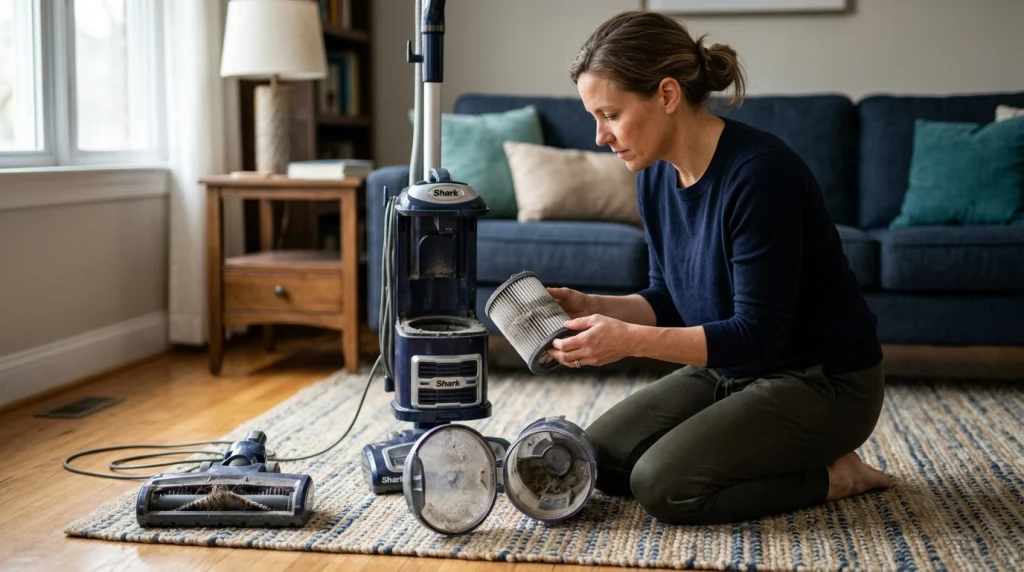
A vacuum usually shuts off because a protective system, airflow problem, mechanical load, or power interruption prevents normal operation. Overheating caused by restricted airflow is one of the first possibilities worth checking.
A vacuum thermal cutout is a protective feature that interrupts motor operation when internal temperature becomes excessive. The exact design and reset procedure depend on the vacuum model.
1. The vacuum is overheating
Vacuum motors naturally create heat. Problems begin when heat builds faster than the appliance can release it.
Manufacturers document automatic overheating protection on some models. Shark, for example, tells owners of applicable upright models that an overheating thermostat can automatically switch the vacuum off.
- Full bin or bag: Packed debris can interfere with airflow.
- Dirty filter: Fine dust can restrict air passing through the filter.
- Blocked hose: Hair, lint, paper, or larger objects can plug narrow passages.
- Blocked floor head: Debris may collect around the intake opening.
- Covered vents: Restricted exhaust or cooling openings can interfere with normal operation.
One clue is timing. A vacuum that works normally when cold but stops after several minutes may be reacting to increasing temperature.
2. The filter is heavily clogged
A dirty filter can reduce airflow before it looks completely blocked. Fine household dust often fills filter material more evenly than larger visible debris.
Consumer Reports’ household filter guidance recommends checking filters when appliances begin behaving abnormally. For vacuums, always follow the cleaning or replacement instructions for your exact model.
- Clean only filters identified as washable.
- Never reinstall a washable filter while it is damp.
- Replace disposable filters rather than washing them.
- Check both pre-motor and exhaust filters when your model has both.
3. Something is blocking the air path
A filter is only one part of the airflow system. A vacuum can have a clean filter and still overheat because something else is blocked.
I like to follow the air path from the floor upward. That approach is faster than randomly removing parts.
- Check the floor-head opening.
- Inspect the brush-roll area.
- Look through the wand.
- Check bends in the hose.
- Empty the dirt container or replace the bag.
- Inspect accessible filters and exhaust openings.
4. Hair has jammed the brush roll
Long hair, pet hair, string, and carpet fibers can wrap tightly around a powered brush roll. That creates extra resistance and can cause the floor head or entire vacuum to stop.
Shark’s upright vacuum maintenance guidance specifically identifies brush-roll jams and overheating as shutdown-related problems on applicable models.
Section Takeaway: Unexpected vacuum shutdowns often begin with restricted airflow, rising heat, or excessive resistance at the cleaner head. Check those simple causes before assuming the motor has failed.
What Does the Shutdown Pattern Tell You?
The way your vacuum stops can narrow down the problem. Timing, temperature, suction, sound, and whether it restarts are useful clues.
| Shutdown pattern | Possible cause | First safe check |
|---|---|---|
| Stops after several minutes and feels unusually hot | Overheating or restricted airflow | Let it cool, then inspect the bin, filters, hose, and vents |
| Stops when the floor head encounters thick carpet | Brush-roll resistance or cleaner-head overload | Check the brush roll and correct floor setting |
| Stops when the cord moves | Cord, plug, or internal electrical connection problem | Stop using it and inspect the visible cord and plug |
| Cordless vacuum stops sooner than it used to | Battery charge, battery wear, heat, or high-power mode | Fully charge it and check the manufacturer’s battery guidance |
| Stops while suction becomes weak or pulses | Filter restriction or blockage | Inspect filters, hose, wand, bin, and cleaner head |
| Stops with smoke, sparks, or electrical odor | Potential electrical or motor fault | Disconnect power and arrange professional inspection |
A single symptom cannot confirm the diagnosis. Two or three clues together are more useful.
For example, weak suction plus extra heat and repeated shutdown strongly suggests checking airflow. A sudden shutdown with a damaged power cord points in a different direction.
How Do You Fix a Vacuum That Keeps Shutting Off?
Start with the safest checks that do not require opening electrical components. Disconnect the vacuum from power first.
Step 1: Let the vacuum cool
Do not repeatedly switch an overheated vacuum back on. Follow the cooling and reset instructions in the owner’s manual.
Cooling periods vary by manufacturer and model. That is why I avoid applying one universal waiting time to every vacuum.
Step 2: Empty the dirt container
Empty a bagless bin before debris becomes tightly packed. Replace a disposable bag when it reaches the level recommended by the manufacturer.
Check the inlet around the container too. Compressed debris sometimes hides where the bin connects to the air passage.
Step 3: Inspect the filters
Remove accessible filters according to the manual. Look for heavy dust loading, damaged material, or incorrect installation.
- Tap or clean filters only as instructed.
- Wash only filters labeled washable.
- Allow washable filters to dry completely.
- Replace torn, damaged, or expired filters when required.
Never run the vacuum without required filtration unless the manufacturer specifically instructs you to do so for a diagnostic test.
Step 4: Remove clogs
Look through each removable airway. Flashlights are helpful for checking long wands and dark hose bends.
Use a blunt tool only when the manufacturer permits it. Sharp objects can puncture flexible hoses or damage internal surfaces.
Step 5: Clean the brush roll
Remove wrapped hair and fibers after unplugging the vacuum. Some cleaner heads allow the brush roll to come out for easier cleaning.
Spin the roller by hand only when the machine is disconnected from power. It should not require dangerous force to move.
Section Takeaway: Restore normal airflow before restarting the vacuum. The safest troubleshooting sequence is cooling, emptying, filter inspection, clog removal, and brush-roll cleaning.
Can a Power Problem Make a Corded Vacuum Stop?
Yes. A corded vacuum can stop because power is being interrupted at the outlet, plug, cord, switch, or an internal electrical connection.
Check whether another suitable appliance works from the same outlet. Then visually inspect the vacuum’s plug and cord while everything remains unplugged.
- Loose plug: The plug may not stay firmly seated in the outlet.
- Damaged cord: Cuts, crushed insulation, exposed conductors, or heat damage require attention.
- Intermittent switch: A worn or damaged switch may interrupt power.
- Tripped protection: A circuit breaker or GFCI outlet may have interrupted the circuit.
- Internal connection: Wiring or motor problems can cause intermittent shutdowns.
The U.S. Consumer Product Safety Commission provides broader electrical safety guidance for household electrical products. Damaged cords and suspicious electrical behavior should not be treated as routine vacuum maintenance.
Expert Alert: Stop using the vacuum if the cord is damaged, the plug becomes unusually hot, the machine sparks, or you smell electrical burning. Have a qualified appliance technician inspect it instead of opening powered electrical components yourself.
Why Does a Cordless Vacuum Shut Off Unexpectedly?
Cordless vacuums add battery, charging, and electronic protection issues to the usual filter and blockage problems. A shutdown therefore does not automatically mean the motor is defective.
The battery may simply be depleted
High-power modes usually consume available battery energy faster than normal modes. Runtime also varies with floor head, surface resistance, battery condition, and model.
Fully charge the vacuum using the specified charger before diagnosing a battery as defective. Check indicator lights or error messages against the owner’s manual.
The battery may be too hot or too cold
Rechargeable battery systems can include temperature protection. A vacuum may temporarily refuse to run or charge when conditions fall outside its permitted range.
Move the machine to a normal indoor environment and follow the manufacturer’s reset guidance. Never try to cool a hot battery with water or a freezer.
The battery may be deteriorating
Rechargeable batteries lose usable capacity over time. A noticeable reduction in runtime can therefore appear before the vacuum becomes completely unusable.
Battery wear is more likely when runtime has gradually shortened across many cleaning sessions. A sudden change deserves a broader check for blockages, filters, charging problems, or error codes.
Airflow problems still matter
Cordless models can also stop because a filter is clogged or a passage is blocked. Some modern machines pulse or cycle power when airflow becomes restricted.
Keeping household dust under control can also support overall indoor cleanliness. The U.S. EPA’s indoor air quality resources describe filtration as one part of a broader approach that also includes source control and ventilation.
Expert Alert: Stop using or charging a cordless vacuum if its battery is swollen, leaking, smoking, physically damaged, or becoming abnormally hot. Do not open the battery pack yourself.
When Does a Vacuum Shutdown Need Professional Repair?
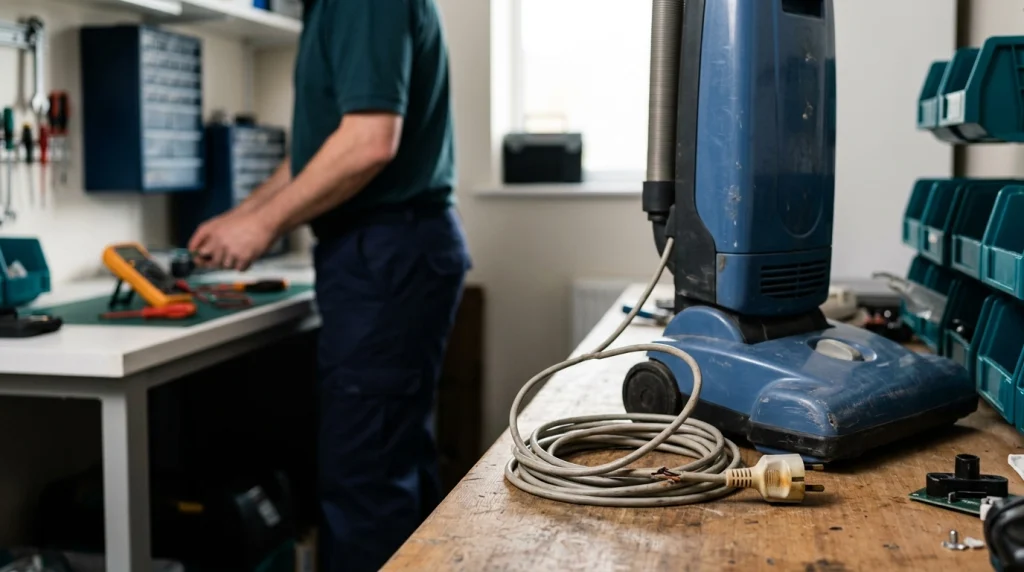
Routine cleaning can solve many shutdown problems. Electrical faults, damaged batteries, and persistent overheating need a different approach.
Stop DIY troubleshooting when you notice any of these signs:
- Smoke from the vacuum or battery
- Sparks from the motor, cord, plug, or switch
- A strong electrical-burning smell
- Melted or discolored electrical components
- A swollen or leaking cordless battery
- A damaged power cord with exposed wiring
- Repeated breaker or GFCI trips
- Shutdowns that continue after filters and airways are clear
- Grinding, scraping, or severe motor noise
- Excessive heat returning almost immediately
At that point, repeated test runs can make diagnosis harder or increase risk. Disconnect the appliance and contact the manufacturer or a qualified repair technician.
If the vacuum is still under warranty, opening the motor housing can also affect your coverage. Check the warranty terms before attempting internal repairs.
Section Takeaway: Cleaning filters and clearing clogs are reasonable household maintenance. Smoke, electrical smells, damaged wiring, abnormal batteries, or persistent overheating are repair issues.
Frequently Asked Questions
Why does my vacuum shut off after five or ten minutes?
Stopping after several minutes can point to overheating, especially if the vacuum becomes unusually hot first. Let it cool, then inspect the dirt container, filters, hose, wand, floor head, and brush roll for restrictions. Use your model’s manual for its required cooling period.
Can a clogged filter cause a vacuum to turn off?
Yes, on some vacuums. A heavily loaded filter can restrict airflow and contribute to excessive heat. Models with thermal protection may then shut down until conditions return to a safe range. A blocked hose or packed bin can create similar symptoms.
Why does my vacuum turn back on after it cools down?
That pattern can indicate thermal protection has activated. Cooling allows the protection system to reset on some models, but the underlying cause still needs attention. Check for dirty filters, full containers, clogs, blocked vents, or excessive brush-roll resistance.
Can hair around the brush roll make the vacuum stop?
Yes. Hair, thread, and fibers can increase resistance around a powered roller. Some floor heads protect themselves by stopping the brush, while other machines may shut down more broadly. Disconnect the vacuum before removing tangled material.
Why does my cordless vacuum keep cutting out?
A cordless vacuum may cut out because of a blocked airway, dirty filter, depleted battery, excessive battery temperature, worn battery, or cleaner-head obstruction. Start with the filter and airflow path, then check charging status, error indicators, and battery guidance for your model.
Should I keep restarting a vacuum that shuts itself off?
No. Repeatedly restarting an abnormally hot vacuum can hide the reason its protection system activated. Disconnect it, let it cool, and inspect accessible maintenance areas first. Stop completely if there is smoke, sparking, electrical odor, or battery damage.
Does a vacuum shutting off mean the motor is bad?
Not necessarily. A failed motor is only one possibility. Filters, clogs, brush-roll jams, overheating protection, batteries, cords, switches, and outlets can all produce shutdown symptoms. Check simple maintenance problems before assuming the motor needs replacement.
If your vacuum shuts off unexpectedly, start with the pattern rather than guessing at parts. Heat, weak suction, a jammed brush, or changing battery runtime can quickly point you toward the right area.
For most households, the safest first move is simple: disconnect the vacuum, let it cool, restore its airflow, and test it only after everything is correctly reassembled. If electrical or battery warning signs appear, stop there and arrange professional service.
“`