Unlock the Best Smart Air Purifier Features Now

Hey there! So, you’ve probably seen these “smart air purifiers” popping up everywhere, right? I mean, they’re on Amazon, in home improvement stores, even my neighbor got one! It seems like everyone is talking about them. And honestly, it makes sense. We’re all spending more time indoors, and who doesn’t want cleaner air, especially if you’ve got allergies, pets, or just live in a busy city? So, it’s time to know about smart air purifier features.
These aren’t your grandma’s old, clunky air purifiers. These new ones are sleek, connected, and promise to do a whole lot more than just filter out dust. They’re being called “smart” for a reason – they can connect to your Wi-Fi, be controlled with your phone, and even respond to voice commands!
But, like, what actually makes them “smart”? And are all these fancy features really worth the upgrade from a regular air purifier? That’s what I wanted to figure out, and that’s what we’re going to dive into together in this guide. We’ll break down all the key features, so you can decide if a smart air purifier is the right move for your home (and your lungs!). I will also use some of my personal experience to make things easier to understand.
Okay, let’s dive into what makes these air purifiers “smart.”
What Makes an Air Purifier “Smart”?
Okay, so think of it this way: you’ve got your regular, “old-school” air purifier. It probably has a few buttons, maybe a dial to adjust the fan speed, and that’s about it. You turn it on, you turn it off, and you hope it’s doing its job. It is a workhorse.
The main difference are smart air purifier features. A smart air purifier, on the other hand, is like the tech-savvy cousin of that old appliance. The biggest difference? It’s connected. Most smart air purifiers use Wi-Fi (some might use Bluetooth, but Wi-Fi is more common) to connect to your home network. This connection is the key.
This connectivity unlocks a whole new level of control. Instead of just buttons on the unit, you usually get a dedicated app on your smartphone (iOS and Android). This app becomes your remote control, letting you adjust settings from anywhere – whether you’re on the couch or at the office. Many also offer voice control compatibility. If you’re already using things like Alexa, Google Assistant, or Siri, you can often control your air purifier with simple voice commands.
So, what are the actual benefits of all this smart stuff? Well, we’re talking about serious convenience, for one. Imagine adjusting the settings without getting out of bed! There’s also automation – you can set schedules and have the purifier adjust itself based on the air quality. And finally, there’s data. Smart air purifiers often track air quality, giving you insights into what’s actually floating around in your home. It give us peace of mind.
Okay, let’s break down the key features you’ll find in most smart air purifiers. We’ll go through them one by one, and I’ll explain them like I would to a friend.
Key Smart Air Purifier Features Explained
App Control & Remote Access
Remote access with app control is one of the main smart air purifier features. This is probably the feature that most defines a smart air purifier. Almost every app-controlled air purifier will have a companion app for your smartphone, whether you’re team iPhone (iOS) or Android. Think of this app as your super-powered remote control.
So, what can you actually do with the app? Here’s the usual lineup:
- Power On/Off (Remotely!): This is basic, but so handy! You can be anywhere in the world and turn your purifier on or off, as long as it’s connected to your home Wi-Fi.
- Adjusting Fan Speed: Feeling stuffy? Crank up the fan from your phone without getting up. Need it quieter? Lower it with a tap.
- Setting Schedules: This is where things get really convenient. You can schedule your purifier to run at certain times of the day or night. For instance, I have mine set to run on high for an hour before I usually get home, so the air is fresh when I walk in.
- Monitoring Air Quality (If Equipped): Many smart air purifiers have built-in sensors. These sensors detect tiny particles in the air, and the app will often show you a reading of the air quality – sometimes as a number (like an Air Quality Index, or AQI) or with color-coded indicators (green for good, yellow for moderate, red for bad).
- Filter Replacement Alert: No more guessing games! The App will keep track and remind you.
- Viewing Historical Air Quality Data: Some apps will even show you charts and graphs of your air quality over time. This can be super interesting to see trends, like if the air quality is worse on certain days or at certain times.
The big win here is convenience and control. Being able to manage your air purifier from anywhere is a game-changer, especially if you’re someone who forgets to turn things off (like me!).
Voice Control Integration
Voice control is another of the latest Smart air purifier features. If you’re already living that smart home life, this is a big one. Many smart home air purifiers are designed to work with voice assistants like Amazon Alexa, Google Assistant, and sometimes Apple’s Siri (HomeKit).
Basically, this means you can control your air purifier with your voice. No need to even pick up your phone! It’s all about hands-free convenience.
Here are some examples of voice commands you might use:
- “Alexa, turn on the air purifier.”
- “Hey Google, set the air purifier to high speed.”
- “Alexa, what’s the air quality in the living room?” (If your purifier has a sensor and the voice assistant supports it).
- “Hey Google, set the air purifier to sleep mode.”
It might seem like a small thing, but once you get used to controlling things with your voice, it’s hard to go back! It’s especially useful when your hands are full, or you’re just feeling lazy (no judgment!).
Air Quality Sensors & Real-Time Monitoring
Air quality sensors and real-time monitoring are great, useful, and popular smart air purifier features. This is where smart air purifiers start to get really clever. Many of them have built-in air purifier with sensor capabilities that constantly monitor the air in your room.
These sensors are usually looking for tiny particles called PM2.5. PM2.5 refers to particulate matter that’s 2.5 micrometers in diameter or smaller – think dust, pollen, pet dander, smoke particles, and even some pollutants from things like cooking or cleaning products. Some sensors can also detect VOCs (Volatile Organic Compounds), which are gases emitted from things like paints, cleaning supplies, and new furniture.
The air purifier will then display this air quality information in a few ways:
- AQI (Air Quality Index): This is a numerical scale that tells you how clean or polluted your air is. The higher the number, the worse the air quality.
- Color-Coded Indicators: Many purifiers use a simple color system: green for good, yellow for moderate, orange for unhealthy for sensitive groups, and red for unhealthy.
- App Display: As we mentioned before, the app will often show you the AQI and/or color-coded readings, and sometimes even historical data.
The benefit of real-time air quality monitoring is that you’re not just guessing – you know what’s going on with your air. If the AQI spikes, you know it’s time to crank up the purification.

Automatic Mode (Auto Mode)
“Automatic mode” is one of the smart air purifier features. This is one of my favorite features. Automatic mode air purifier settings take advantage of those air quality sensors we just talked about.
Here’s how it works: You put the purifier in Auto Mode, and it constantly monitors the air quality. If the air quality is good, the purifier will run at a low speed (or even turn off completely to save energy). If the air quality gets worse, the purifier will automatically increase the fan speed to clean the air more quickly. Once the air quality improves, it’ll lower the fan speed again.
The benefits of this are huge:
- Energy Efficiency: You’re not running the purifier on high all the time, which saves energy and money.
- Optimal Air Purification: The purifier is always adjusting to the actual conditions in your room, so you get the best possible air quality.
- “Set It and Forget It”: You don’t have to constantly fiddle with the settings. Just put it in Auto Mode and let the purifier do its thing. It’s perfect for busy people!
Scheduling & Timers
This is another feature that adds a ton of convenience. Air purifier scheduling lets you program your purifier to turn on and off at specific times.
For example:
- You could have it turn on automatically an hour before you wake up, so the air is clean when you start your day.
- You could have it run on high while you’re at work, then switch to a lower speed in the evening.
- You could have it turn off automatically at night if you don’t like to run it while you sleep.
Timer functions are similar, but instead of setting specific times, you just tell the purifier to run for a certain duration (e.g., 2 hours, 4 hours, 8 hours) and then turn off.
The benefits here are:
- Energy Saving: You’re only running the purifier when you need it.
- Aligning with Your Routine: You can customize the purifier’s operation to fit your lifestyle.
Filter Replacement Indicators
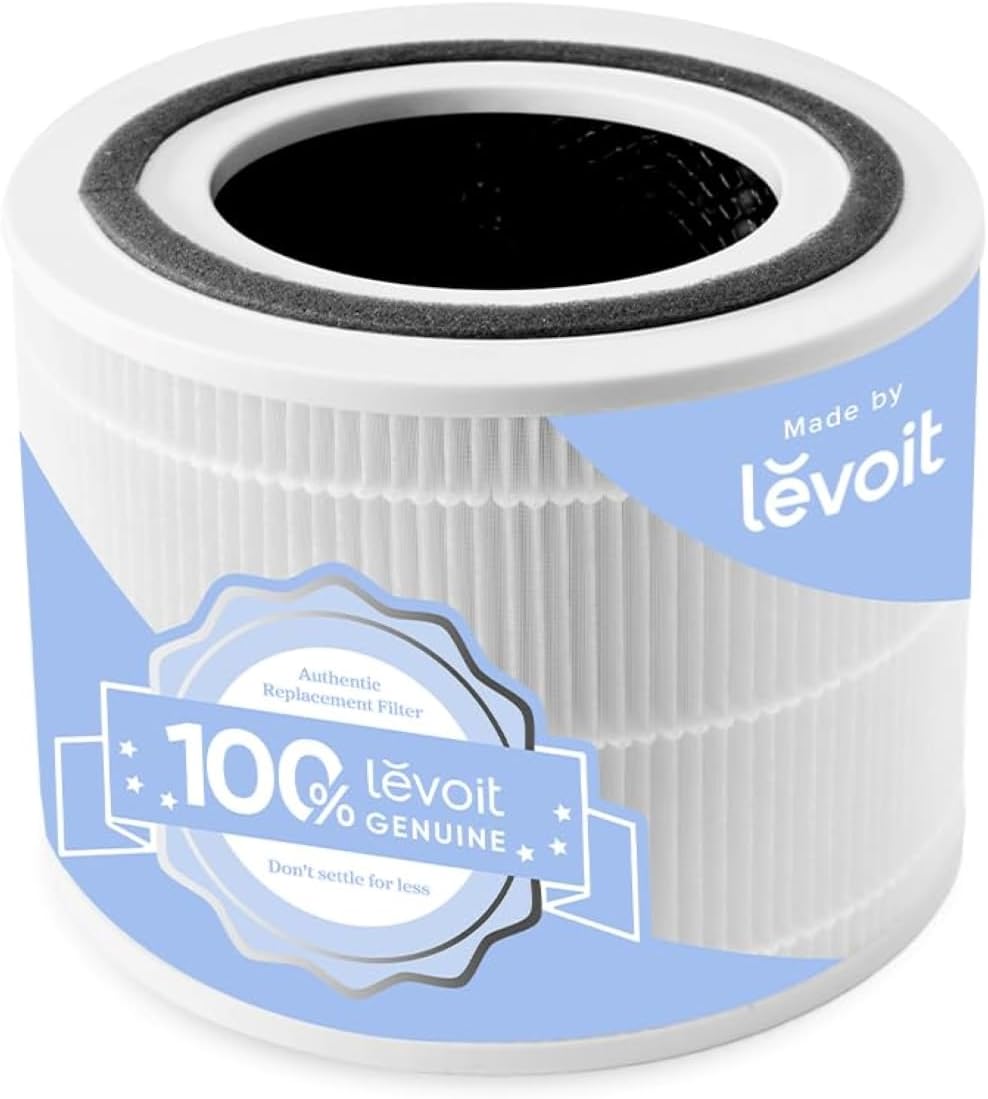
This might seem like a minor feature, but it’s incredibly important. All air purifiers have filters that need to be replaced regularly – usually every 3-12 months, depending on the filter type and how much you use the purifier.
A filter replacement indicator takes the guesswork out of this. The purifier will track the filter’s usage (either based on time or by measuring airflow) and let you know when it’s time for a new one. This is usually displayed as:
- An app notification.
- A light on the unit itself.
Why is this so important? Because a clogged filter is much less effective at cleaning the air. Running a purifier with an old filter is basically like running a vacuum with a full bag – it’s not doing much! Timely filter replacements ensure your purifier is always working at its best. And using a HEPA filter air purifier with a timely replacement is a must.
Sleep Mode
If you’re a light sleeper (like me!), this is a must-have feature. Sleep mode is designed to make the air purifier as quiet and unobtrusive as possible for nighttime use.
Typically, sleep mode does a few things:
- Reduces Fan Speed: This makes the purifier much quieter.
- Dims or Turns Off Lights: Many purifiers have indicator lights, and sleep mode will dim or turn these off so they don’t disturb your sleep.
- Minimizes Noise: The overall operation is designed to be as quiet as possible.
This allows you to enjoy the benefits of clean air without being kept awake by a noisy appliance.
Multiple Fan Speeds
This is a pretty standard feature, even on non-smart air purifiers, but it’s worth mentioning. Most purifiers will have at least a few fan speed options, usually labeled something like:
- Low
- Medium
- High
- Turbo (or Max)
The different speeds allow you to adjust the purification power based on your needs.
- Low: Use this for quiet operation and general air maintenance.
- Medium: A good balance of cleaning power and noise level.
- High: Use this when you need to quickly clean the air, like after cooking or if there’s a lot of dust or pollen in the air.
- Turbo: The highest setting, for maximum cleaning power. It’ll be the loudest, but it’ll also clean the air the fastest.
Having multiple fan speeds gives you flexibility and control over how your purifier operates.
Child Lock
If you have little ones running around, this is a handy feature. A child lock prevents children from accidentally changing the settings on the air purifier by pressing the buttons on the unit.
It’s a simple feature, but it can save you a lot of frustration!
Other Potential Smart Features (Less Common, but Worth Mentioning):
There are a few other features that you might find on some smart air purifiers, although they’re not as common as the ones we’ve already discussed:
- Integration with Other Smart Home Devices: Some purifiers can interact with other smart home devices, like thermostats. For example, if your thermostat detects that you’re away from home, it could automatically turn off your air purifier to save energy.
- Geofencing: This uses your phone’s location to control the air purifier. For example, you could set it to turn on automatically when you’re within a certain distance of your home.
- Night Light: Some purifiers have a built-in night light, which can be a nice added touch for a bedroom or hallway.
Okay, that was a lot of information! But hopefully, it gives you a good overview of the key features to look for in a smart air purifier. Next, we’ll discuss whether these features are actually worth the extra cost.
FAQ
Q: What is a smart air purifier?
A: It’s a regular air purifier that connects to Wi-Fi. You control it with your phone, often through an app. Some even work with Alexa or Google Assistant. It’s all about convenience and control.
Q: What are the best features to look for?
A: App control is key. Air quality sensors show you what’s in your air. Automatic mode adjusts the purifier. Scheduling and timers let you set it to run when you need it. Filter replacement indicators are helpful. Sleep mode is great for light sleepers. A child lock is a must if you have kids.
Q: Are they worth the extra cost?
A: It depends. They cost more than regular purifiers. But they offer more: convenience, air quality data, and automatic mode can save energy. If these things are important, it might be worth it.
Q: How do I set it up?
A: Download the app, connect the purifier to your Wi-Fi, and follow the app’s instructions.
Q: Do they use a lot of energy?
A: It depends. Running it on high uses more energy. But automatic mode can save energy. Scheduling and timers also help.
Q: What about data privacy?
A: Check the manufacturer’s privacy policy. Look for transparent brands. Limit the information you share if you’re concerned.
Q: How often do I change the filters?
A: It depends on the filter and how much you use it. The app should tell you when. Don’t skip this!
Q: Can I use it in a small or large room?
A: Yes! There are purifiers for different room sizes. Check the specifications. Getting the right size is important.
Conclusion
So, we’ve explored all these cool smart air purifier features, from air quality monitoring and HEPA filter air purifier reminders to smart home integration and quiet air purification. It’s like having a personal air quality assistant! But is it really worth it? Honestly, for me, the answer is a resounding yes. Especially if you’re like me and value convenience and data-driven insights. Think about it: remote control, automatic adjustments, and knowing exactly what’s in your air? Priceless. Plus, with features like odor removal air purifier settings and energy efficient air purifier modes, you’re not just breathing easier, you’re saving money too. If you struggle with allergies/asthma or have specific pollutant targeting needs, a smart air purifier for small spaces/large rooms can truly be a game-changer. While the long-term cost of ownership, including filter replacements, and a comparison of smart features across brands is worth considering, the peace of mind and improved air quality make it a worthwhile investment. Don’t forget to check out smart air purifier setup and troubleshooting guides, and always be mindful of data privacy and security. Ultimately, choosing the right smart air purifier depends on your individual needs and priorities.