
Bissell Carpet Cleaner Belts Replacement: Essential Guide

Bissell carpet cleaner belts replacement is a common maintenance task that ensures your machine works effectively. This guide provides a step-by-step process for replacing these essential parts, helping you restore your cleaner’s power and efficiency.
When your trusty Bissell carpet cleaner starts to lose its oomph, or you notice it’s not picking up dirt as well as it used to, the culprit might be simpler than you think. Often, the drive belts have worn out. Replacing these belts is a crucial piece of maintenance for keeping your Bissell carpet cleaner running smoothly. This guide will walk you through the process with clear steps.
Why Replacing Bissell Carpet Cleaner Belts is Important
Your Bissell carpet cleaner uses belts to transfer power from the motor to the brush roll. Think of them like the drive belts in a car. When these belts get old, stretched, or broken, the brush roll might not spin or spin very slowly. This means your cleaner can’t agitate the carpet fibers effectively to loosen dirt and debris. Replacing worn belts is essential for optimal cleaning performance and to prevent further damage to your machine.
A broken or worn belt means your carpet cleaner’s brush roll won’t spin. This is a major problem for effective cleaning. Without a spinning brush, the machine cannot lift dirt and grime from your carpets. This leads to a less effective clean and can make your cleaning efforts feel wasted. Regularly checking and replacing these belts ensures your Bissell continues to perform at its best.
Signs Your Bissell Carpet Cleaner Needs New Belts
You’ll usually notice a few key signs when your Bissell carpet cleaner belts are on their way out. The most common is a noticeable decrease in cleaning power. You might hear a whining or squealing sound coming from the machine, especially when you turn it on or when the brush roll is engaged. Sometimes, you might even smell a burning rubber odor, which is a clear indicator that a belt is slipping or has broken.
Another sign is if the brush roll on your Bissell carpet cleaner stops spinning altogether. You can often check this by looking at the front of the machine while it’s running. If the brushes aren’t turning, the belts are likely the issue. Don’t ignore these symptoms, as a malfunctioning belt can eventually damage other parts of your carpet cleaner.
Identifying the Right Replacement Belts for Your Bissell Model
Bissell offers many different carpet cleaner models, and they don’t all use the same belts. It’s vital to find the exact replacement belts for your specific model number. You can usually find the model number on a sticker located on the back or bottom of your carpet cleaner. Once you have the model number, you can check the Bissell website, your owner’s manual, or reputable online parts retailers to find the correct belt kit.
Using the wrong type of belt can cause problems. An incorrect belt might be too tight, too loose, or the wrong shape. This can lead to poor performance, premature wear, or even damage to the motor or brush roll. Always confirm the belt part number against your Bissell model to ensure a perfect fit and optimal function.
Tools You’ll Need for Belt Replacement
Gathering the right tools before you start makes the process much smoother. You’ll typically need a Phillips head screwdriver to remove the housing panels. Some models might require a flathead screwdriver or a nut driver for certain screws. It’s also a good idea to have a clean cloth or paper towels handy to wipe away any dust or debris. A small container or tray can help keep track of the screws you remove.
Having these basic tools will ensure you can easily access the belt compartment. This preparation saves time and frustration. It also helps prevent you from losing small parts during the replacement process. Always ensure your carpet cleaner is unplugged before you begin any maintenance.
Step-by-Step Guide to Replacing Bissell Carpet Cleaner Belts
Replacing Bissell carpet cleaner belts is a straightforward DIY task. Here’s a general guide, but always refer to your specific model’s manual for precise instructions.
1. Safety First: Unplug Your Machine
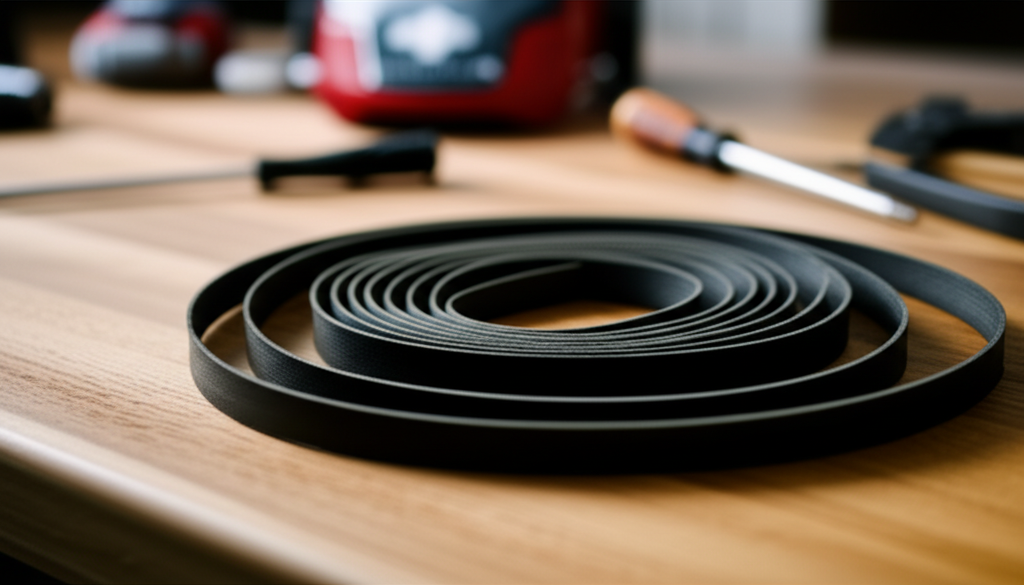
This is the most important step. Before you do anything else, make sure your Bissell carpet cleaner is unplugged from the electrical outlet. Working on a plugged-in appliance can lead to serious injury. Double-check that the cord is completely disconnected.
2. Access the Brush Roll and Belt Compartment
You’ll need to remove the outer housing or base of your carpet cleaner to get to the belts. This usually involves unscrewing several Phillips head screws on the underside of the machine. Carefully keep track of these screws, as they might be different sizes. Once the screws are out, gently lift or slide off the base cover.
3. Identify the Old Belts
You should now see the brush roll and the belts connected to it and the motor. There might be one or two belts, depending on your model. Examine the old belts for signs of wear, such as cracks, fraying, or a stretched-out appearance. You’ll likely see that one or both are broken or loose.
4. Remove the Old Belts
Gently slide the old belts off the pulleys. They should come off fairly easily if they are worn out. If a belt is still somewhat intact but stretched, you might need to carefully work it off the motor shaft and the brush roll pulley. Dispose of the old belts.
5. Install the New Belts
Take your new, correct replacement belts. Loop one belt around the motor pulley and the other around the brush roll pulley. If your model has two belts, one might loop around the brush roll first, then the motor, and the second belt connects them. Ensure the belts are properly seated on both pulleys. They should feel snug but not overly tight.
6. Reassemble the Carpet Cleaner
Carefully place the base cover back onto the carpet cleaner. Make sure it aligns correctly. Reinsert all the screws you removed earlier and tighten them securely. Do not overtighten the screws, as this could strip the plastic.
7. Test Your Work
Plug your Bissell carpet cleaner back in and turn it on. Listen for any unusual noises and check if the brush roll is spinning freely. If everything sounds and looks good, you’ve successfully replaced your belts!
Common Issues and Troubleshooting During Belt Replacement
Sometimes, things don’t go perfectly. If a screw is stuck, try a different size screwdriver or a little penetrating oil. If the new belt seems too tight, double-check that you have the correct belt for your model. It’s normal for new belts to have a bit of tension.
If the brush roll still isn’t spinning after replacing the belts, the problem might be more complex. The motor itself could be failing, or there might be debris jamming the brush roll. In such cases, consulting your owner’s manual or contacting Bissell customer support is recommended.
How Often Should You Replace Bissell Carpet Cleaner Belts?
The frequency of belt replacement depends on how often you use your carpet cleaner and the types of carpets you clean. For most households, replacing the belts every 6 to 12 months is a good preventive measure. If you have pets, children, or frequently deep clean heavily soiled carpets, you might need to replace them more often.
It’s best to inspect your belts periodically, perhaps every few months. Look for any visible signs of wear and tear. Proactive replacement is much better than waiting for a belt to break and potentially cause more damage. Many users find it helpful to replace belts annually as part of their spring cleaning routine.
Comparing Belt Types and Aftermarket Options
Bissell offers genuine replacement belts, which are typically the most reliable option. These are designed specifically for your model. However, aftermarket belts are also available from various retailers. These can sometimes be more affordable.
When considering aftermarket belts, ensure they are advertised as compatible with your exact Bissell model. Read reviews from other users to gauge their quality and durability. While aftermarket parts can be a good option, genuine Bissell belts offer peace of mind in terms of fit and performance.
Maintenance Tips to Extend Belt Life
Proper maintenance can help your Bissell carpet cleaner belts last longer. Always clear large debris, pet hair, and strings from your carpets before cleaning. These items can clog the brush roll and put extra strain on the belts. After each use, give the brush roll a quick clean to remove any accumulated hair or fibers.
Ensure your carpet cleaner is stored properly. Avoid storing it in damp areas, which can promote rust and wear on components. Regularly checking and cleaning the brush roll assembly will reduce stress on the belts. This simple care can make a significant difference in how long your belts and your machine last.
Frequently Asked Questions about Bissell Carpet Cleaner Belts
How do I know if my Bissell carpet cleaner belt is broken?
You’ll likely notice the brush roll isn’t spinning, the machine sounds different (like whining or squealing), or it’s not cleaning as effectively. A burning rubber smell is also a strong indicator.
Where can I find the model number for my Bissell carpet cleaner?
The model number is usually on a sticker on the back or bottom of the machine. Check your owner’s manual if you can’t find it.
Can I use a generic belt if I can’t find the exact Bissell belt?
It’s best to use belts specifically designed for your Bissell model. Generic belts might not fit correctly and could cause damage or reduce performance. Always verify compatibility.
How long does it take to replace the belts?
For most Bissell models, replacing the belts takes about 15-30 minutes once you have the right tools and parts. It’s a relatively quick DIY job.
What if the new belt is too tight or too loose?
If it’s too tight, it might be the wrong belt or installed incorrectly. If it’s too loose, it won’t engage the motor properly. Double-check the belt part number and installation.
Conclusion: Keep Your Bissell Running Strong
Replacing the drive belts on your Bissell carpet cleaner is a straightforward maintenance task that can significantly extend its life and restore its cleaning power. By following these steps and using the correct parts, you can easily perform this DIY repair. Regularly inspecting and replacing worn belts ensures your Bissell carpet cleaner continues to be an effective tool for keeping your home clean and hygienic. Don’t let worn-out belts leave your carpets looking dingy; a little maintenance goes a long way.
