
Air Purifier Desktop: Your Genius Essential

Breathe easier at your desk with a compact air purifier desktop, your personal guardian against airborne irritants for improved focus and well-being.
The air around your workspace might be less fresh than you think, filled with dust, allergens, and even VOCs from everyday items. This can lead to fatigue, headaches, and reduced concentration. But don’t worry, a simple solution exists to transform your personal breathing zone. A desktop air purifier is your genius essential, creating a clean air bubble right where you work. Let’s explore how this small device can make a big difference to your health and productivity.
Why Your Desktop Needs an Air Purifier
A desktop air purifier acts as your personal shield against invisible pollutants in your immediate vicinity. It’s designed to tackle airborne particles that can accumulate in confined spaces, like your office or home desk area. By filtering out these irritants, it promotes a healthier and more comfortable working environment.
The Hidden Dangers Lurking in Your Workspace Air
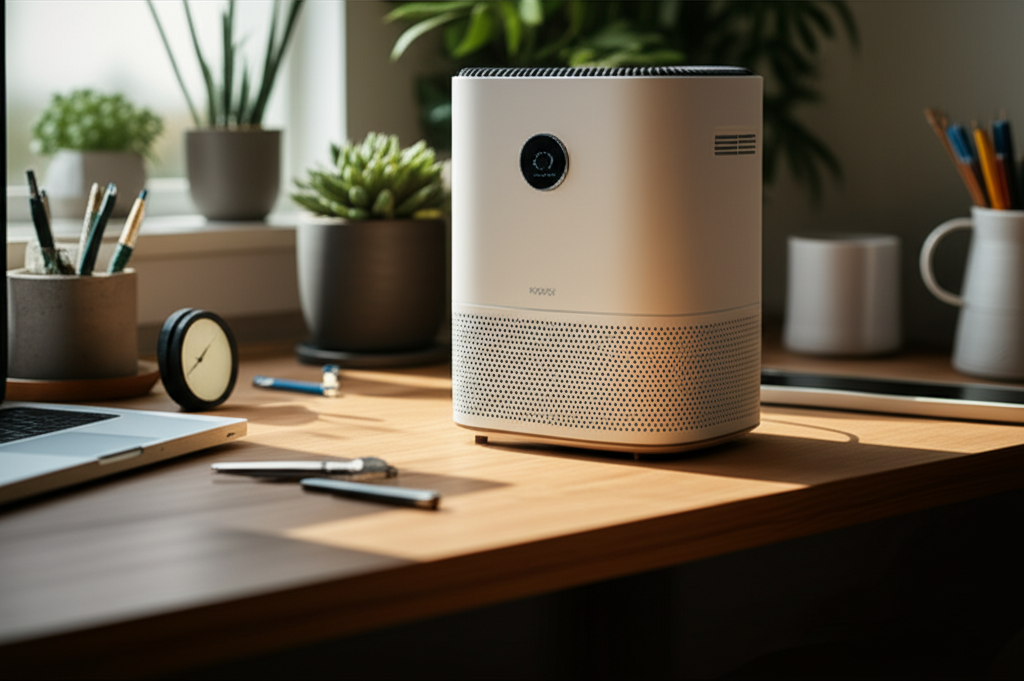
Even the cleanest-looking desks can harbor microscopic threats. Dust mites, pollen, pet dander, mold spores, and volatile organic compounds (VOCs) from electronics or furniture can all become airborne. These particles are easily inhaled, potentially triggering allergies, asthma symptoms, or general respiratory discomfort.
The Science Behind Cleaner Air at Your Desk
Desktop air purifiers work by drawing in surrounding air, passing it through a series of filters, and then releasing cleaner air back into your personal space. This process effectively captures a significant portion of airborne contaminants. The effectiveness relies on the type of filters used and the unit’s air circulation rate, often measured in CADR (Clean Air Delivery Rate).
Choosing the Right Air Purifier Desktop for You
Selecting the perfect desktop air purifier involves considering a few key factors. You’ll want a unit that balances effectiveness with your specific needs and space constraints. Think about coverage area, filter types, noise levels, and any extra features that might enhance your experience.
Understanding Different Filter Technologies
Most desktop air purifiers utilize a multi-stage filtration system. This typically includes a pre-filter to catch larger particles like hair, an activated carbon filter to absorb odors and VOCs, and a High-Efficiency Particulate Air (HEPA) filter, which is crucial for capturing tiny particles like dust, pollen, and bacteria. Some may also include UV-C light for germicidal purposes.
Key Features to Look For
When shopping for an air purifier desktop, consider its size and portability for easy desk placement. Look for low noise levels, especially if you work in a quiet environment. Energy efficiency is also a plus for long-term use. Adjustable fan speeds and filter replacement indicators add convenience.
HEPA vs. Other Filter Types: What’s Best?
For most users, a true HEPA filter is the gold standard. True HEPA filters are certified to capture at least 99.97% of airborne particles 0.3 microns in size. While other filters like electrostatic or ionizers exist, they may produce ozone, which can be an irritant. For a truly clean and safe breathing experience, a HEPA filter is highly recommended.
Top Air Purifier Desktop Models and Brands
The market offers a variety of excellent air purifier desktop options. Brands like Coway, Levoit, and Blueair are consistently praised for their performance and innovative features. Each offers models tailored to different needs, from ultra-compact designs to units with advanced smart capabilities.
Featured Air Purifier Desktop Models
Levoit Core 300S: Known for its quiet operation and effective 3-stage filtration, it’s a popular choice for personal spaces. Its compact design makes it ideal for desks.
Coway AP-1512HH Mighty: While slightly larger, this model offers superior performance and features like an air quality sensor and auto mode. It’s a robust option for those needing more power.
* Blueair Blue Pure 411 Auto: This sleek unit uses a combination of electrostatic and mechanical filtration, offering high efficiency in a stylish package. It’s also very energy-efficient.
What Makes a Brand Stand Out?
Reputable brands often distinguish themselves through rigorous testing, quality materials, and excellent customer support. They also tend to offer readily available replacement filters, which is a crucial consideration for long-term use. Reading reviews and checking certifications can help you gauge a brand’s reliability.
Maximizing the Benefits of Your Air Purifier Desktop
Once you have your air purifier desktop, proper placement and maintenance are key to unlocking its full potential. A few simple steps can ensure you’re getting the cleanest air possible right at your workstation.
Optimal Placement for Maximum Airflow
Place your air purifier desktop where it has unobstructed airflow. Avoid placing it directly against walls or behind large objects. Ideally, position it within your breathing zone, so the purified air is directed towards you.
Regular Maintenance for Peak Performance
Filter replacement is the most critical maintenance task. Follow the manufacturer’s recommendations for how often to change your filters, typically every 6-12 months depending on usage and air quality. Regularly dusting the exterior and intake vents will also help maintain efficiency.
Understanding Filter Replacement Costs and Schedules
Filter replacement is an ongoing cost associated with owning an air purifier. Research the cost and availability of replacement filters before purchasing a unit. Some brands offer subscription services for filter deliveries, which can sometimes offer savings and ensure you never forget to replace them.
Air Purifier Desktop vs. Larger Room Units
While larger air purifiers are great for whole rooms, a desktop model offers a focused solution for your immediate personal space. It’s more energy-efficient for targeted purification and takes up less room. Think of it as a personal clean air zone.
When a Desktop Unit is Sufficient
For individuals primarily concerned with the air quality directly around their workspace, a desktop unit is often sufficient. It’s perfect for smaller offices, dorm rooms, or home desks where space is limited. It provides immediate relief from localized irritants.
The Advantages of Targeted Purification
Targeted purification means you’re breathing cleaner air precisely where you spend most of your time working or concentrating. This can lead to more immediate improvements in comfort and focus compared to a larger unit that dilutes pollutants across a whole room.
Common Issues and Troubleshooting
Even the best devices can encounter minor issues. Fortunately, most common problems with a desktop air purifier are easy to resolve with a little troubleshooting. Knowing what to look for can save you time and ensure your device keeps running smoothly.
My Air Purifier Desktop Seems Loud
If your air purifier desktop is suddenly louder than usual, check if the fan speed is set too high. Ensure the unit is on a stable, flat surface. Sometimes, a filter might not be seated correctly, causing vibrations.
Filter Replacement Indicator is On
This is a normal alert indicating it’s time to replace the filter(s). Refer to your user manual for instructions on how to safely remove the old filter and install a new one. Resetting the indicator light usually requires a specific button press after replacement.
The Unit Isn’t Seeming to Work Effectively
First, ensure the unit is plugged in and turned on. Check that the air intake and outlet are not blocked. If you’ve had the unit for a while, it’s likely time to replace the filters.
Frequently Asked Questions about Air Purifier Desktops
Here are some common questions beginners have about using an air purifier desktop.
What size room can a desktop air purifier cover?
Desktop air purifiers are designed for personal spaces, typically covering an area of 100-250 square feet. They are most effective when used within your immediate vicinity, like on or near your desk.
How often should I replace the filters?
Filter replacement frequency varies by model and usage, but generally, HEPA filters need replacing every 6-12 months, and carbon filters may need replacing more often, around every 3-6 months. Always check your manufacturer’s recommendations.
Can an air purifier desktop help with pet dander?
Yes, a good quality air purifier desktop with a true HEPA filter is very effective at capturing pet dander, along with other allergens like pollen and dust mites.
Are air purifiers noisy?
Most desktop air purifiers are designed to be relatively quiet, especially on lower settings. Many operate at noise levels comparable to a gentle fan, often between 20-50 decibels.
Do air purifiers use a lot of electricity?
Desktop air purifiers are generally energy-efficient, consuming power similar to a small appliance like a laptop or a light bulb. Their energy consumption is usually quite low.
Can I wash my air purifier filters?
Most HEPA and carbon filters are not washable and need to be replaced. Some pre-filters might be washable, but always consult your user manual to avoid damaging the filtration system.
Conclusion: Elevate Your Workspace with Clean Air
Investing in an air purifier desktop is a smart move for anyone who spends significant time at their desk. It’s a compact, efficient, and often quiet solution that directly addresses the air quality in your personal workspace. By removing common irritants, it can lead to improved focus, reduced allergy symptoms, and a more pleasant working experience. Make the smart choice for your health and productivity by adding this genius essential to your desk setup. Your lungs will thank you.
