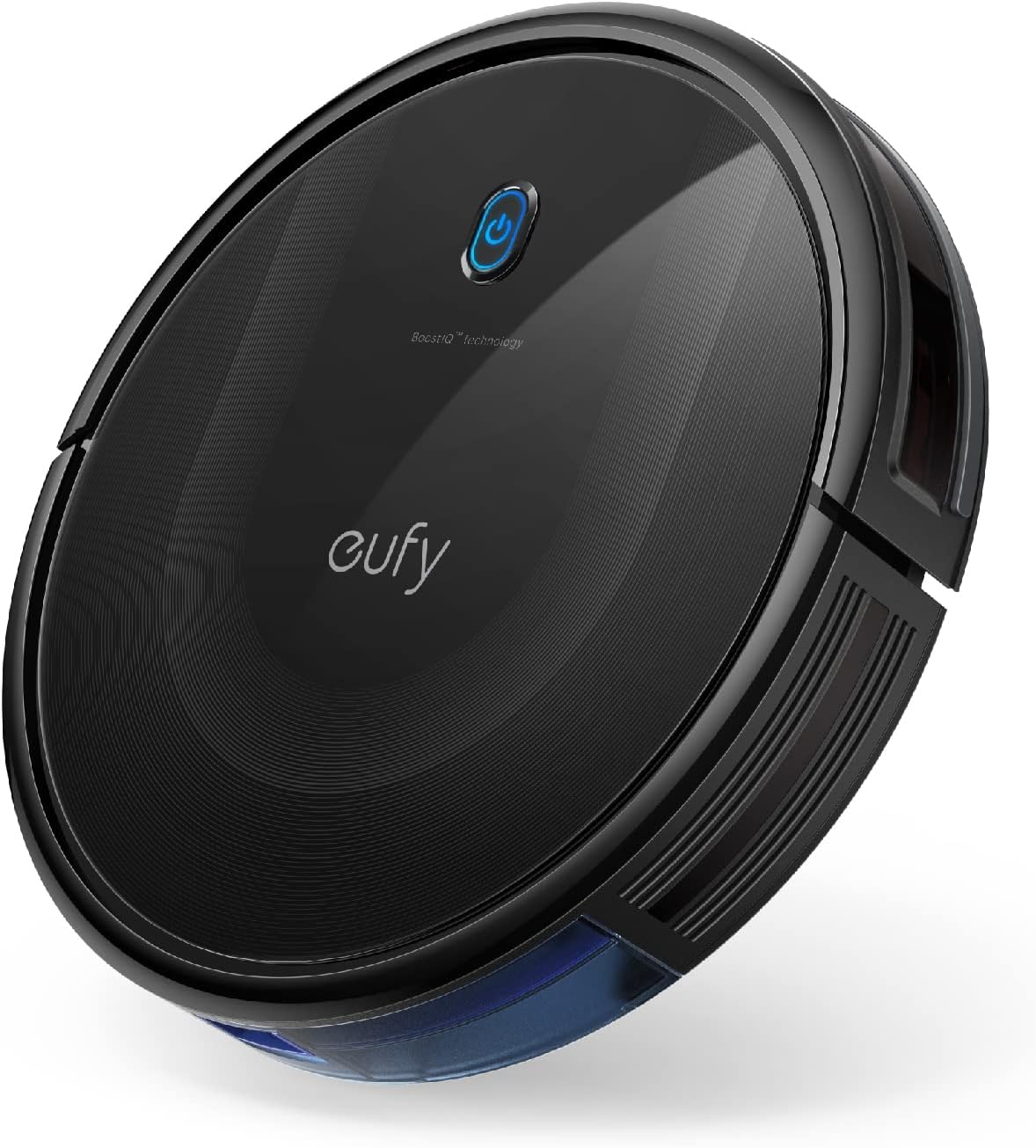
Why Is My Robot Vacuum Making Loud Noises?

Quick Answer
A robot vacuum usually starts making loud noises because hair or debris is caught in the main brush, side brush, caster wheel, or suction path. High suction mode can also make a healthy robot noticeably louder, while grinding, scraping, electrical buzzing, or a sudden harsh mechanical sound deserves closer attention. Manufacturer robot vacuum troubleshooting guidance recommends isolating removable moving parts when tracking down unusual noise.
Check these causes first
- Tangled main brush: Hair and thread can make the roller thump, click, or vibrate.
- Dirty side brush: Debris around the shaft can create ticking or scraping sounds.
- Jammed caster wheel: Hair around the small front wheel can cause squeaking or rumbling.
- Blocked airflow: A packed bin, dirty filter, or clogged inlet can change the suction sound.
- High-power mode: Turbo, Max, or carpet boost normally raises motor noise.
- Worn component: Persistent grinding after cleaning can point to a wheel, brush motor, bearing, or fan problem.
Before you inspect it
- Pause the cleaning cycle, power the robot off, and follow your model’s manual before removing brushes or wheels.
Robot vacuums are never silent, but their normal hum becomes familiar quickly. When that sound suddenly turns into rattling, clicking, squealing, grinding, or roaring, something has usually changed.
My troubleshooting order is simple: start with removable parts and airflow before assuming the motor is failing. This 2026 guide explains what each sound can mean, what you can safely check, and when the robot needs service.
In This Guide
- Why is my robot vacuum suddenly so loud?
- What do different robot vacuum noises mean?
- How do I troubleshoot a noisy robot vacuum?
- Why is my robot vacuum dock making a loud noise?
- When does loud noise mean the robot needs repair?
- How can I stop robot vacuum noise from coming back?
- Frequently asked questions
Why Is My Robot Vacuum Suddenly So Loud?
A robot vacuum usually becomes louder because a rotating component is obstructed, airflow has changed, or the suction setting increased. A sudden change matters more than the robot simply being louder than another model.
Robot vacuum noise is the combined sound created by the suction fan, main roller, side brush, drive wheels, caster wheel, floor contact, and vibration through the robot’s body.
Hair and debris are caught in a brush
The main roller is one of the first places I would check. Long hair, pet fur, thread, and carpet fibers can wrap tightly around the roller ends and axles.
The brush may still spin, but it can rotate unevenly. That produces repeating knocks, thumps, or a rough vibrating sound.
- Main roller: Look at both ends, not just the visible brush surface.
- Side brush: Check beneath the brush and around its center shaft.
- Brush cover: Make sure it is seated correctly after cleaning.
iRobot’s cleaning-head care guidance specifically recommends removing debris from the brushes, end caps, and areas around their axles.
A wheel is dragging or wobbling
The small front caster collects an impressive amount of hair. A wrapped axle can make that wheel squeak, chatter, drag, or stop turning freely.
Drive wheels can also collect debris around their edges. A damaged or obstructed wheel may create a repeating rumble that changes as the robot turns.
The suction system is working harder
A full dustbin, dirty filter, or blocked suction inlet can alter airflow. The resulting noise may sound higher pitched, strained, or less steady than normal.
Do not assume every louder suction sound means damage. Many robots intentionally raise fan speed in Turbo, Max, or automatic carpet-boost modes.
Section Takeaway: A sudden noise change usually points first to the brushes, wheels, airflow path, or a higher suction setting rather than an immediately failed motor.
What Do Different Robot Vacuum Noises Mean?

The type of sound gives you useful diagnostic clues. Listen for its rhythm and note whether it appears on carpet, hard flooring, turns, or specific cleaning modes.
| Noise | Common cause | First check | Concern level |
|---|---|---|---|
| Clicking or ticking | Side brush striking debris or furniture | Side brush and floor area | Usually low |
| Repeating thump | Tangled or uneven main roller | Main brush and end caps | Moderate |
| Squeaking | Caster or wheel friction | Front and drive wheels | Moderate |
| High-pitched whine | Restricted airflow or higher fan speed | Filter, bin, inlet, suction mode | Moderate |
| Grinding | Jammed or worn moving component | Stop robot and inspect | High |
| Loud steady roar | Maximum suction or fan/airflow issue | App setting and airflow path | Depends on cause |
Some floor noise is normal
Hard tile and wood can amplify wheel and brush vibration. The same robot may sound much softer when it moves onto carpet.
A side brush can also tap baseboards or chair legs. That regular tapping is different from an internal grinding sound.
Carpet boost can cause sudden roaring
Some robots automatically increase suction when they detect carpet. The noise can rise within seconds and fall again after the robot returns to hard flooring.
Before opening anything, check the app. Switching temporarily to Standard or Quiet mode is an easy way to determine whether fan speed explains the sound.
For comparison, Consumer Reports uses sound measurements when evaluating vacuum cleaner noise levels, including robot vacuums.
How Do I Troubleshoot a Noisy Robot Vacuum?
Work from the easiest removable parts toward the harder-to-service components. Change one thing at a time, then run a brief test so you know what affected the noise.
- Turn the robot off. Stop the cleaning cycle and follow your manual before removing parts.
- Empty the dustbin. Remove packed dust, hair, and larger debris.
- Check the filter. Clean or replace it exactly as the manufacturer specifies.
- Remove the main brush. Cut away wrapped hair and clean both ends.
- Inspect the side brush. Remove threads and debris around its shaft.
- Turn the caster wheel. It should spin smoothly without dragging.
- Inspect the drive wheels. Look for hair, string, or small objects near the wheel openings.
- Check the suction inlet. Remove visible obstructions without pushing debris deeper.
- Reassemble everything correctly. A loose cover can create new rattling.
- Test on Standard mode. Run the robot briefly on an open hard floor.
Test removable components methodically
Some manufacturers recommend removing selected brushes or wheels during diagnosis, but procedures vary by model. Follow only the disassembly steps described for your exact robot.
If the noise disappears after a removable part is cleaned and reinstalled, you have narrowed the problem considerably. If it stays unchanged, stop repeatedly dismantling the machine and check the manufacturer’s service guidance.
Do not put a damp filter back immediately
A washable filter should be completely dry before it returns to the vacuum. Follow the drying time stated in your manual because filter materials and designs differ.
Cleaning also affects the dust your vacuum handles. The EPA notes that vacuuming can stir settled particles, including dust and allergens, and provides broader indoor particulate matter guidance for household cleaning.
Section Takeaway: Diagnose noise one component at a time. Clean the bin, filter, brushes, caster, wheels, and suction inlet before moving toward internal repair.
Why Is My Robot Vacuum Dock Making a Loud Noise?
A self-emptying or mop-cleaning dock can be much louder than the robot itself. Brief bursts of strong suction during automatic emptying are often normal.
The important question is whether the sound is new. A sudden rattle, whistle, scraping sound, or unusually long emptying cycle deserves inspection.
Check the dust bag and airflow path
- Dust bag: Confirm it is installed correctly and is not overfilled.
- Dock inlet: Look for visible clumps of hair or debris.
- Robot bin: Make sure its emptying port opens normally.
- Dock cover: Reseat removable covers and compartments.
A partial obstruction can make the dock sound sharper as air moves through a smaller opening. Never insert tools deep into a powered dock.
Mop-cleaning docks have extra noise sources
Docks with washing and drying functions may run pumps, fans, rotating cleaning parts, or drying blowers. Their sounds occur at different stages of the maintenance cycle.
Remove visible debris from user-serviceable trays and tanks according to the manual. Persistent mechanical grinding should be handled as a service issue.
When Does Loud Noise Mean the Robot Needs Repair?

Stop troubleshooting at home when the noise suggests internal mechanical or electrical damage. Continuing to run a failing part can create more wear.
- Grinding: The sound continues after brushes and wheels are cleaned.
- Electrical buzzing: The robot or dock produces a new electrical-sounding hum.
- Burning odor: Stop operation immediately.
- Smoke or sparks: Disconnect power when it is safe to do so.
- Overheating: The casing becomes unusually hot or the robot repeatedly shuts down.
- Wheel failure: A drive wheel binds, wobbles badly, or no longer turns normally.
- Fan noise: Harsh noise remains even after accessible airflow components are clean.
Expert Alert: Do not open sealed motor, battery, charger, or power-supply assemblies unless the manufacturer specifically authorizes user service. Electrical faults and lithium-ion battery problems should be handled by qualified service personnel.
Consider how loud the sound is to people nearby
Unusual appliance noise is mainly a diagnostic clue, but extreme sound exposure can also affect hearing. NIDCD states that long or repeated exposure at or above 85 dBA can cause noise-induced hearing loss.
If a malfunctioning appliance is painfully loud, move away and stop operating it. See the NIDCD’s noise-induced hearing loss guidance for broader hearing-safety information.
How Can I Stop Robot Vacuum Noise From Coming Back?
Regular light maintenance prevents many noise problems from becoming noticeable. Hair and fibers are easier to remove before they wind tightly around moving parts.
- Empty the bin regularly: Do not let debris become tightly compacted.
- Check the main brush: Remove wrapped hair before it reaches the end bearings or caps.
- Clean the side brush: Watch for thread and hair beneath its hub.
- Inspect wheels: Remove visible hair from the caster and drive-wheel areas.
- Maintain filters: Follow the model-specific cleaning and replacement schedule.
- Clear the floor: Pick up string, charging cables, hair ties, and small hard objects.
- Use appropriate suction: Max power is unnecessary for every room and floor.
Learn your robot’s normal sounds
Listen to the robot on hard flooring, carpet, turns, and docking cycles when it is working properly. That baseline makes a new mechanical sound easier to identify later.
I also find it useful to note when the noise happens. A sound that appears only during left turns points somewhere different from a roar that starts only on carpet.
Do not lubricate parts unless the manual allows it
Adding household oil to a wheel, brush, or motor may damage materials or attract dust. Follow your exact model’s instructions rather than applying a general lubrication trick.
Maintenance procedures differ across brands and generations. The safest routine is always the one described for the components your manufacturer labels as user-serviceable.
Section Takeaway: Frequent brush, wheel, bin, and filter checks are the simplest way to prevent rattles, squeaks, airflow noise, and avoidable mechanical strain.
Frequently Asked Questions
Why is my robot vacuum making a rattling noise?
A rattling robot vacuum often has a small hard object near the main brush, side brush, wheel, or dustbin. Power it off, remove accessible debris, check that covers and the dustbin are seated correctly, then test it briefly.
Why does my robot vacuum make a clicking sound?
Clicking often comes from the side brush tapping furniture or from debris caught around a rotating brush. If the clicking continues in an open area, inspect the main roller, side brush, and their mounting points.
Why does my robot vacuum squeak when it moves?
A squeak that follows wheel movement can come from hair or debris around the caster or drive wheels. Clean only the user-serviceable wheel areas described in your manual and check whether each wheel turns smoothly.
Why is my robot vacuum louder on carpet?
Carpet can increase brush resistance, and many robot vacuums automatically raise suction when carpet is detected. Check your app for carpet boost, Turbo, or Max settings before assuming the louder sound indicates a fault.
Why is my robot vacuum suddenly making a high-pitched noise?
A new high-pitched sound can indicate restricted airflow, a dirty filter, a blockage, or increased fan speed. Empty the bin, inspect the filter and inlet, then test the robot on its normal suction setting.
Can a dirty filter make a robot vacuum louder?
Yes. A dirty filter can restrict airflow and change the pitch or character of the suction noise. Clean or replace the filter according to the manufacturer’s directions and never reinstall a washable filter before it is fully dry.
Should I keep using a robot vacuum that is grinding?
No. Stop the robot and inspect accessible brushes and wheels first. If grinding continues after obvious debris is removed, avoid repeated use and contact the manufacturer or a qualified repair provider.
If your robot vacuum suddenly sounds different, start with the simple parts you can safely reach. Brushes, wheels, filters, bins, and suction settings explain many noise changes without requiring major repair.
Persistent grinding, electrical buzzing, burning smells, overheating, or smoke are different. Those warning signs deserve professional or manufacturer support rather than more DIY troubleshooting.