
Why Won’t My Cordless Vacuum Hold a Charge?

Quick Answer
If your cordless vacuum won’t hold a charge, the battery may be aging, the charger may not be connecting properly, or the vacuum may be using power faster than expected. Battery problems are a known weak point in cordless stick vacuums, according to Consumer Reports’ 2026 reliability data.
Check these likely causes first
- Aging battery: An older pack may reach “full” but store much less usable energy.
- Charging connection: Dirty contacts, a loose plug, or poor dock alignment can interrupt charging.
- Charger problem: A damaged adapter, cable, outlet, or charging dock may prevent a full charge.
- Heavy power use: Boost mode, thick carpet, or powered attachments can shorten runtime quickly.
- Restricted airflow: A clogged filter, blocked wand, or packed bin can make the vacuum work harder.
- Battery damage: Swelling, unusual heat, cracking, leaking, or strange odors require immediate attention.
My first move
- Clean the vacuum, check its charging connection, use the approved charger, and test runtime again before buying a battery.
A cordless vacuum that dies minutes after charging can turn a quick cleanup into a frustrating home-hygiene job. I troubleshoot the simple causes first because poor runtime does not always mean the battery itself has failed.
This guide explains battery aging, charger problems, airflow restrictions, charging habits, warning signs, and when replacement makes sense.
In This Guide
- Why won’t my cordless vacuum hold a charge?
- How do I tell whether the battery or charger is bad?
- What should I check before replacing the battery?
- Can a clogged vacuum make the battery drain faster?
- When should I replace the battery or get professional help?
- How can I prevent cordless vacuum charging problems?
- Frequently asked questions
Why Won’t My Cordless Vacuum Hold a Charge?
The most likely reason is declining battery capacity, but charging-system problems can look almost identical. Start by separating poor charging from unusually fast power consumption.
Definition: A cordless vacuum battery is a rechargeable power pack that supplies electricity to the motor, brush system, controls, and powered accessories.
Battery capacity has declined
Rechargeable batteries gradually lose usable capacity as they age. The vacuum may still show a full-charge indicator while providing noticeably less cleaning time.
As of 2026, Consumer Reports still identifies batteries as a common problem area for cordless stick vacuums. Its latest owner survey reported declining battery life, complete battery failures, and models with poor battery life from the start.
- Gradual decline: Runtime becomes shorter over months or years.
- Sharp decline: Runtime suddenly drops despite normal charging.
- Immediate shutdown: The vacuum starts, then stops when the motor or brush demands more power.
The vacuum is not receiving a complete charge
A loose charging connection can make the machine appear charged when charging stopped early. Dock contacts and removable-battery connections deserve a careful inspection.
Check whether the normal charging indicator appears when you connect the machine. Compare its behavior with the instructions for your exact model.
Normal runtime may be shorter than you expect
Cordless vacuum runtime varies dramatically by model and operating mode. Maximum-power settings usually consume stored energy much faster than lower settings.
| Consumer Reports test example | Reported runtime | Charge time |
|---|---|---|
| Samsung Bespoke AI Jet Ultra VS90F40DMK/AA | 52 minutes | 5 hours |
| Shark Stratos IZ862H | 40 minutes | 4 hours |
| Bissell Air Ram 1984 | 47 minutes | 5 hours |
| Eureka RapidClean Pro NEC280TL | 36 minutes | 6 hours |
These figures show why a several-hour recharge is not automatically a fault. Your manual remains the correct reference for your model’s expected charging behavior.
Section Takeaway: A vacuum that “won’t hold a charge” can have an aging battery, incomplete charging, or unexpectedly heavy energy use. Diagnose the pattern before replacing parts.
How Do I Tell Whether the Battery or Charger Is Bad?
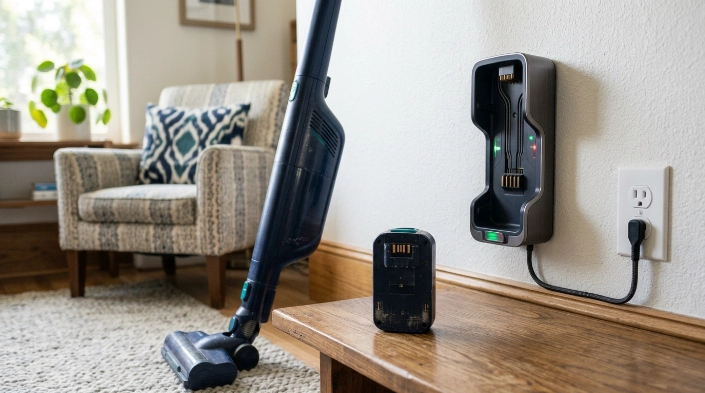
A battery problem usually appears as short runtime after apparently successful charging. A charger problem more often prevents charging from starting or completing normally.
| Symptom | More likely cause | First check |
|---|---|---|
| Shows full, then dies quickly | Aging battery or heavy load | Test on a normal power mode after maintenance |
| No charging indicator | Outlet, adapter, dock, contact, or battery issue | Check power and reconnect everything |
| Charging starts and stops | Poor connection, temperature issue, or fault | Inspect contacts and consult the manual |
| Only works while positioned a certain way | Connection or charging hardware problem | Stop repeatedly flexing damaged cables |
| Battery becomes abnormally hot or swollen | Potential battery damage | Stop using and charging it |
Check the outlet before blaming the vacuum
Plug a known working device into the same wall outlet. If that device also fails, the vacuum may not be the problem.
If your charger uses a detachable cable, make sure every approved connection is fully seated. Do not substitute an unapproved power adapter just because the plug fits.
Inspect the charging contacts
Dust can collect around a dock, charging port, or removable battery connection. Unplug the charger before inspecting accessible contacts.
Use the cleaning method allowed by your manufacturer. Avoid liquids or metal tools around electrical contacts unless the manual specifically permits them.
Expert Alert: Do not open a charger, battery pack, or vacuum body to repair mains-voltage or battery electronics yourself. A qualified repair technician or the manufacturer should handle internal electrical faults.
What Should I Check Before Replacing the Battery?
Do a full basic maintenance check before buying a replacement battery. A struggling vacuum can drain its battery faster and imitate battery failure.
- Charge it correctly: Use the charger or dock approved for your exact vacuum.
- Confirm the connection: Look for the normal charging indicator described in your manual.
- Empty the dustbin: Do not let packed debris restrict normal airflow.
- Check the filter: Clean only filters identified as washable and reinstall them completely dry.
- Inspect the wand: Remove obvious blockages from accessible air passages.
- Clear the brush roll: Cut away hair, thread, and fibers according to the manual.
- Use normal mode: Test runtime without maximum or boost power.
- Remove optional tools: Compare performance with a basic attachment if your model permits it.
Record actual runtime
I prefer measuring runtime instead of guessing. Charge the vacuum normally, note the starting time, and use it under repeatable conditions.
If a previously healthy vacuum now lasts only a small fraction of its former runtime, battery wear becomes more likely. Exact acceptable runtime depends on the model and power mode.
Pay attention to charging temperature
Battery systems can have temperature protections that affect charging. Follow your manufacturer’s limits rather than applying one temperature rule to every vacuum.
The EPA recommends storing lithium-ion batteries near room temperature and avoiding prolonged extreme heat or cold. That makes a normal indoor location a sensible default for storage.
Section Takeaway: Clean the vacuum, verify the charger connection, and measure runtime under consistent conditions. Those checks give you better evidence than the battery icon alone.
Can a Clogged Vacuum Make the Battery Drain Faster?
Yes, poor maintenance can make a cordless vacuum seem less efficient. Blockages and mechanical resistance can increase the workload during cleaning.
Check airflow restrictions
A clogged filter or blocked air path can reduce cleaning performance. You may respond by using a higher power setting, which consumes the battery faster.
- Full bin: Empty it before debris becomes tightly packed.
- Dirty filter: Follow the manufacturer’s cleaning or replacement instructions.
- Blocked wand: Look for compacted hair, paper, or larger debris.
- Restricted floorhead: Check the intake opening for trapped material.
Check the brush roll
Hair and thread can wrap tightly around a powered brush. Consumer Reports identifies hair entanglement as another frequent cordless-vacuum problem in its owner data.
Remove tangled material using the method specified for your floorhead. Do not force a sealed brush assembly apart.
Compare normal mode with boost mode
High-output modes are useful for stubborn debris, but they are poor choices for diagnosing normal battery runtime. Test in the manufacturer’s standard or normal mode first.
Consumer Reports’ vacuum testing methodology also evaluates cordless models across their available speed settings. That helps explain why one advertised runtime cannot describe every cleaning situation.
When Should I Replace the Battery or Get Professional Help?
Consider battery replacement when runtime remains dramatically reduced after charging and maintenance checks. Replacement also makes sense when the manufacturer identifies the battery as faulty.
Signs a replacement may be justified
- Persistent short runtime: A full charge gives much less usable cleaning time than before.
- Repeated shutdown: The vacuum stops under normal load despite clean airflow.
- Charging failure: The pack no longer completes the manufacturer-defined charging process.
- Service diagnosis: Manufacturer troubleshooting points specifically to the battery.
A removable pack may be simple to replace with the correct approved part. A sealed internal battery can require professional service.
Stop using a damaged battery
Physical battery damage needs a different response. Do not keep testing a swollen, cracked, leaking, unusually hot, or abnormal-smelling battery.
The U.S. Consumer Product Safety Commission notes that battery and charger hazards can include overheating, fire, electrical shock, and thermal burns.
The EPA also advises consumers to contact the manufacturer when a lithium-ion battery becomes damaged. Used lithium-ion batteries should not go into ordinary household trash or curbside recycling.
For end-of-life handling, follow the EPA’s used lithium-ion battery guidance and your local collection rules.
Expert Alert: If the vacuum, charger, wall plug, or battery shows burning, melted plastic, exposed wiring, sparking, or electrical damage, stop using it and seek qualified service.
Section Takeaway: Replace a battery because the evidence points to battery failure, not simply because runtime feels disappointing. Treat physical damage and abnormal heat as safety issues, not maintenance problems.
How Can I Prevent Cordless Vacuum Charging Problems?
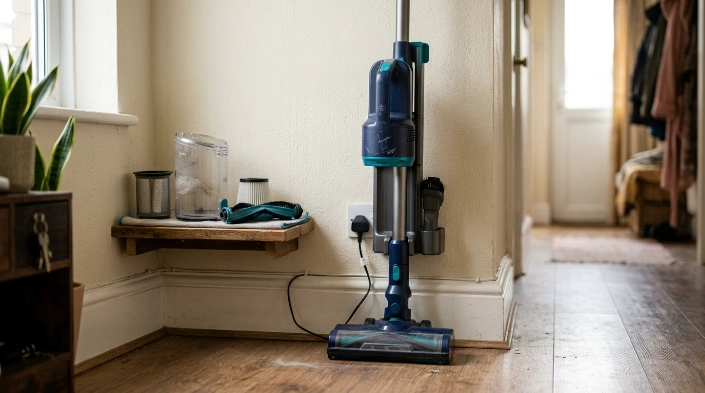
Good battery care starts with the correct charging equipment and sensible storage. Routine vacuum maintenance matters too.
- Use approved charging equipment: Match the charger or dock to your exact model.
- Keep connections clean: Prevent dust from building around accessible charging contacts.
- Avoid temperature extremes: Store the vacuum in a normal indoor location whenever possible.
- Maintain airflow: Empty the bin and service filters according to the manual.
- Clear moving parts: Remove hair from powered brushes before it becomes tightly packed.
- Use maximum power selectively: Save high-output modes for dirt that needs them.
- Inspect performance changes: Investigate sudden runtime loss instead of repeatedly forcing the vacuum to run.
I also avoid generic battery “hacks.” Freezing a battery, opening the pack, bypassing charging controls, or using random adapters can create unnecessary risk.
Manufacturer instructions should win whenever they differ from general advice. Battery chemistry, charging electronics, and service procedures vary between models.
Frequently Asked Questions
Why does my cordless vacuum say fully charged but die quickly?
The battery may have lost usable capacity even though the indicator reaches full. First clean the filter, bin, brush roll, and airflow path, then test runtime on normal power before deciding the battery needs replacement.
How do I know if my cordless vacuum battery is bad?
Look for consistently shortened runtime, repeated shutdowns, or failure to charge after the charger and connections have been checked. Physical swelling, cracking, leaking, unusual heat, or odor means you should stop using the battery.
Can a cordless vacuum charger go bad?
Yes. A charger, cable, dock, plug, or connection can fail and prevent normal charging. Check the wall outlet and visible connections first, but do not open or repair charging electronics unless you are qualified to do so.
Should I completely drain my vacuum battery before charging it?
Do not deliberately deep-discharge the battery unless your vacuum manufacturer specifically recommends that procedure. Modern charging systems vary, so the model’s manual is more reliable than universal charging tricks found online.
Why does my cordless vacuum battery drain so fast on carpet?
Carpet can place more load on a powered floorhead, especially with thick pile or tangled hair. High-power modes also reduce runtime. Clear the brush, check airflow, and compare performance using the normal cleaning mode.
Can I leave my cordless vacuum on the charger?
Follow the manufacturer’s instructions for your exact model. Some systems are designed around dock storage, while charging and battery-management designs differ between brands. Stop charging immediately if you notice damage, abnormal heat, swelling, or unusual odors.
Is it worth replacing a cordless vacuum battery?
It often is when the vacuum still cleans well and uses an approved replaceable battery. Compare battery cost with the vacuum’s condition, age, replacement-part availability, and any other faults before spending money.
What Should You Do Next?
If your cordless vacuum won’t hold a charge, start with the charger connection and a complete maintenance check. Then measure runtime on a normal power setting.
Persistent short runtime after those checks points more strongly toward battery wear. Charging failures can instead involve the charger, dock, electrical contacts, or internal electronics.
Do not experiment with damaged lithium-ion batteries. Stop using them, follow the manufacturer’s instructions, and use an appropriate battery or electronics recycling route when replacement becomes necessary.
“`
