Bissell Steam Mop Not Steaming: Essential Fixes

If your Bissell steam mop isn’t steaming, don’t worry! This guide offers essential, easy fixes to get your floors clean again. We’ll cover simple troubleshooting steps for common issues, from water tank problems to clogged steam jets, helping you restore your mop’s power quickly.
Cleaning your floors with a steam mop should be a breeze. A Bissell steam mop is a fantastic tool for deep cleaning and sanitizing. But what happens when it suddenly stops steaming? It’s a frustrating problem, especially when you’re ready to tackle those dirty floors. This guide will walk you through the most common reasons why your Bissell steam mop not steaming and provide clear, step-by-step solutions. We’ll help you get your trusty steam mop working like new again, so you can enjoy sparkling clean floors without the hassle.
Why Isn’t My Bissell Steam Mop Steaming? Common Causes
Several things can cause your Bissell steam mop to stop producing steam. Often, the issue is a simple fix that doesn’t require a repair person. Understanding these common causes is the first step to solving the problem. Let’s explore the usual suspects that might be preventing your mop from steaming.
A Bissell steam mop not steaming can stem from a variety of issues. These range from simple user errors to minor mechanical problems. Identifying the exact cause helps in applying the correct fix. This ensures you don’t waste time on solutions that won’t work for your specific situation.
Check the Basics: Water Tank and Power
Before diving into complex troubleshooting, always start with the simplest checks. Ensure the water tank is correctly filled and that the mop is properly plugged in and powered on. These basic steps often resolve the problem quickly. It’s easy to overlook the obvious when you’re focused on a fix.
The water tank needs to be filled with the right kind of water. Using tap water can lead to mineral buildup, which is a common culprit. Always use distilled or demineralized water as recommended by Bissell. This protects the heating element and steam pathways from clogs.
Is the Water Tank Properly Seated?
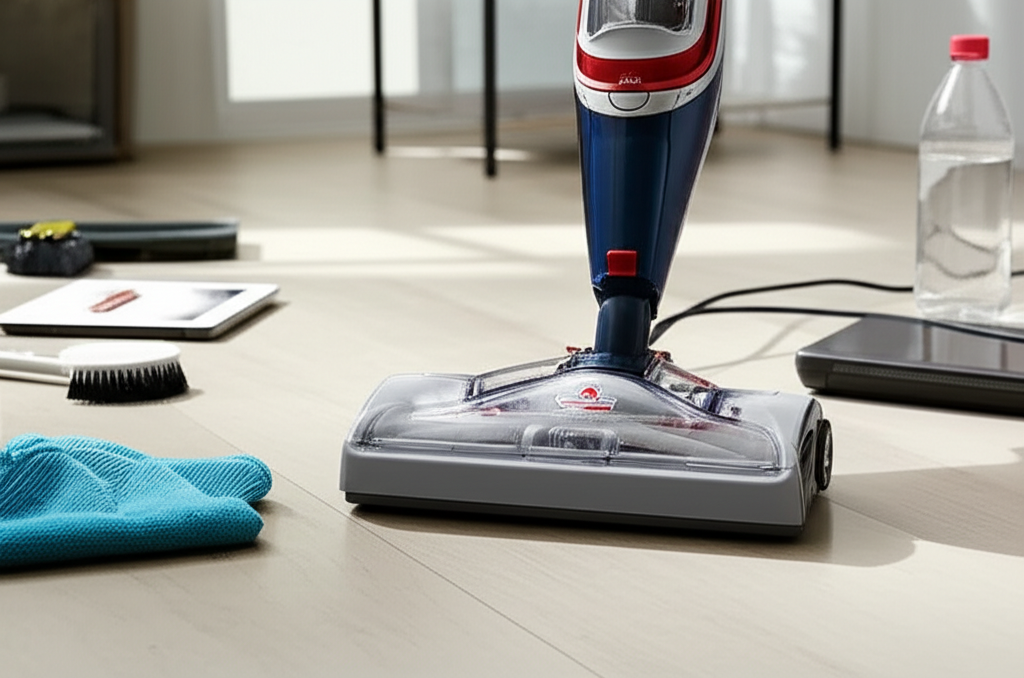
A common reason for no steam is an improperly seated water tank. If the tank isn’t clicked firmly into place, the mop won’t draw water to create steam. Gently remove the tank and then reinsert it, ensuring it locks securely. You should hear a distinct click.
Is the Mop Powered On and Ready?
Double-check that your steam mop is plugged into a working outlet. Also, ensure the power switch is in the “on” position. Some models have indicator lights that show when the unit is powered and heating up. Wait for the heat-up light to indicate it’s ready for use.
The Water Tank: Distilled Water is Key
Using the correct type of water in your Bissell steam mop is crucial for its performance and longevity. Tap water contains minerals that can build up over time. This buildup, known as limescale, can clog the internal components. This is a very frequent reason for a Bissell steam mop not steaming.
Mineral deposits act like tiny rocks inside the mop’s heating system. They block the pipes and the nozzle where steam should emerge. This prevents water from reaching the heating element or steam from exiting the mop head. Always refer to your user manual for the specific water recommendations.
Why Distilled Water Matters
Distilled water has had most of its mineral content removed. This means it won’t leave behind the deposits that tap water does. Using distilled water ensures the heating element can work efficiently. It also keeps the steam pathways clear for optimal steam output.
How to Use Demineralized or Distilled Water
When filling the tank, use only distilled or demineralized water. If you cannot find these, some manufacturers suggest using filtered water, but distilled is always best. Never use scented water or cleaning solutions in the water tank unless explicitly stated as safe by Bissell for your model.
Clogged Nozzles and Steam Vents
Over time, mineral deposits or debris can clog the steam nozzles on the mop head. These small openings are where the steam is released onto your floors. If they are blocked, steam cannot escape, making it seem like the mop isn’t working. Regular cleaning of these vents is essential.
Cleaning the steam vents is a straightforward process. You can often use a small brush or a needle to carefully clear any visible blockages. Be gentle to avoid damaging the delicate parts of the mop head. This simple maintenance can often bring your steam mop back to life.
How to Clean Steam Vents
Locate the small holes on the underside of the mop head. Use a soft brush, like an old toothbrush, to gently scrub away any visible dirt or residue. For more stubborn clogs, you can use a straightened paperclip or a small needle. Carefully insert it into each hole to dislodge any blockages.
When to Seek Professional Help
If you’ve tried cleaning the vents and still have no steam, there might be a more significant internal clog. In such cases, it’s best to contact Bissell customer support. They can advise on further steps or repair options. Attempting to disassemble the mop yourself might void your warranty.
The Heating Element: A Potential Bottleneck
The heating element is the heart of your steam mop. It’s what heats the water to create steam. If the heating element is faulty or covered in limescale, it won’t be able to heat the water effectively. This is a more serious issue but can sometimes be resolved with cleaning.
Limescale buildup on the heating element is a common problem, especially if tap water has been used. This buildup acts as an insulator, preventing efficient heat transfer to the water. It can cause the mop to take longer to heat up or produce less steam. Cleaning the heating element requires a descaling process.
Understanding Limescale Buildup
Limescale forms when hard water evaporates, leaving behind mineral deposits. These deposits accumulate on surfaces that come into contact with the water, like the heating element. A significant buildup can reduce the element’s efficiency. It can even cause it to overheat and fail.
Descaling Your Bissell Steam Mop
To descale your mop, you’ll typically use a descaling solution or a vinegar-water mixture. Always refer to your Bissell manual for specific instructions. Generally, you’ll fill the water tank with the solution and let the mop heat up for a few minutes. Then, allow it to sit for a while before flushing it with clean water. This process helps dissolve the mineral deposits.
Issues with the Water Inlet Valve
The water inlet valve is a small component that allows water to flow from the tank into the heating chamber. If this valve gets clogged with mineral deposits or debris, it can restrict or completely stop the water flow. This means no water reaches the heating element, and thus, no steam is produced.
A sticky or clogged inlet valve can be frustrating. Sometimes, gently tapping the area around the valve can dislodge minor blockages. However, if the valve is severely clogged, it might need professional cleaning or replacement. This is a less common issue but still a possibility for a Bissell steam mop not steaming.
How a Clogged Valve Affects Steam
Imagine trying to pour water through a narrow straw that’s partially blocked. That’s what happens when the water inlet valve is clogged. Water struggles to get through, or doesn’t get through at all. Without water entering the heating chamber, the mop cannot generate steam.
Checking and Cleaning the Valve
If you suspect a valve issue, you might be able to access it by removing the water tank. Look for a small opening where water enters the machine. You can try gently cleaning this area with a soft brush or a damp cloth. Avoid using harsh chemicals or sharp objects that could damage the valve.
Problems with the Internal Tubing
The steam mop has internal tubing that carries water to the heating element and then steam to the nozzle. If these tubes become blocked with mineral deposits or kinks, steam production will be affected. This is another scenario where a Bissell steam mop not steaming can occur.
Kinked or blocked tubing prevents the smooth flow of water and steam. This can lead to inconsistent steam output or no steam at all. Inspecting the internal tubing is difficult without disassembling the mop. If you suspect this is the problem, it might be time to consult the user manual or customer support.
How Blocked Tubing Impacts Steam
Think of these tubes as the arteries of your steam mop. If they get clogged, the vital fluids (water and steam) can’t reach their destination. This blockage can be caused by limescale, sediment from tap water, or even small pieces of debris. A complete blockage will result in zero steam.
Signs of Tubing Issues
Besides no steam, you might notice other symptoms if the tubing is the problem. These can include a gurgling sound from the mop, a weak steam output, or water leaking from unusual places. If you observe these signs, it’s worth considering the internal tubing as a potential cause.
The Trigger Mechanism: Is It Working?
Most Bissell steam mops have a trigger or a button that you press to release steam. If this mechanism is faulty, it might not be sending the signal to the heating element to produce steam. This is a more mechanical issue that can be harder to diagnose.
Ensure you are pressing the steam trigger correctly. Sometimes, a simple user error is the cause. If you’re pressing it and nothing happens, the trigger mechanism itself might be jammed or broken. This is less common than water-related issues but still possible.
How the Trigger Works
When you press the steam trigger, it activates a switch. This switch tells the mop’s internal system that you want steam. The system then heats the water and pushes it through the steam pathways. If the switch isn’t engaging properly, the signal to steam is never sent.
Troubleshooting the Trigger
First, try pressing the trigger firmly and holding it for a few seconds. If your model has a variable steam setting, ensure it’s not set to “off” or a very low setting. If you suspect a mechanical issue with the trigger, it’s usually best to contact customer support. They can guide you on whether it’s a fixable problem.
Overheating Protection: A Safety Feature
Many steam mops, including Bissell models, have built-in safety features to prevent overheating. If the mop gets too hot, it might automatically shut off the steam function to protect itself. This can happen if the water level is too low or if there’s an issue with the thermostat.
If your mop stops steaming after a period of use, it might have engaged its overheat protection. Allow the unit to cool down completely before trying to use it again. Check the water level carefully. Ensure there’s enough water in the tank before you restart the heating process.
Why Overheating Happens
Overheating can occur if the mop runs out of water while still on. It can also happen if the heating element is not efficiently transferring heat to the water due to limescale. The safety mechanism detects the abnormal temperature and shuts down the steam. This prevents damage to the appliance.
What to Do If Overheat Protection Engages
Let the steam mop cool down for at least 15-20 minutes. Once it’s cool, check the water level and refill it with distilled or demineralized water if necessary. Ensure the mop is on a flat, stable surface. Try turning it on again. If it repeatedly overheats, there may be a deeper issue.
When to Call Bissell Support or Consider Replacement
If you’ve gone through all these troubleshooting steps and your Bissell steam mop is still not steaming, it’s likely time to seek professional help or consider a replacement. Some internal issues, like a faulty heating element or damaged internal components, are not easily fixed at home. Bissell’s customer support is your best resource.
Don’t hesitate to reach out to Bissell. They can offer specific advice for your model and guide you through warranty claims or repair options. If your mop is older or the repair costs are high, it might be more cost-effective to invest in a new steam mop. A reliable cleaning appliance is an investment in your home’s hygiene.
Contacting Bissell Customer Service
You can usually find contact information for Bissell customer support on their official website. Be prepared to provide your mop’s model number and a description of the problem. They can often help you troubleshoot further or arrange for repairs. A quick search for “Bissell customer support” will lead you to the right place.
Deciding on a Replacement
If your steam mop is out of warranty and the repair is costly, consider purchasing a new one. Look for models with good reviews and features that suit your cleaning needs. Investing in a quality steam mop ensures you have a reliable tool for maintaining a clean and healthy home environment.
Frequently Asked Questions About Bissell Steam Mops
Q1: Can I use tap water in my Bissell steam mop?
A: No, it is strongly recommended to use only distilled or demineralized water. Tap water contains minerals that can cause limescale buildup, clogging the mop and preventing it from steaming. Using the wrong type of water is a common cause for a Bissell steam mop not steaming.
Q2: My Bissell steam mop is leaking water, not steaming. What should I do?
A: Leaks can indicate a loose connection, a damaged seal, or a crack in the water tank. Ensure the tank is properly seated. If the leak persists, check the mop head and base for visible damage. Contact Bissell support, as leaks can be a safety hazard and may require repair.
Q3: How often should I descale my Bissell steam mop?
A: The frequency depends on your water hardness and how often you use the mop. As a general guideline, descale your mop every 1-3 months. If you use tap water, you’ll need to descale much more often. Regular descaling prevents mineral buildup that stops steam.
Q4: My steam mop heats up but produces very little steam. What is the issue?
A: This usually indicates a partial clog in the steam nozzles or internal tubing. Try cleaning the steam vents on the mop head. If that doesn’t help, a descaling procedure might be needed to clear internal blockages. A Bissell steam mop not steaming effectively points to a flow issue.
Q5: Is it safe to use cleaning solutions in my Bissell steam mop?
A: Generally, no. Most Bissell steam mops are designed to work with just water. Adding cleaning solutions can damage the internal components, clog the steam jets, or void your warranty. Always check your owner’s manual before adding anything to the water tank.
Conclusion: Restoring Your Bissell Steam Mop’s Power
It’s disheartening when your Bissell steam mop not steaming as expected. Fortunately, most issues are preventable or fixable with a few simple steps. By consistently using distilled water, performing regular maintenance like cleaning steam vents, and descaling your unit, you can keep your steam mop functioning optimally. Remember to always check the basics first – power, water level, and proper tank seating. If troubleshooting doesn’t resolve the problem, don’t hesitate to reach out to Bissell customer support for further assistance. With a little care, your steam mop can be back to delivering powerful, sanitizing steam for a cleaner, healthier home.