Desktop Air Purifier For Office: Essential & Genius

A desktop air purifier for office use is essential for a healthier workspace, tackling common allergens and pollutants. This guide explores why these compact devices are a genius solution for improving indoor air quality right at your desk.
The air in our offices, where we spend so much of our time, can often be surprisingly polluted. Dust, pollen, pet dander, and even volatile organic compounds (VOCs) from office supplies can circulate, leading to headaches, fatigue, and allergies. It’s frustrating to feel unwell in a place meant for productivity. But there’s a simple, genius solution: a desktop air purifier for office environments. These small but mighty devices can make a significant difference to your immediate air quality. Let’s dive into why they are a must-have.
Why You Need a Desktop Air Purifier for Your Office
A desktop air purifier for office settings is more than just a gadget; it’s an investment in your well-being and productivity. These units are specifically designed to tackle the unique air quality challenges found in shared workspaces. They capture airborne particles that can trigger allergies and respiratory issues, creating a personal zone of cleaner air.
The Hidden Pollutants in Your Office Air
Many office environments, especially those with older ventilation systems or high occupancy, can harbor a surprising number of airborne contaminants. These can include dust mites, mold spores, bacteria, and VOCs released from printers, cleaning supplies, and furniture. According to the U.S. Environmental Protection Agency (EPA), indoor air can be two to five times more polluted than outdoor air.
These pollutants can have a direct impact on your health and work performance. Symptoms like sneezing, watery eyes, coughing, and even brain fog can be exacerbated by poor air quality. A desktop air purifier for office use acts as a personal shield against these invisible threats.
The Genius of Compact Air Purification
The genius of a desktop air purifier for office use lies in its focused approach and portability. Unlike large, whole-room purifiers, these compact units are designed to clean the air in your immediate vicinity. This means you get targeted relief without impacting your colleagues or taking up excessive space.
Targeted Air Cleaning for Your Personal Space
Imagine a bubble of fresh air around your desk. That’s essentially what a good desktop air purifier creates. It draws in the air closest to you, filters out pollutants, and releases cleaner air back into your breathing zone. This is particularly effective in open-plan offices where air circulation can be unpredictable.
Portability and Flexibility
Another brilliant aspect is their portability. You can easily move a desktop air purifier for office from your desk to a home office setup, or even take it with you on business trips. This flexibility ensures you always have access to cleaner air, wherever you work.
Key Features to Look For in a Desktop Air Purifier for Office
When selecting a desktop air purifier for office use, certain features stand out as essential for optimal performance and user experience. These features ensure the device effectively cleans your air and fits seamlessly into your workspace.
Filtration System: The Heart of the Purifier
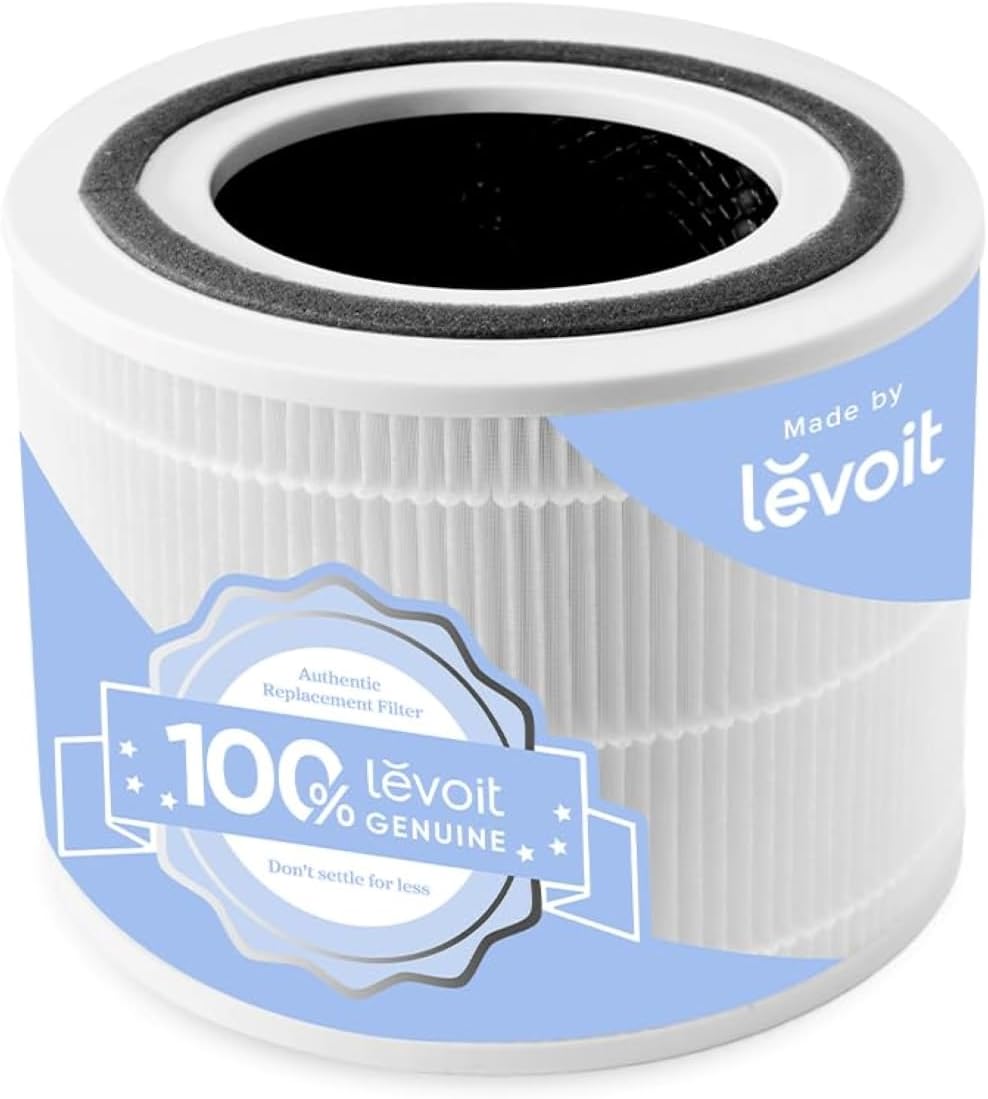
The most critical component is the filtration system. Look for units with a multi-stage filtration process, typically including a pre-filter for larger particles like hair, an activated carbon filter to absorb odors and VOCs, and a True HEPA filter. A True HEPA filter is certified to capture at least 99.97% of airborne particles 0.3 microns in size, including dust, pollen, and mold spores.
Coverage Area and CADR Rating
While desktop units are for personal space, understanding their Clean Air Delivery Rate (CADR) is still important. The CADR indicates how quickly the purifier can clean the air in a given space. For a desktop unit, focus on its effectiveness for small rooms or personal spaces, typically measured in cubic feet per minute (CFM).
Noise Level: A Crucial Consideration
In a shared office, noise can be a major disruption. Look for purifiers with a low decibel (dB) rating, especially on lower fan speeds. Many models offer whisper-quiet operation, often below 30 dB, which is comparable to a soft whisper, ensuring it won’t distract you or your colleagues.
Size and Design: Blending into Your Workspace
A desktop air purifier for office should be compact and aesthetically pleasing. It shouldn’t clutter your desk or feel out of place. Many modern designs are sleek and minimalist, available in various colors to complement your office décor.
Energy Efficiency and Maintenance
Consider the energy consumption of the unit, especially if it will be running all day. Look for ENERGY STAR certified models. Also, factor in the cost and availability of replacement filters, as they are crucial for maintaining the purifier’s effectiveness. Filter replacement is typically recommended every 6-12 months, depending on usage and air quality.
Top Benefits of Using a Desktop Air Purifier in the Office
Investing in a desktop air purifier for office use brings a wealth of benefits that extend beyond just cleaner air. These advantages can significantly enhance your daily work experience and overall health.
Reduced Allergy Symptoms
For individuals prone to allergies, a desktop air purifier can be a game-changer. By capturing common allergens like pollen, dust mites, and pet dander that may have been tracked in, it can significantly reduce symptoms such as sneezing, itchy eyes, and nasal congestion. This allows for more comfortable and focused work.
Improved Focus and Productivity
Studies suggest a link between indoor air quality and cognitive function. Cleaner air can lead to reduced fatigue and improved concentration. When you’re not battling airborne irritants, your brain can function more efficiently, leading to enhanced productivity and better decision-making. A report by the Harvard T.H. Chan School of Public Health found that people performed better on cognitive tests in well-ventilated environments with lower CO2 levels.
Odor Neutralization
Office environments can sometimes suffer from unpleasant odors, whether from food, colleagues’ perfumes, or even stale air. The activated carbon filter in most desktop air purifiers is excellent at absorbing these odors, leaving your personal workspace smelling fresh and pleasant.
Potential Reduction in Sick Days
By minimizing exposure to airborne viruses and bacteria, a desktop air purifier for office can potentially contribute to fewer instances of colds and flu. While not a substitute for hygiene practices, cleaner air can reduce the transmission of pathogens in your immediate environment.
Choosing the Right Desktop Air Purifier: A Comparison
Selecting the perfect desktop air purifier for office use involves weighing different features against your specific needs. Here’s a look at how some common features stack up.
| Feature | Essential for Most Users | Nice to Have | Consider If… |
| :——————- | :———————– | :——————– | :—————————————————- |
| True HEPA Filter | ✓ | | You need to capture microscopic allergens and pollutants. |
| Activated Carbon | ✓ | | Odor control and VOC reduction are important. |
| Low Noise Level | ✓ | | You work in a quiet office or are sensitive to noise. |
| Compact Size | ✓ | | Desk space is limited. |
| Multiple Fan Speeds | ✓ | | You want to adjust airflow and noise. |
| Filter Replacement Indicator | | ✓ | You want an easy reminder for maintenance. |
| Smart Features | | ✓ | You enjoy app control or air quality monitoring. |
Real-World Impact: User Testimonials
Many users report significant improvements after installing a desktop air purifier. Sarah K., a graphic designer, shared, “I used to get terrible headaches and sinus pressure by mid-afternoon. Since getting my desktop air purifier, I feel so much better and can focus on my work without discomfort.” John P., an accountant, added, “The constant smell of stale coffee and air fresheners was driving me crazy. The activated carbon filter in my unit has made my desk area so much more pleasant.”
Setting Up and Maintaining Your Desktop Air Purifier
Once you’ve chosen the right desktop air purifier for office use, proper setup and regular maintenance are key to ensuring its long-term effectiveness. It’s a straightforward process that guarantees you get the most out of your investment.
Initial Setup Steps
1. Unpack Carefully: Remove the purifier and all accessories from the box.
2. Remove Packaging: Open the unit (usually by twisting the base or lid) and remove any plastic wrapping from the filter. This is a crucial step often overlooked.
3. Insert Filter: Place the filter back into the unit securely.
4. Plug In and Power On: Connect the power adapter and turn on the device.
5. Choose a Location: Place it on your desk, ensuring good airflow around the unit (avoid placing it directly against a wall or other obstructions).
Regular Maintenance for Optimal Performance
Filter Replacement: Follow the manufacturer’s recommendations for filter replacement, typically every 6-12 months. Most units have an indicator light.
Exterior Cleaning: Wipe down the exterior of the purifier with a soft, dry cloth periodically to keep it dust-free.
* Pre-filter Cleaning: If your unit has a washable pre-filter, clean it according to the manual’s instructions to extend the life of the main HEPA filter.
Desktop Air Purifier vs. Larger Units: What’s the Difference?
Understanding the distinction between a desktop air purifier for office and a larger, whole-room unit helps in making the right choice. Each serves a different purpose effectively.
Focused vs. Broad Coverage
A desktop air purifier is designed for personal space, offering concentrated air cleaning. Larger units are engineered to purify the air in an entire room, making them suitable for bedrooms, living rooms, or larger office spaces. The power and fan speed of larger units are typically much higher.
Portability and Power Consumption
Desktop units are inherently more portable and consume less energy due to their smaller size and lower fan speeds. This makes them ideal for individual workstations and situations where power outlets might be limited. Larger units require more power and are generally stationary.
Frequently Asked Questions About Desktop Air Purifiers for Office Use
What is a desktop air purifier for office use?
A desktop air purifier for office is a compact, personal air cleaning device designed to sit on or near your desk. It uses filters, often including HEPA and activated carbon, to remove pollutants like dust, allergens, smoke, and odors from the air in your immediate workspace.
How often should I replace the filter in my desktop air purifier?
Most manufacturers recommend replacing the filter every 6 to 12 months, depending on the model, usage, and the air quality in your environment. Some purifiers have a filter replacement indicator light to remind you.
Can a desktop air purifier help with office odors?
Yes, a desktop air purifier for office equipped with an activated carbon filter is very effective at absorbing and neutralizing common office odors, such as those from food, perfumes, or VOCs from office equipment.
Are desktop air purifiers noisy?
While some can be, many modern desktop air purifiers are designed for quiet operation, often producing less noise than a quiet conversation or a fan. Look for models with low decibel (dB) ratings, especially on their lower settings.
Do desktop air purifiers really make a difference?
Yes, they can make a significant difference in your personal breathing zone. Users often report reduced allergy symptoms, fewer headaches, and an overall fresher feeling in their immediate workspace.
Are desktop air purifiers energy efficient?
Generally, yes. Their small size and lower fan speeds mean they consume significantly less electricity compared to larger, whole-room air purifiers. Many are also designed to be energy efficient, with some models being ENERGY STAR certified.
Can I use a desktop air purifier for my home office?
Absolutely! A desktop air purifier for office is an excellent choice for a home office, providing targeted clean air for your dedicated workspace. Their portability also allows you to move them easily if needed.
Conclusion: Your Personal Oasis of Clean Air
In conclusion, a desktop air purifier for office is an essential and truly genius addition to any modern workspace. It offers a practical, targeted solution to combatting the invisible pollutants that can affect your health, focus, and overall well-being. By capturing allergens, neutralizing odors, and creating a personal zone of cleaner air, these compact devices empower you to work more comfortably and productively. Investing in a desktop air purifier for office use is a smart choice for anyone looking to take control of their immediate environment and breathe easier throughout the workday. Consider the features that matter most to you, and enjoy the benefits of a healthier, more focused workspace.
Find more tips on creating a healthier home and office environment by exploring our other articles on homehygia.com!